Boxes and arrows that say nothing
A static diagram shows what is connected. It doesn't show which way things go, what happens first, or where the traffic really is.
01
 Free for Windows, macOS & Linux · v1.0.0
Weft makes colorful diagrams whose connectors carry moving dots, so people see how things flow, not just what is connected. Draw them, write them as text or import them, then export an SVG that moves on GitHub and Notion, a GIF or MP4, or present them full screen.
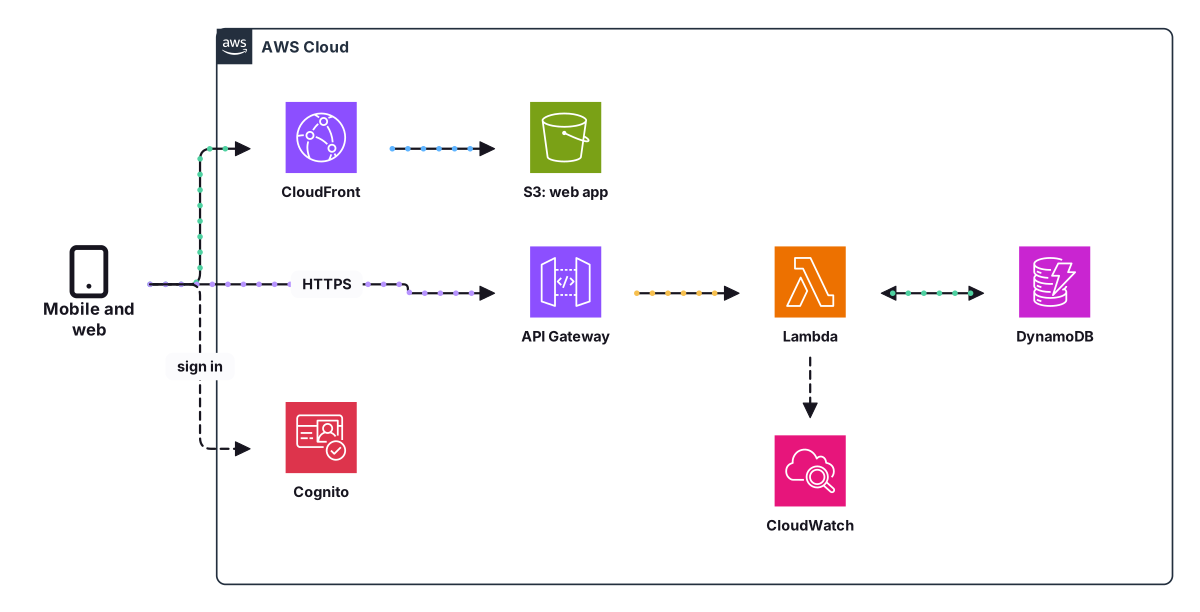
Diagrams are how teams explain systems
Weft is for the diagram in the README, the design review, the onboarding doc and the post about how your system works: the one that should make the idea obvious at a glance.
A static diagram shows what is connected. It doesn't show which way things go, what happens first, or where the traffic really is.
01The README wants SVG, the slide wants 16:9, LinkedIn wants a video. Each one means another export, another tool, another fix.
02Most tools give you grey rectangles. Making a diagram people actually want to look at takes an afternoon of nudging colors.
03The diagram lives in one person's drawing file, the code moves on, and nobody remembers how to regenerate it.
04Made with Weft, exported as SVG
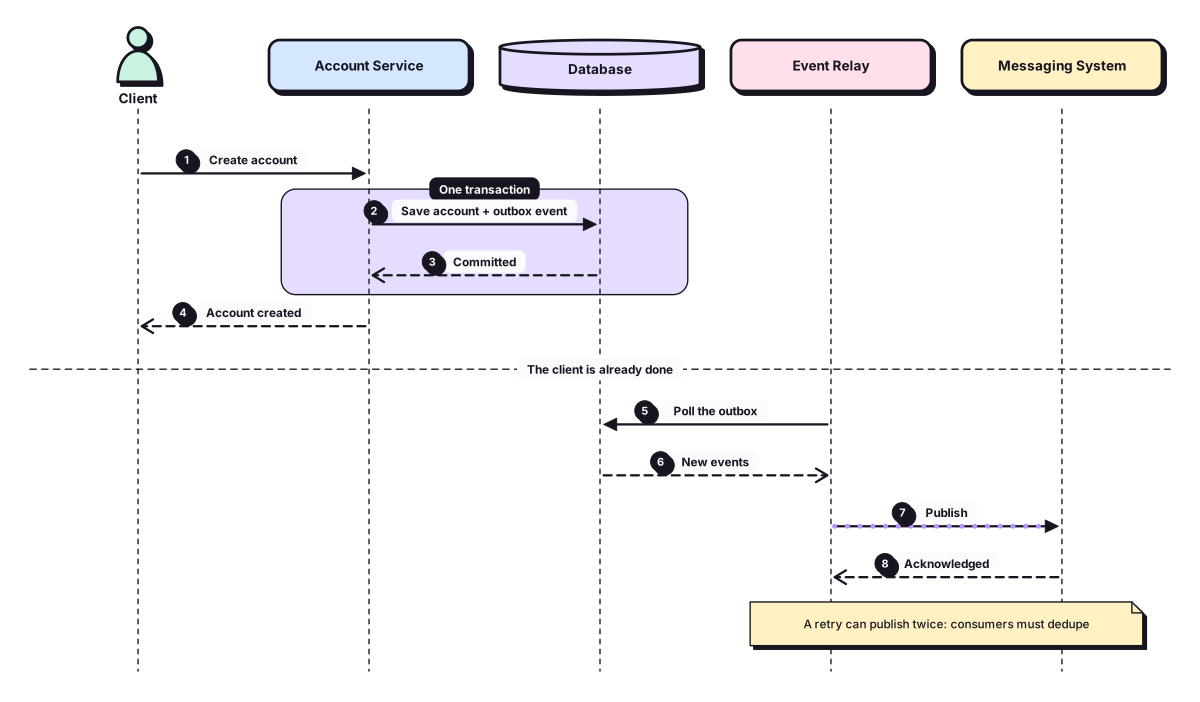
Each one is a single SVG file straight from Weft's Export, the same kind you can put in a README, a Notion page or your own site. No video, no script.
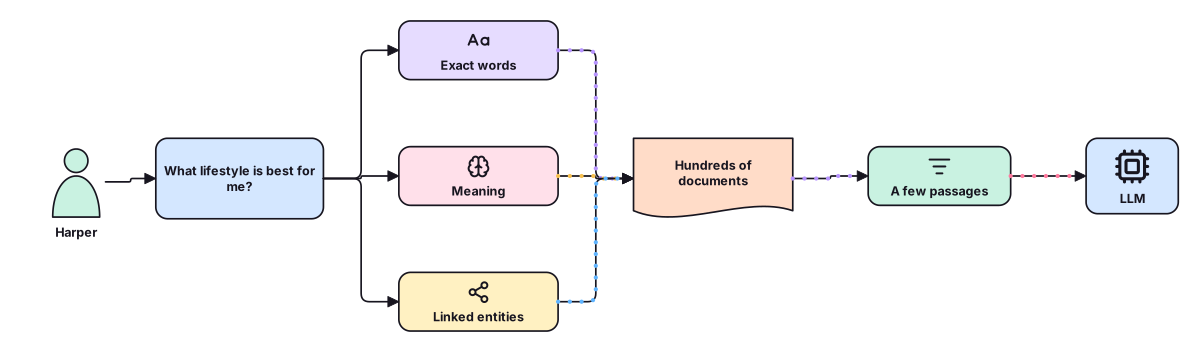
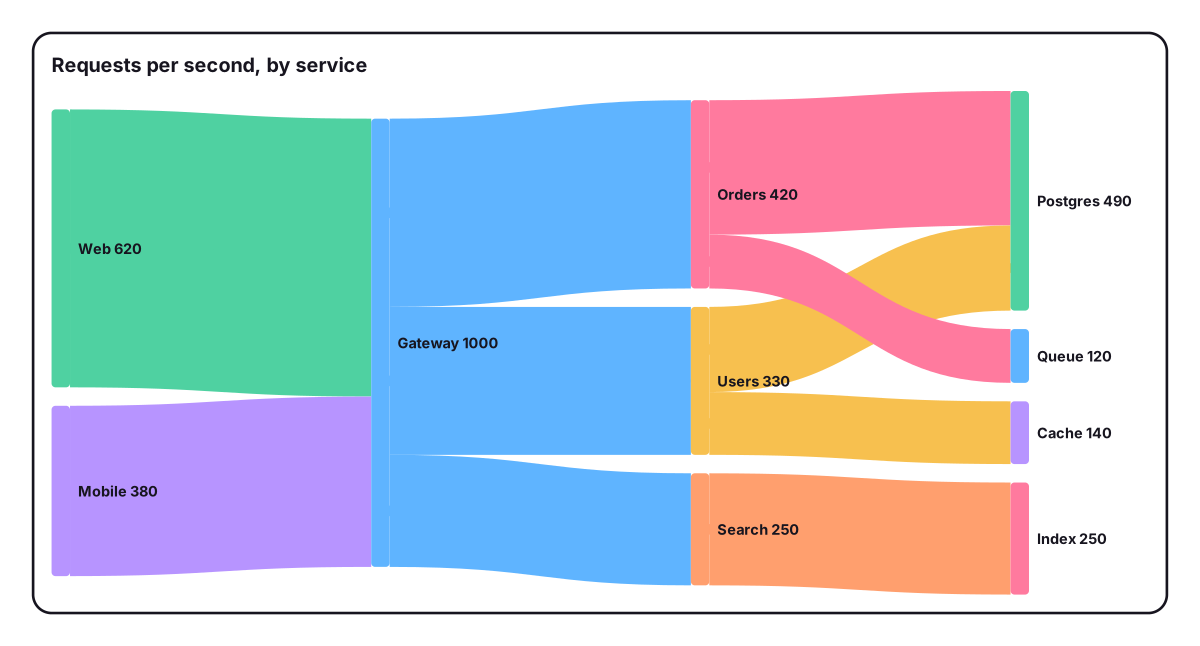
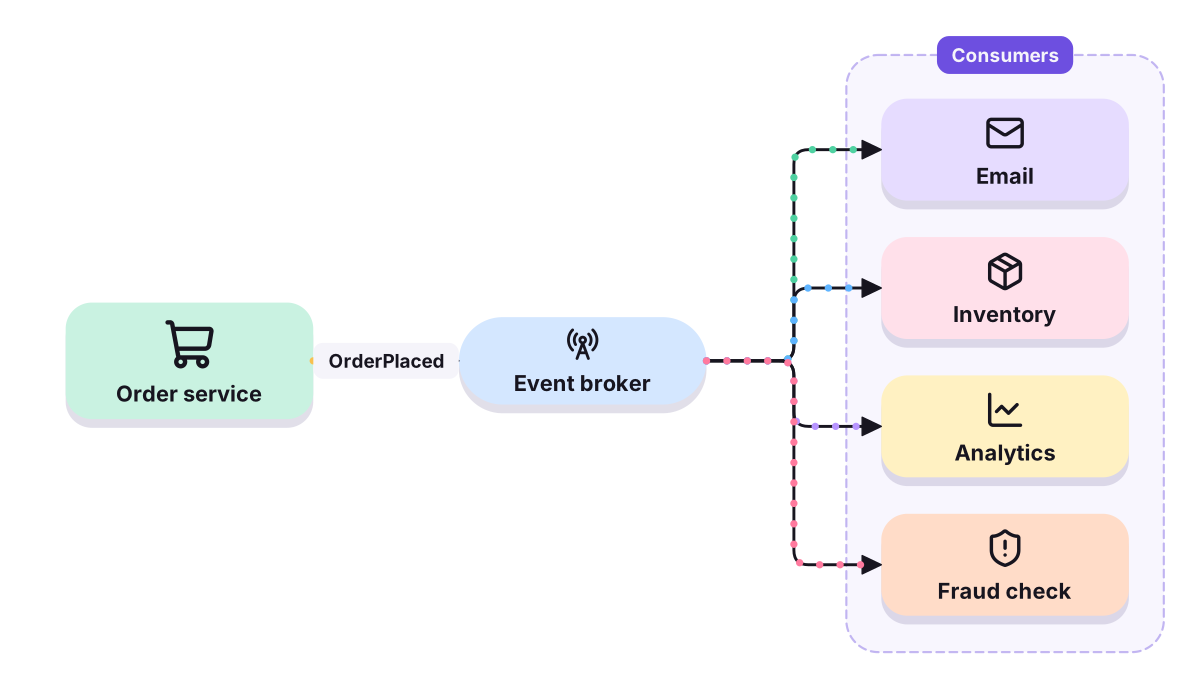
Click shapes onto the canvas, type the diagram as text, paste Mermaid, or start from one of 42 templates.
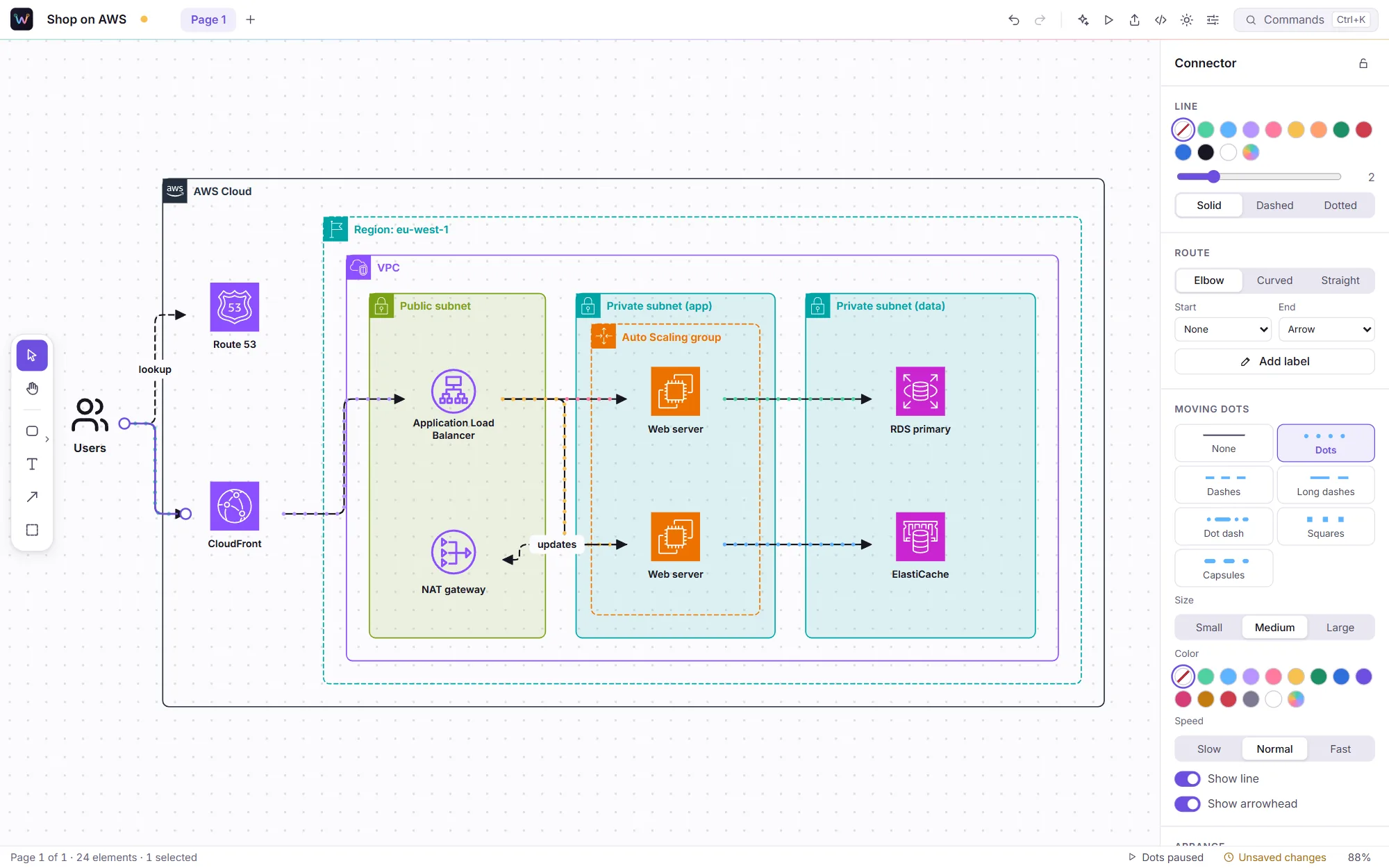
Pick a connector and choose its dots: style, color, speed, or no line at all, just the flow.
SVG that moves on GitHub and Notion, a GIF or MP4 for posts, PNG, PDF, Lottie, an HTML embed, or full screen with F5.
Everything a diagram needs
Draw it, write it, restyle it, chart it, and send it wherever it has to go.
The canvas
Tab adds the next step and connects it. Connectors route themselves around shapes and snap to them. Containers group what belongs together, and Tidy up lays the whole thing out in one keystroke.
More than boxes
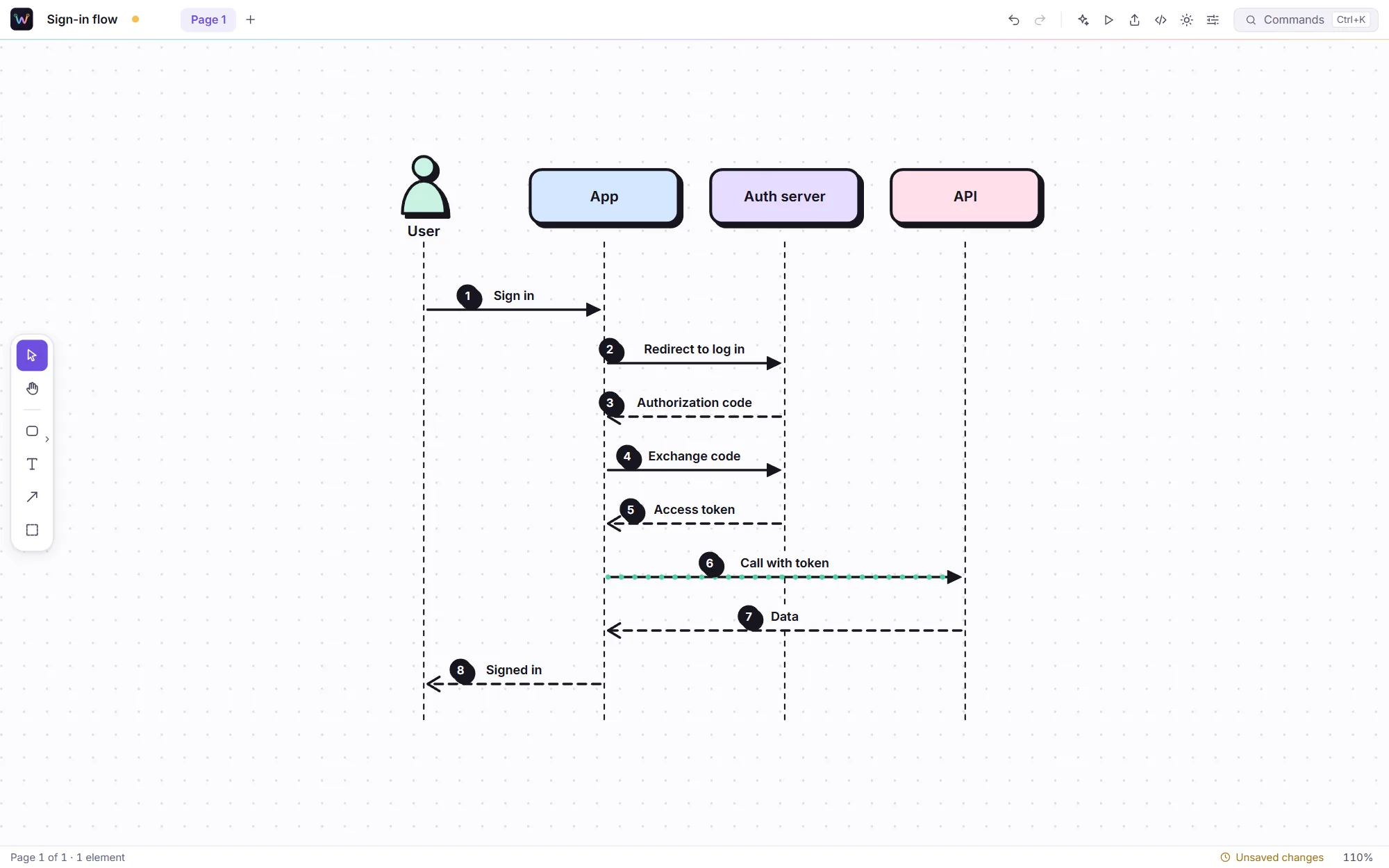
The diagrams you draw again and again are built in, and they lay themselves out as you type. Add a message, a row or a branch and everything else makes room.
Diagrams as text
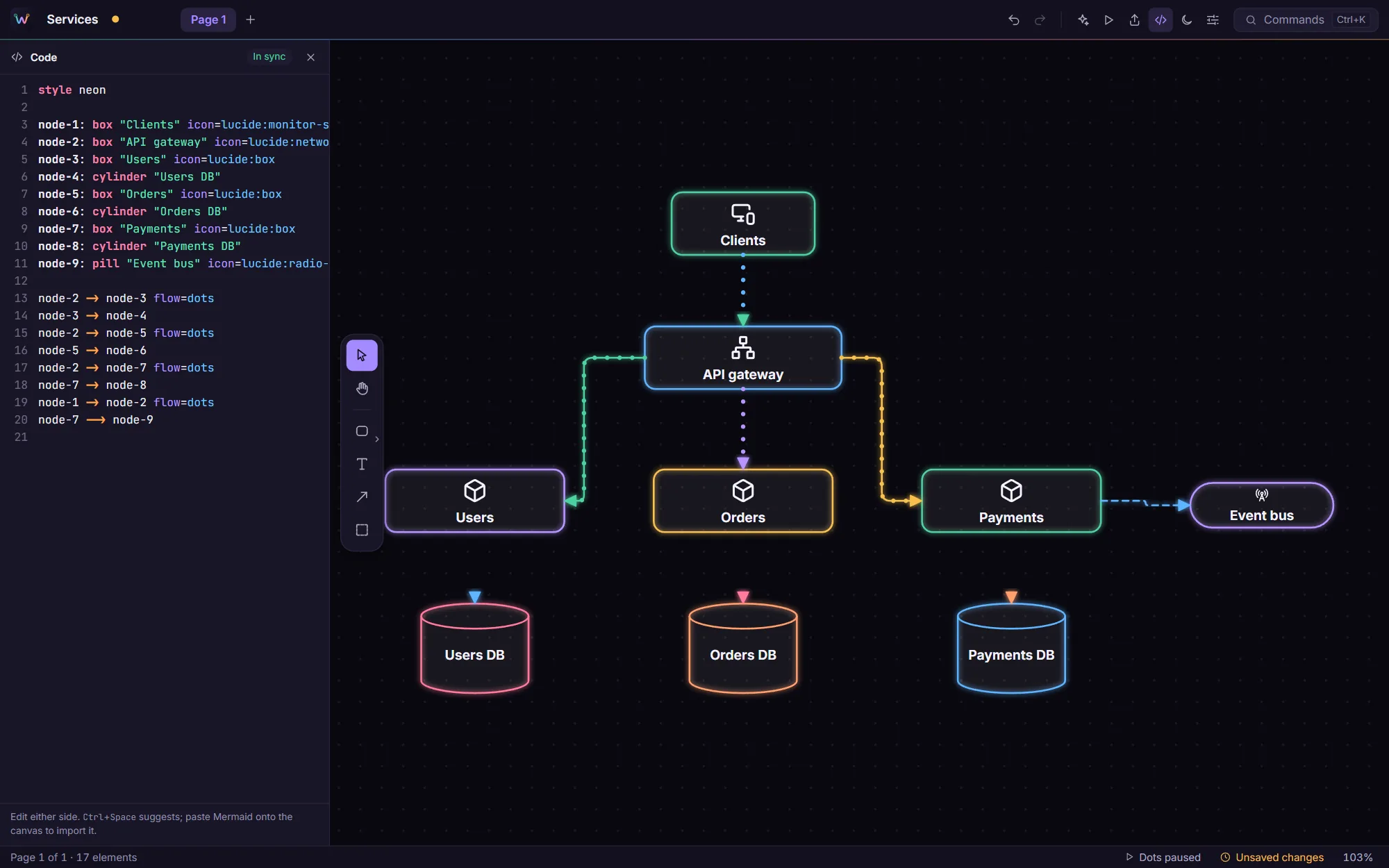
Every page is also a short, readable text. Edit either side and the other follows, with suggestions as you type and problems underlined. Paste Mermaid, D2 or PlantUML onto the canvas and it becomes a Weft diagram.
Charts
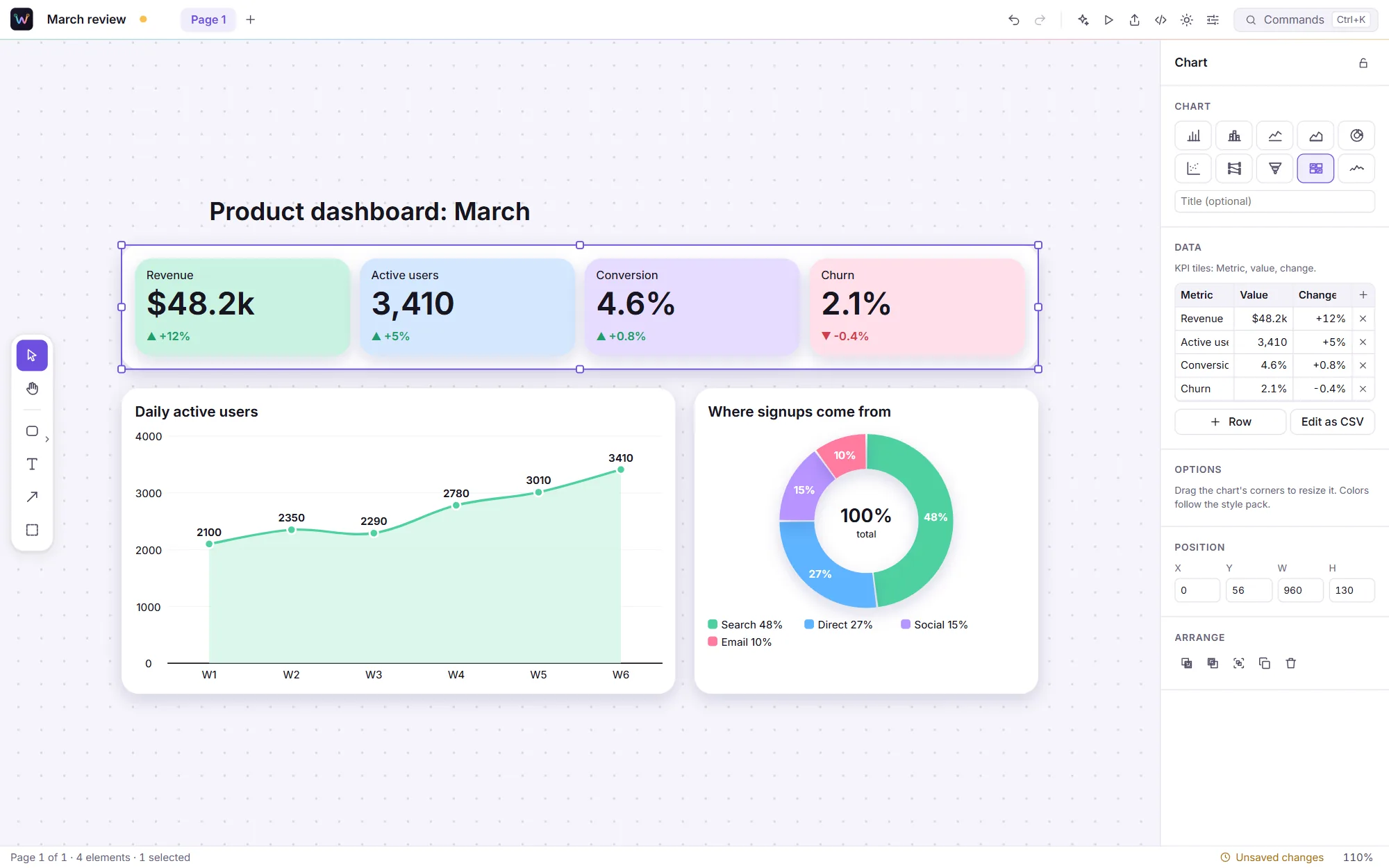
Copy cells from Excel or Google Sheets and paste them onto the canvas. Weft picks the right chart, colors it with your diagram's palette, and lets you switch kind without losing the data.
Export & share
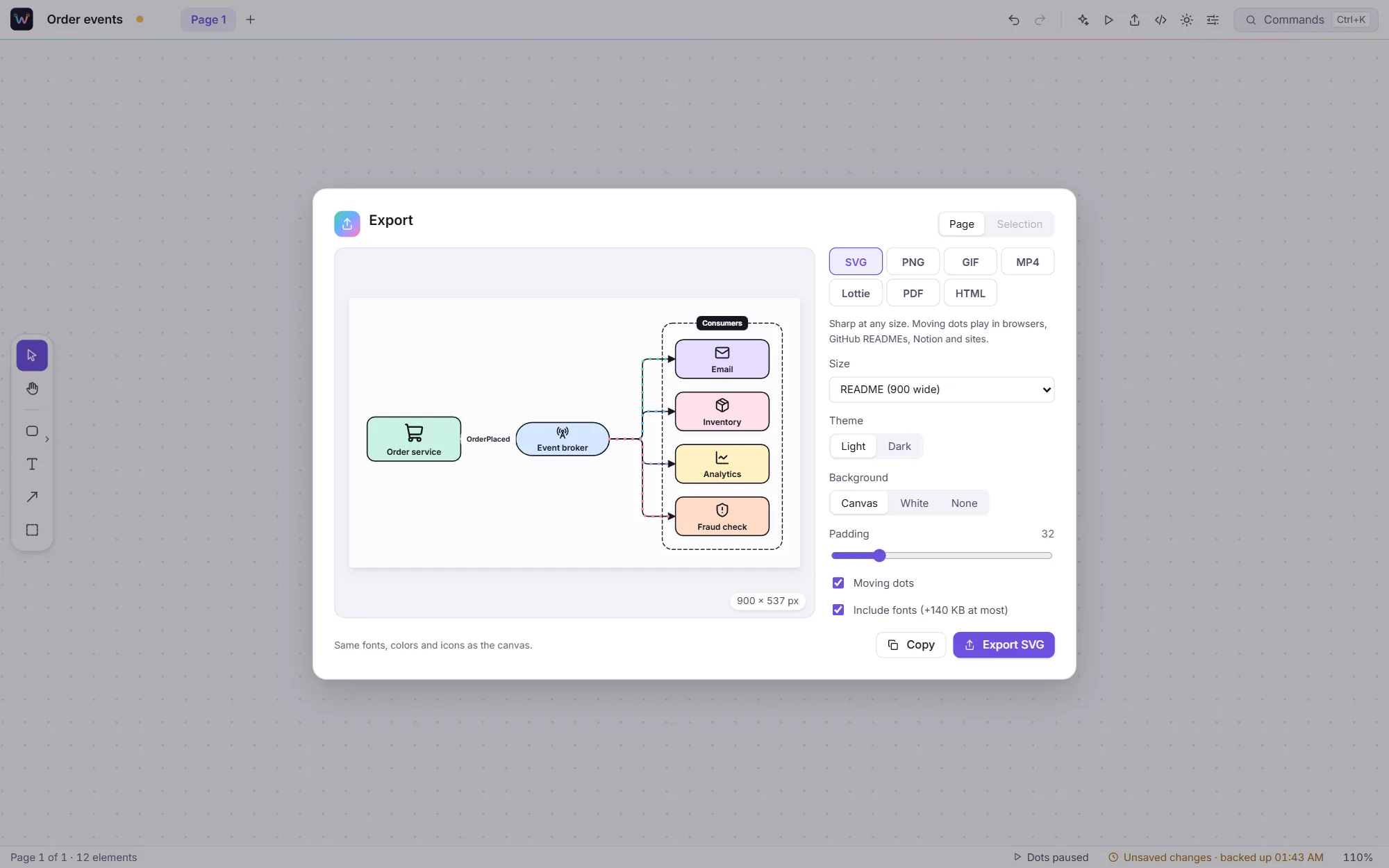
Pick a format and a size and see the result, moving, before you save it. The fonts and icons travel inside the file, so it looks the same on every screen.
Seven looks · One click
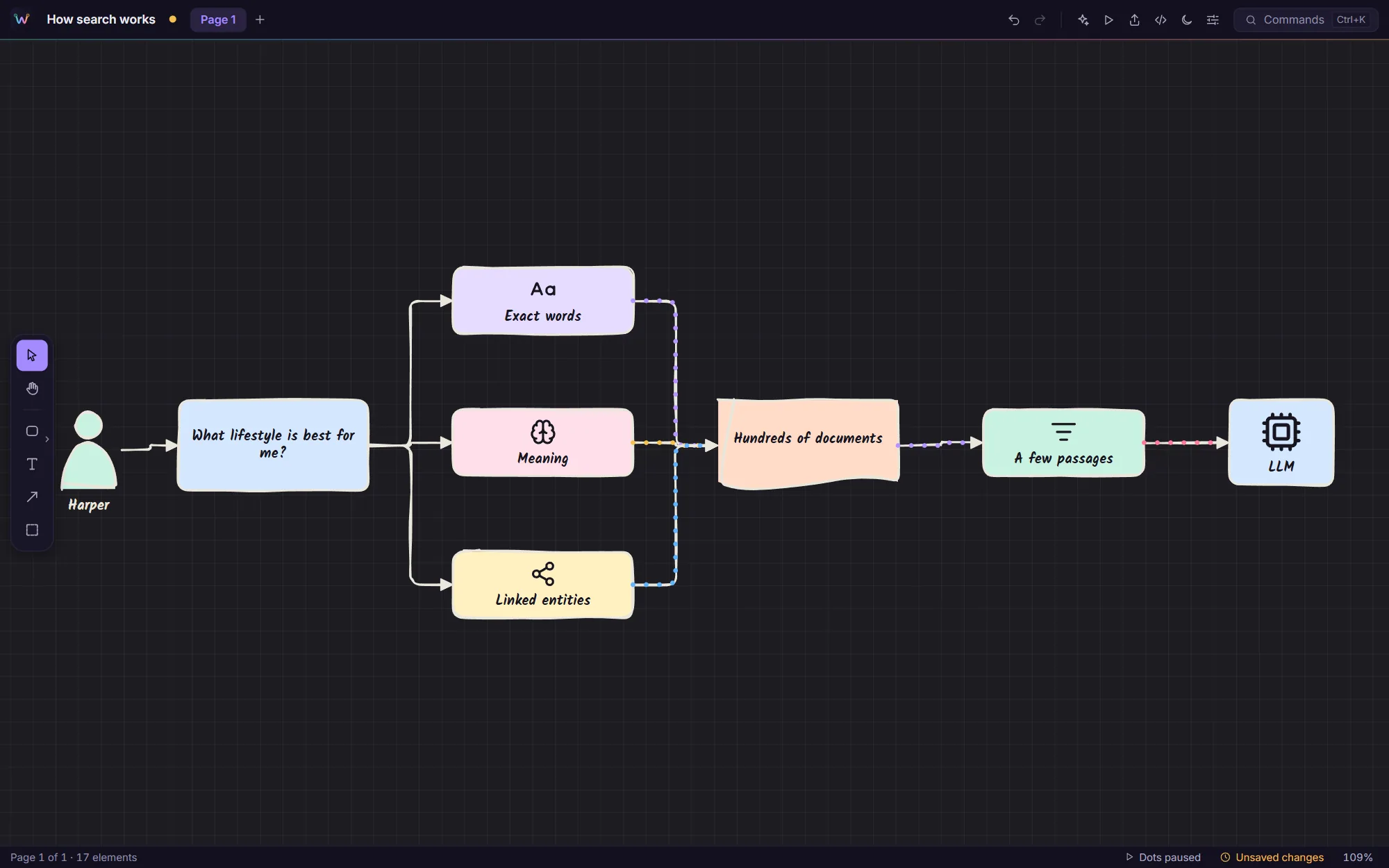
A look restyles every shape, line, font and shadow at once, and a palette recolors it. Your diagram stays the same; only how it looks changes, so you can try them all in seconds.
Docs as code
Check the .weft file (or your Mermaid) into the repository and let the build draw the image, so the diagram in the docs is never older than the code it describes.
# An SVG that moves, sized for a README
$ weft render docs/flow.weft -o docs/flow.svg --preset readme

# Straight from Mermaid, in the Ink look
$ weft render flow.mmd -o flow.gif --style ink

# A 16:9 video for the launch post
$ weft render system.weft -o system.mp4 --preset slide

# Keep editing it in Weft
$ weft import architecture.drawio
42 templates
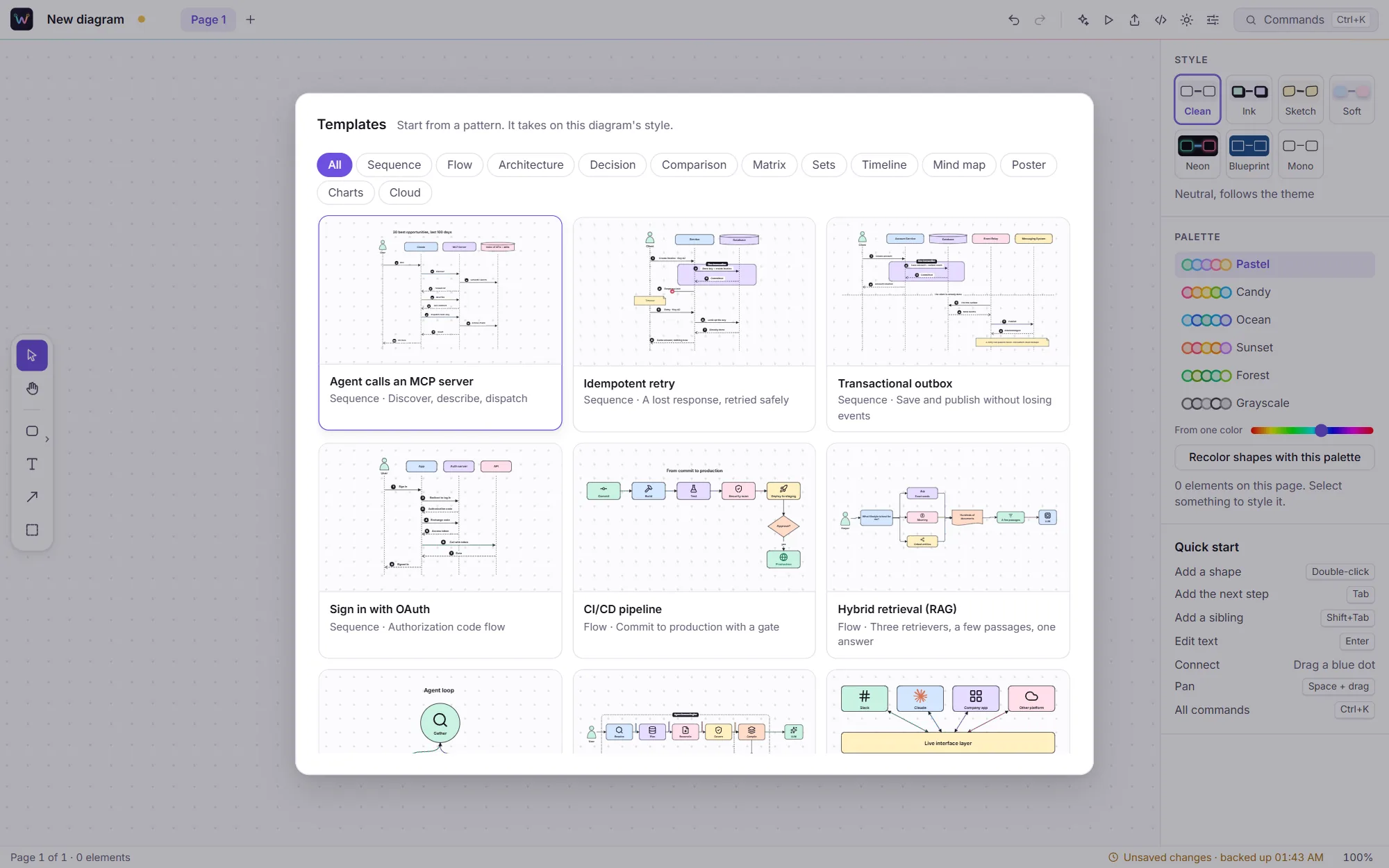
OAuth and MCP sequences, retries and outboxes, CI pipelines, RAG and agent loops, blue-green releases, the CAP theorem, cloud reference architectures, dashboards and more. Each one takes on your diagram's look the moment you add it.
Everything else you'd expect
Clean, Ink, Sketch, Soft, Neon, Blueprint and Mono restyle the whole diagram at once, with palettes to match.
Architecture, flows, sequences, matrices, timelines, mind maps, posters, charts and cloud diagrams.
Keep related diagrams together in one file, and present them one after another.
Every action is a command, one keystroke from the palette, with shortcuts for what you do often.
Thousands of shapes stay smooth to pan and zoom.
Themes that follow your system, for the app and for what you export.
Readable contrast, labelled controls, and motion that respects your system settings.
When a new version is out, Weft offers to install it. Your files and settings are kept.
Private by design
Weft vs a typical diagram tool
| Capability | A typical diagram tool | Weft |
|---|---|---|
| Moving connectors | Not available, or a separate animation tool | Built in, on any connector |
| Looking good | Grey boxes; styling is up to you | Seven looks and palettes, one click |
| Text and other tools | One format, or none | Weft text, Mermaid, D2, PlantUML, draw.io, Excalidraw |
| A README that moves | Record a GIF by hand | Export an animated SVG |
| Video for a post | Screen recording and editing | MP4 at the right size |
| Docs and CI | Export by hand each time | weft render in your pipeline |
| Price | Subscriptions and seat limits | Free |
Get Weft 1.0.0 · Free
Pick the file for your system. We'll email you a one-time code, and the download starts as soon as you enter it.
Windows 10 and 11, 64-bit
macOS 11 Big Sur or later
64-bit (x86_64)
weft render, for docs and CI. No window
First launch & command line
If Windows shows "Windows protected your PC", choose More info, then Run anyway. On Windows 10, the installer adds Microsoft's WebView2 if it's missing.
Drag Weft into Applications. The first time, open System Settings, then Privacy & Security, and click Open Anyway. (On macOS 14 and earlier, right-click the app and choose Open.)
Install the .deb with apt or the .rpm with dnf, like any other package. The AppImage needs no install: make it executable (chmod +x) and run it.
Unpack the archive and put weft on your PATH. MP4 from the command line needs ffmpeg; everything else works on its own.
The first-launch warning appears because Weft is new and not yet widely downloaded; it only shows once. Updating: Weft offers new versions itself, and keeps your settings. Your diagrams are files, so they are never touched. Verify your download (optional): each file's SHA-256 checksum is in SHA256SUMS.txt.
FAQ
Something else? Ideas or partnership enquiries? Email jamal@unravelers.tech.
Yes. Every feature, for as many diagrams as you like, with no account.
Yes. GitHub, GitLab, Notion and browsers play the animation inside an SVG image. Where SVG isn't allowed, export a GIF or MP4 instead.
Yes. Paste Mermaid, D2 or PlantUML onto the canvas, or open .drawio and .excalidraw files with File › Import. They become ordinary Weft diagrams you can restyle and animate.
No. Describe it is optional. Use your own key for Claude, OpenAI or Gemini, or run a model on your own computer with Ollama for free.
Yes. The weft command line renders .weft, Mermaid and the other formats to SVG, PNG, GIF, PDF and more, with no window.
Yes. Weft bundles AWS, Azure and Google Cloud's official architecture icons, which their owners provide for exactly this: architecture diagrams.
Both systems double-check apps that aren't yet widely downloaded. It only happens on the first launch; the steps are in the download section above.
Windows 10 and 11 (64-bit), macOS 11 or later on Apple silicon and Intel, and 64-bit Linux (Ubuntu, Debian, Fedora, openSUSE and others).
Your next diagram
Weft is free for Windows, macOS and Linux. Draw your first moving diagram in a minute, and put it anywhere.