Five terminals for one bug
The error is in Laravel, the 502 is in Nginx and the timeout is in the worker. You line up timestamps from three windows by hand.
01
 Free for Windows, macOS & Linux · v0.1.0
Open your log folders, your servers, your containers and your cloud logs. Strata merges them into one stream by time, colors it by severity, and finds the error you came for in about a second.
Reading logs today
One request touches a web server, an app, a queue and a database, each with its own log on its own machine. Strata puts them back together.
The error is in Laravel, the 502 is in Nginx and the timeout is in the worker. You line up timestamps from three windows by hand.
01Every server is another login, another path to remember and another rotated .gz you forgot to search. Production is one wrong command away.
02Forty framework frames between you and the one line of your own code that broke. Different in every language.
03A noisy log hides the one new message that matters. By the time you scroll to it, it has happened a thousand times.
04How it works
No agents to roll out, no pipeline to build, no account. Open a folder and you are reading.
A folder like storage/logs, a server like web-1:/var/log/nginx, a Compose project, a Kubernetes namespace or a CloudWatch group. Mix them in one view.
Strata detects each format, merges every file and rotation into one stream by time, and follows new lines as they are written.
Search fields and levels, group the noise into patterns, open the stack trace at your own code and follow the request across every service.
What Strata does
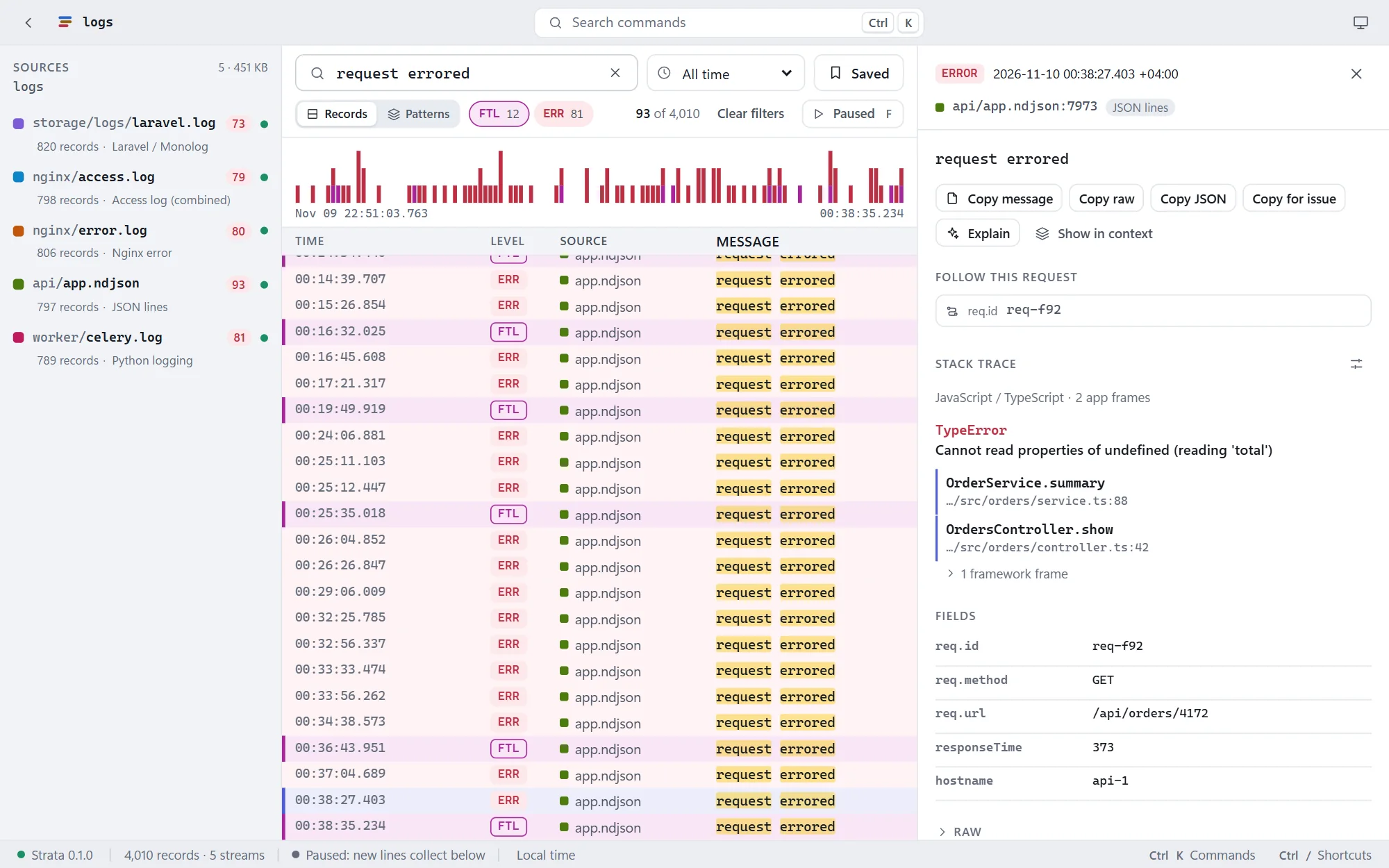
These screenshots are Strata reading sample logs from a small shop: Laravel, Nginx, a JSON API and a Celery worker.
One stream
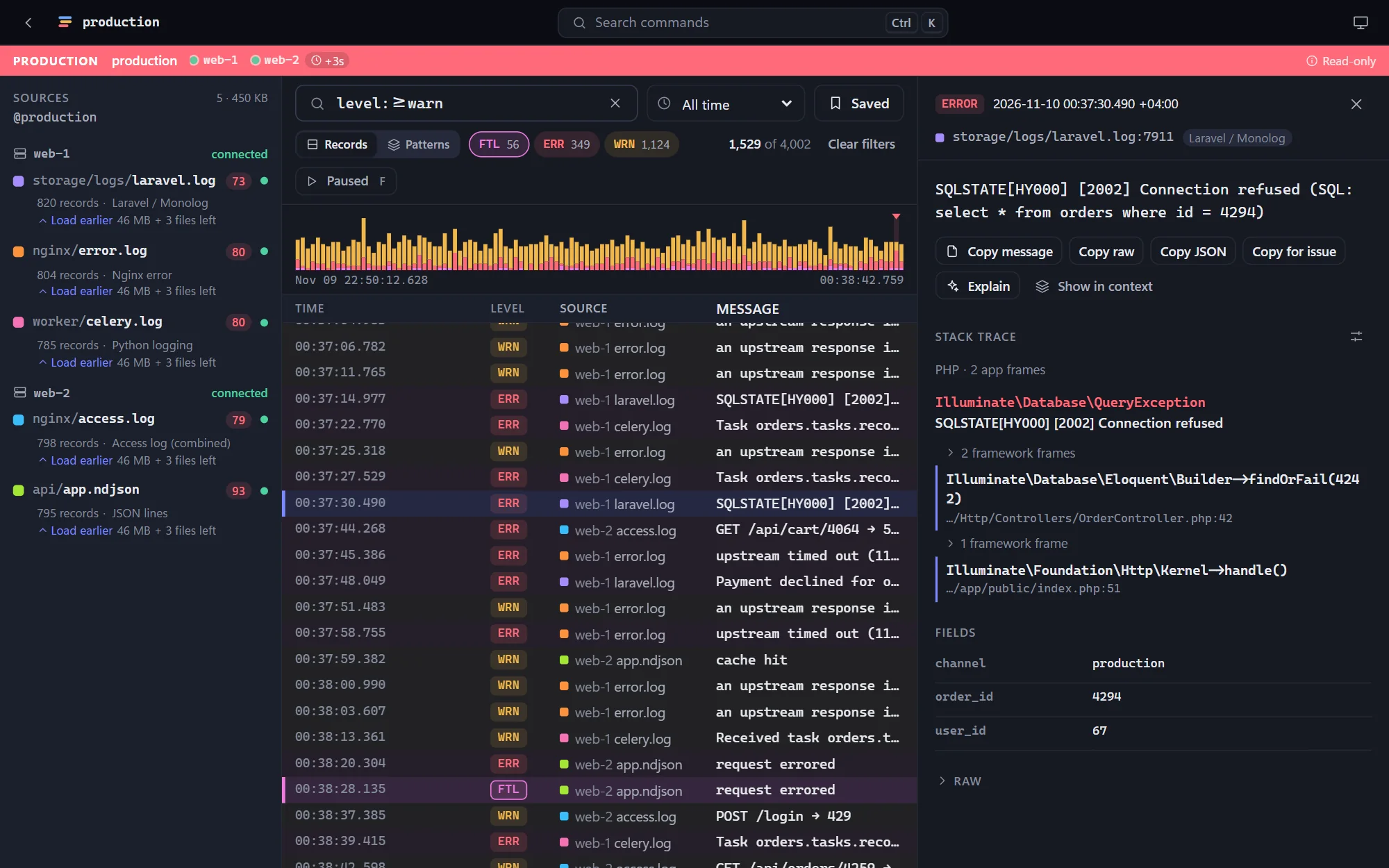
Laravel, Nginx, a JSON API and a Python worker in one table, in the order things happened, each with its own color. Severity is colored the same way in every language, so an error looks like an error whether it came from PHP or Go.
Servers and containers
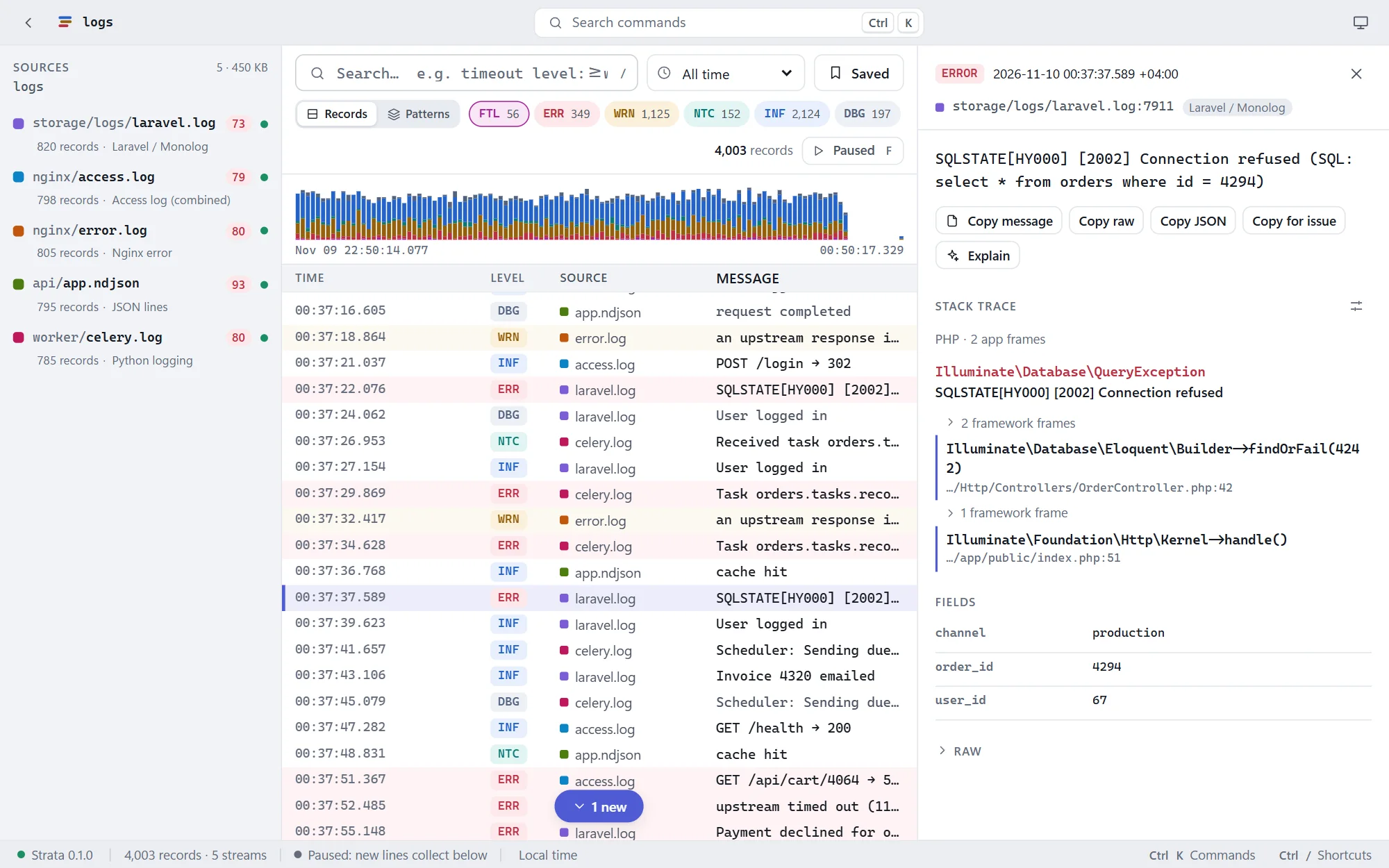
Strata reads servers with the ssh you already use: your keys, your config, your jump hosts. Nothing is installed on the server. Name your environments once in a file you commit, and your team opens production the same way you do.
Patterns
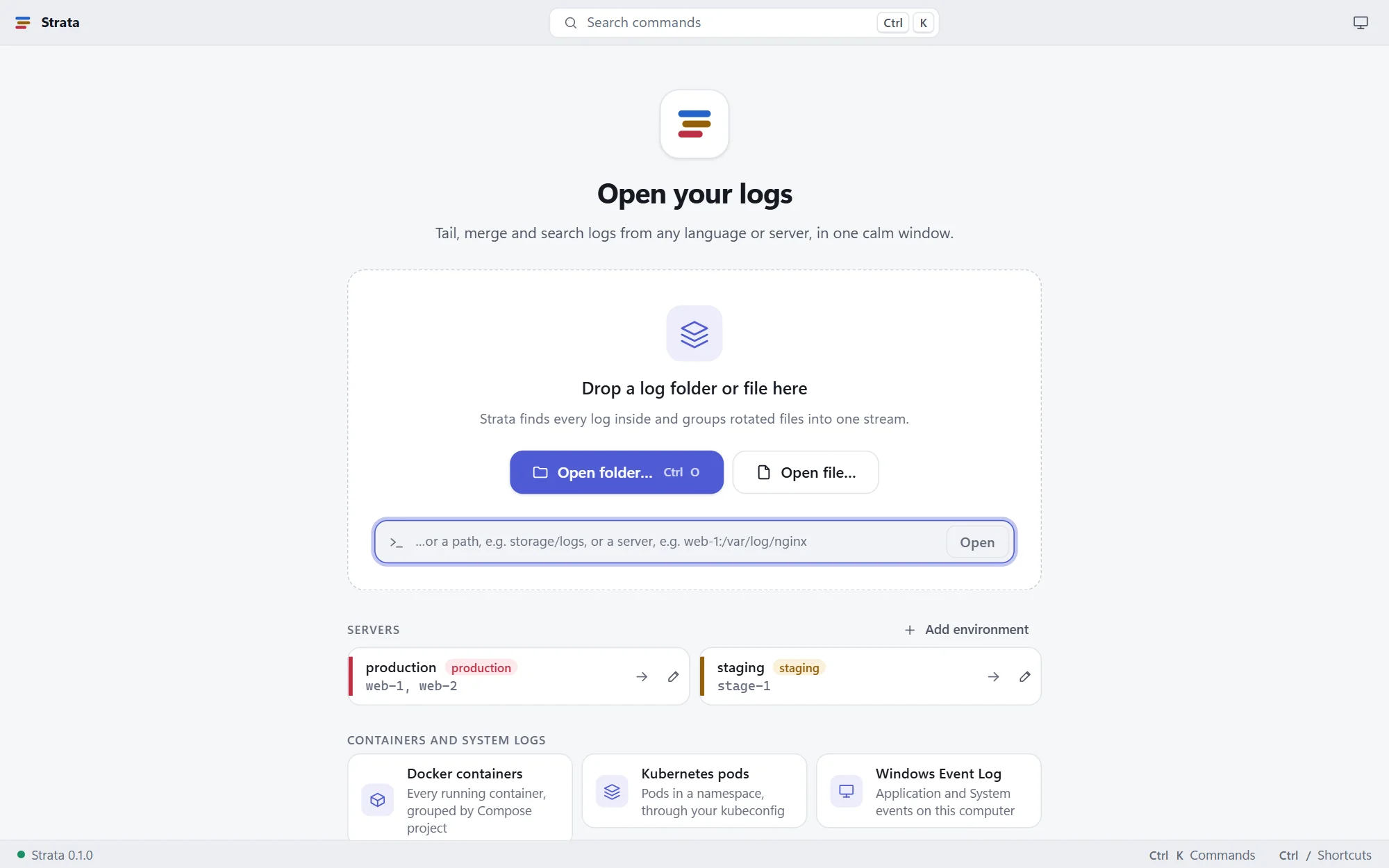
Press P and Strata groups records by what they say, with the values replaced by gaps: "GET /api/cart/* → *" instead of fifty thousand lines. Each pattern shows its count, its trend and its level. Mark what is new since your last deploy and the regression stands out.
Stack traces and requests
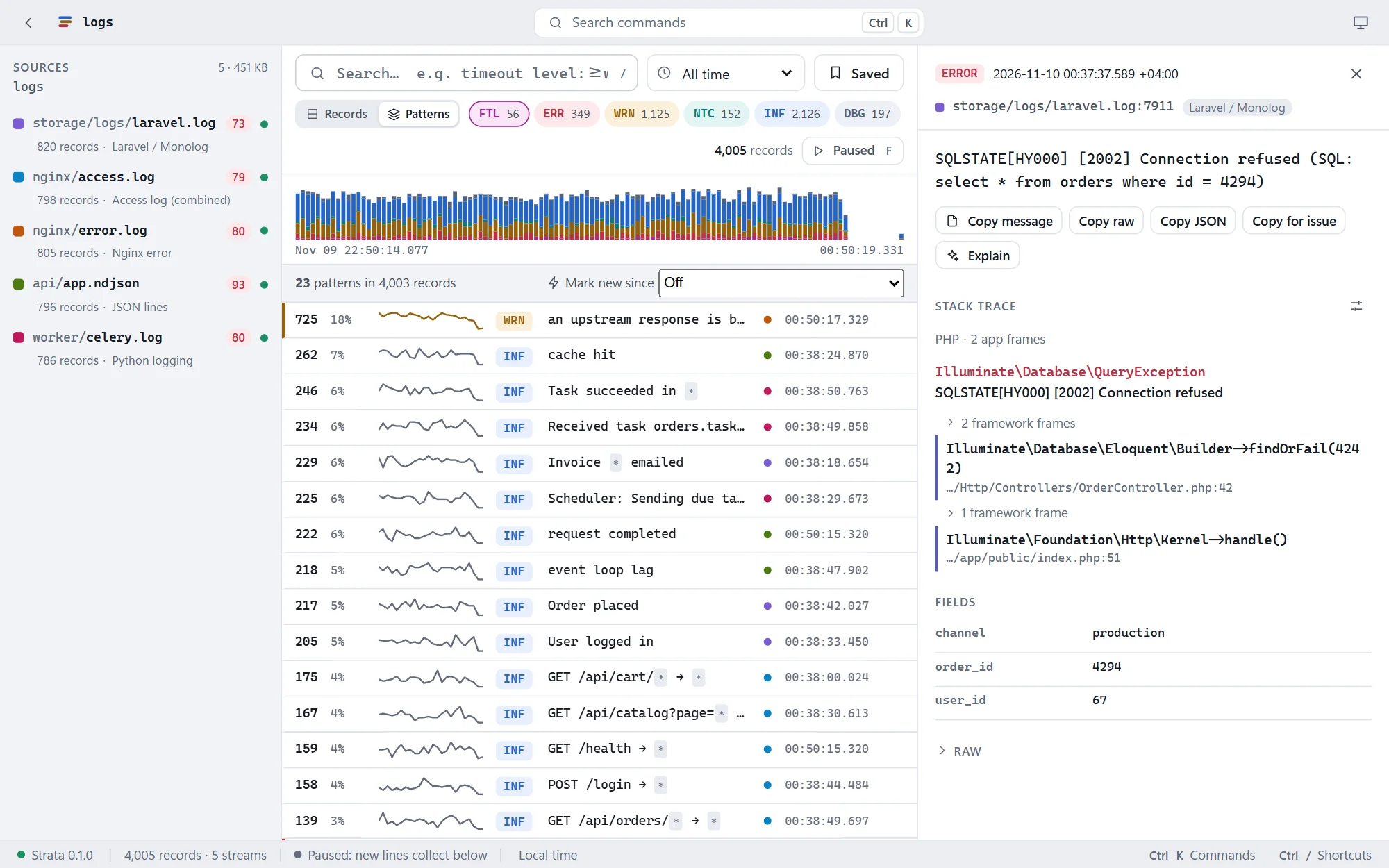
Exceptions from PHP, Java, Python, JavaScript, Go, .NET, Ruby, Rust and Elixir are laid out with your own frames first and framework frames folded away. Click a frame to open that line in your editor. When a record carries a request or trace id, one click shows every record that mentions it, in every service.
Explain, if you want it
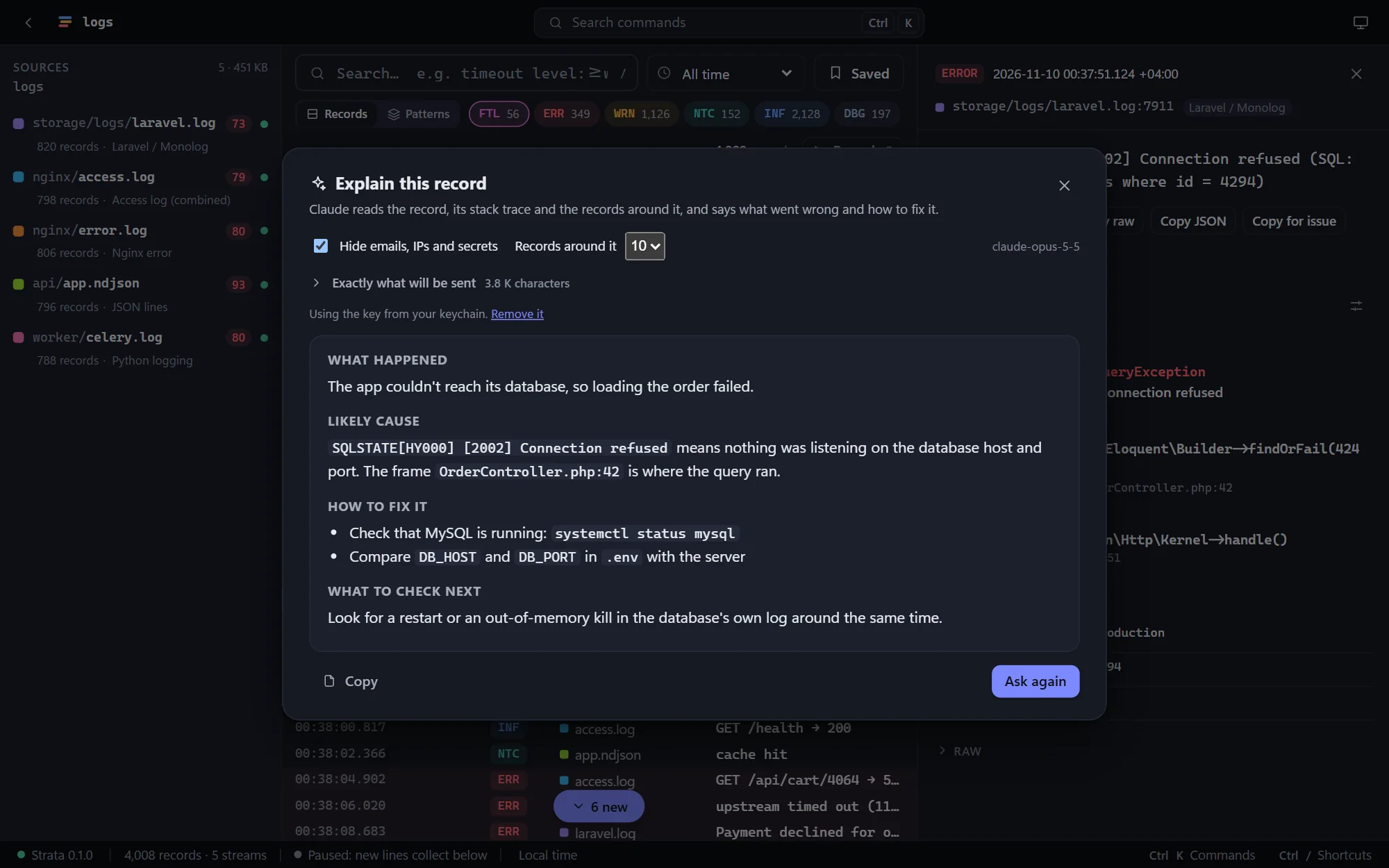
Explain is off until you turn it on. It sends the record, its stack trace and the records around it to Claude with your own Anthropic key, and answers with what happened, the likely cause and how to fix it. You see the exact text before anything leaves your computer.
In your terminal
strata gives the answers the app does: the same formats, the same query language and the same servers and environments. Use it over SSH, in scripts, or when a window is too much.
# Errors about payments on every production server, old rotations included
$ strata search 'level:error payment' @production --everywhere
2026-11-08 09:00:00.000 ERR web-1:/var/www/app/storage/logs/laravel.log.1.gz:211 Payment declined for order 17
2026-11-09 12:03:01.000 ERR web-2:/var/www/app/storage/logs/laravel.log:4812 Payment declined for order 4237

# What started happening in the last hour
$ strata patterns @production --new-since 1h --only-new
37 ERR SQLSTATE[*] [*] Connection refused NEW  web-2:laravel.log

# Follow a Compose app and a folder together
$ strata tail -f docker:shop storage/logs
Everything else you'd expect
Words, "phrases", level:>=warn, status:5xx, ms:>500, user.id:42, since:15m, /regex/ and -negation, the same in the app and the CLI.
Save a search for yourself or commit it for your team. Ring the bell and you are told when new records match.
One .strata file with the records on screen, their formats and your search. Whoever opens it sees what you saw.
The records in view as JSON lines, CSV, Markdown or the original lines.
A 5 GB folder shows its first rows in a third of a second; older lines join in the background.
A colored bar on every view and the environment in the window title, with an optional confirm before opening it.
A command palette (Ctrl+K) and shortcuts for search, levels, follow, next error and patterns.
Themes that follow your system, with level colors tuned for both.
Private by design
Strata vs ssh, tail and grep
Keep your terminal for quick looks. Use Strata when the answer is spread across servers.
| Capability | ssh, tail & grep | Strata |
|---|---|---|
| Several servers at once | One terminal each | One stream, merged by time |
| Rotated and .gz files | Remember to zgrep them | Joined and searched like the rest |
| Formats | Whatever grep matches | 33 detected, with fields and levels |
| Stack traces | Lines of text | Your frames first, open in your editor |
| Noisy logs | Scroll and hope | Grouped into patterns, new ones marked |
| Production safety | Careful typing | Read-only, with the environment always shown |
| Containers and clouds | docker, kubectl, aws, each its own way | One way to open them all |
| Price | Free | Free |
Get Strata 0.1.0 · Free
Pick the file for your system. We'll email you a one-time code, and the download starts as soon as you enter it.
Windows 10 and 11, 64-bit
macOS 11 Big Sur or later
64-bit (x86_64)
strata for terminals, scripts and servers
First launch & command line
If Windows shows "Windows protected your PC", choose More info, then Run anyway. On Windows 10, the installer adds Microsoft's WebView2 if it's missing.
Drag Strata into Applications. The first time, open System Settings, then Privacy & Security, and click Open Anyway. (On macOS 14 and earlier, right-click the app and choose Open.)
Install the .deb with apt or the .rpm with dnf, like any other package. The AppImage needs no install: make it executable (chmod +x) and run it.
Unpack the archive and put strata on your PATH. The Linux build is static: it runs on any distribution, and strata agent install copies it to a server.
The first-launch warning appears because Strata is new and not yet widely downloaded; it only shows once. Updating: download the new version from this page and install it over the old one. Your settings and saved searches are kept. Verify your download (optional): each file's SHA-256 checksum is in SHA256SUMS.txt.
FAQ
Something else? Ideas or partnership enquiries? Email jamal@unravelers.tech.
Yes. Every feature, for as many logs and servers as you like, with no account.
No. Strata reads servers over SSH with standard tools like tail, grep and stat, and never writes. The agent is optional: it makes whole-file searches and patterns faster on very large logs, and it is one file you install with strata agent install.
Thirty-three out of the box, including JSON lines, logfmt, Nginx, Apache, Caddy, IIS, HAProxy, Traefik, Laravel, Rails, Django and Python logging, log4j and logback, .NET, Go, Rust, Node, Elixir, syslog, journald, PostgreSQL, MySQL, Redis, MongoDB, Docker and Kubernetes. Anything else shows as plain text, and you can teach Strata your own format.
Gigabytes. A 5 GB folder shows its first rows in about a third of a second while older lines are read in the background, and a search over 1 GB takes about a second and a half.
Yes, when you allow sudo for that host. Strata uses sudo -n, so it never asks for or stores a password; your server decides what is allowed.
Strata only reads. Production is marked by a colored bar and in the window title, and Strata can ask before opening it.
Only when you press Send: the record, its stack trace and up to 25 records around it, after emails, addresses and secrets are hidden. It goes straight from your computer to Anthropic with your own key.
Download them from this page and install over the old one. Your settings and saved searches are kept.
Both systems double-check apps that aren't yet widely downloaded. It only happens on the first launch; the steps are in the download section above.
Windows 10 and 11 (64-bit), macOS 11 or later on Apple silicon and Intel, and 64-bit Linux (Ubuntu, Debian, Fedora, openSUSE and others). Servers can be any Linux with a POSIX shell, BusyBox included.
The next time something breaks
Strata is free for Windows, macOS and Linux. Open a folder or a server and start reading.