The editor that wants a subscription
You only needed to fix one typo in a contract. The PDF app wanted a monthly plan first.
01
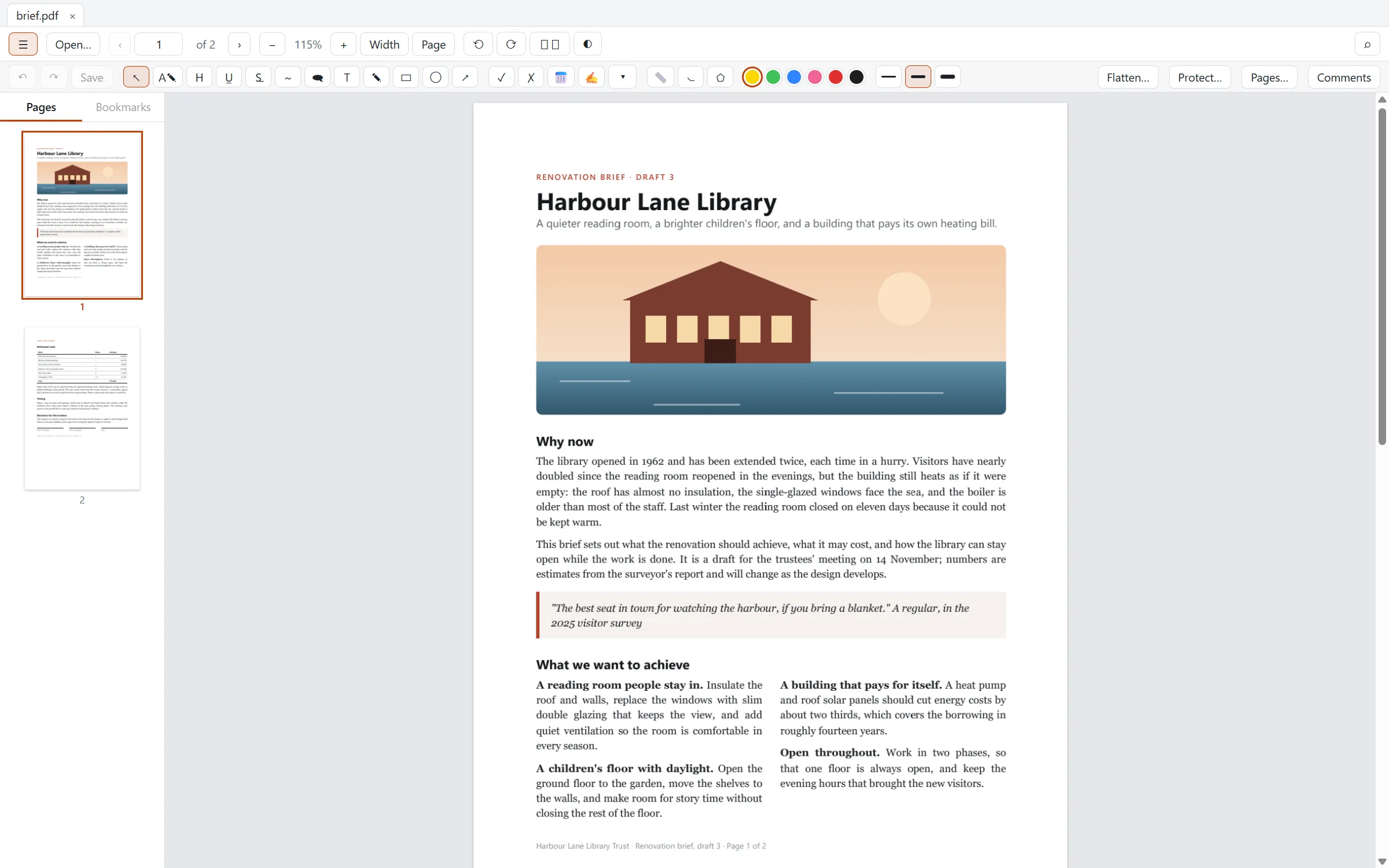
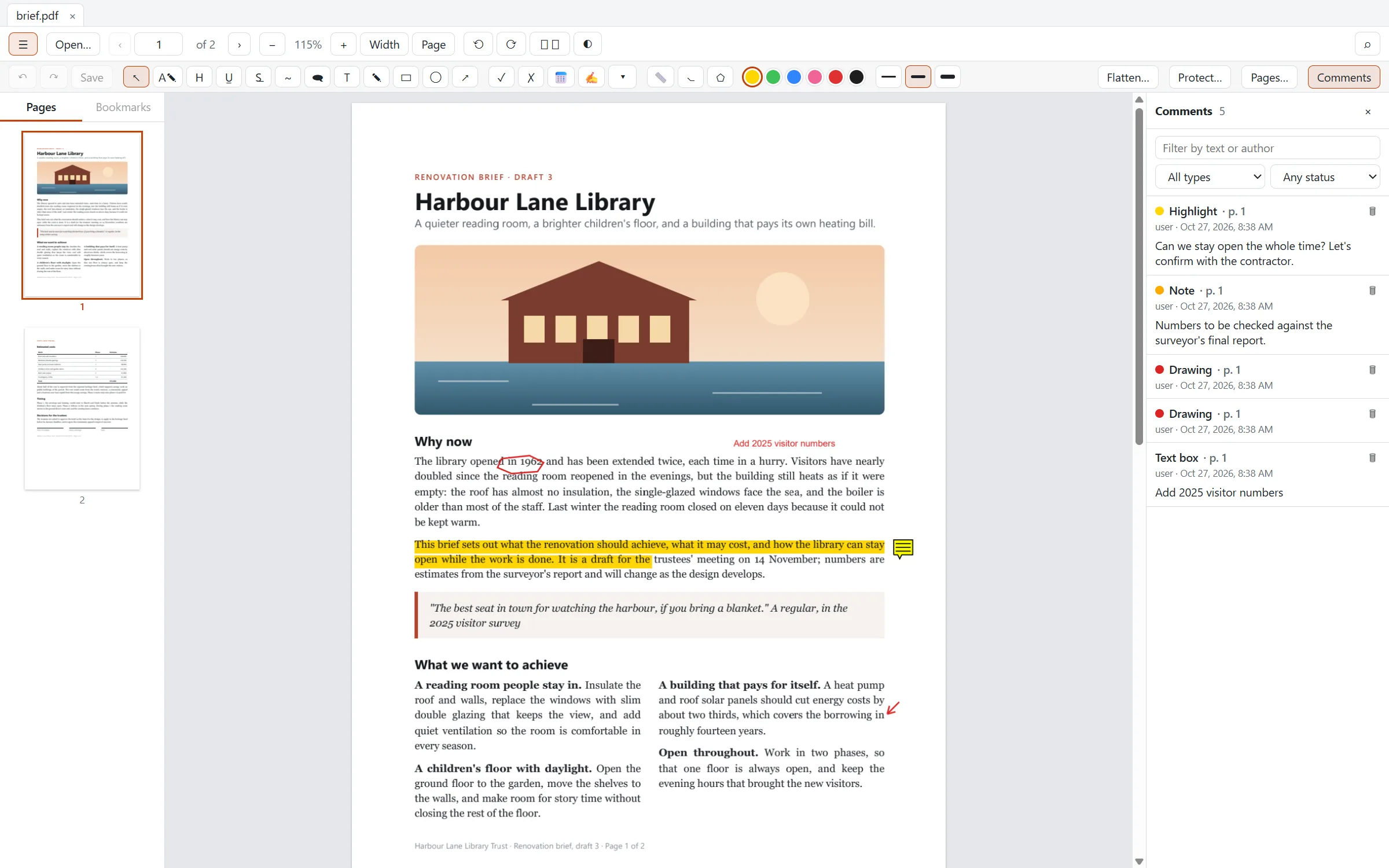
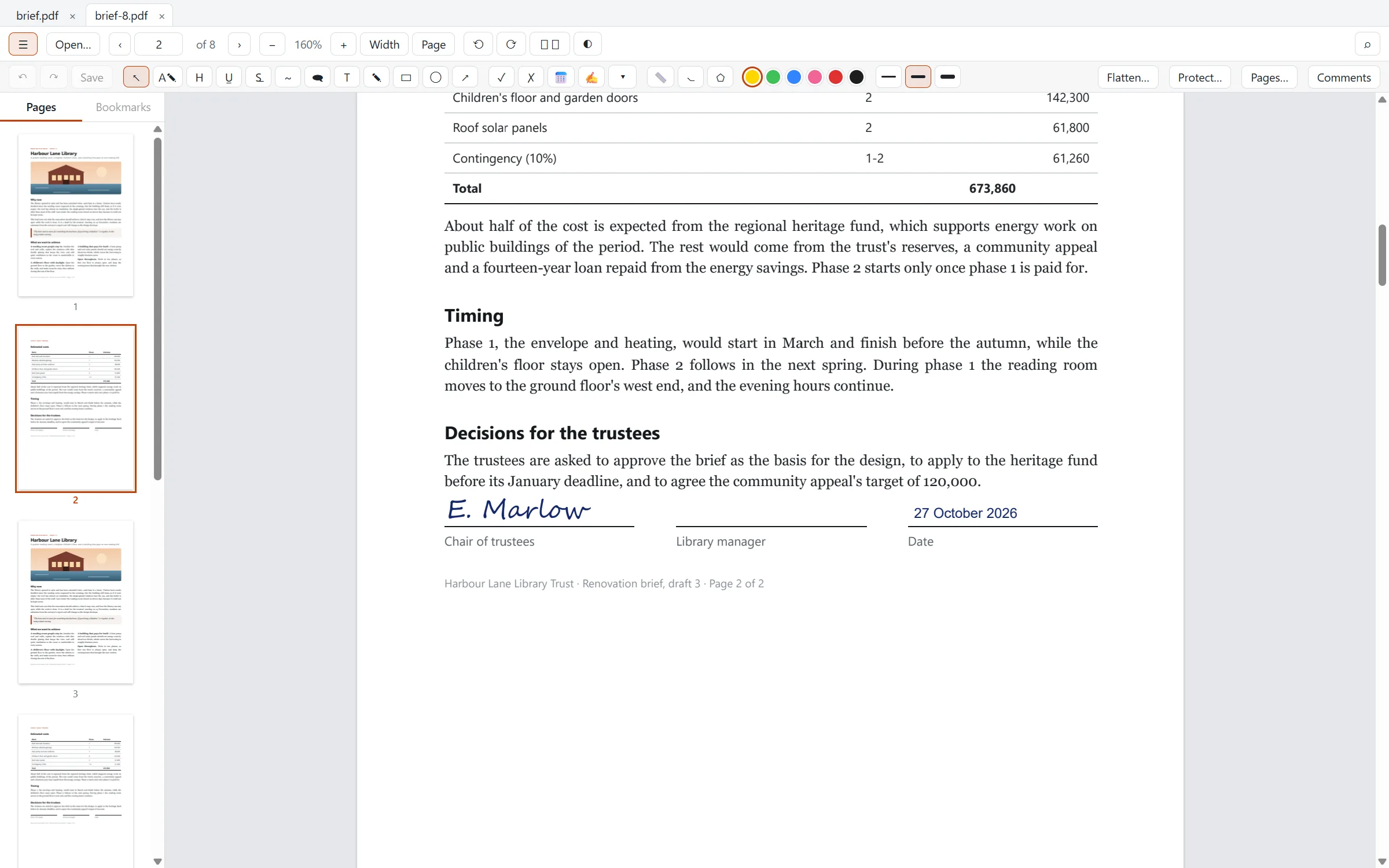
Click a paragraph and type: Oryx changes the real text and reflows it in the document's own font, like a word processor. Annotate, fill and sign forms, organize pages and protect files, all on your computer. No subscription, no account, no upload.
PDFs shouldn't be this hard
Changing a PDF usually means paying for a plan, uploading it somewhere, or covering the old text with a white box. Oryx is a fast, free editor that works on your own computer and edits the text itself.
You only needed to fix one typo in a contract. The PDF app wanted a monthly plan first.
01Upload your bank statement to edit it online, and hope it's deleted afterwards.
02Most editors let you draw a white box and type on top. Change a word and the line doesn't move.
03A 900-page manual, and every scroll is a wait for blank pages to fill in.
04Everything in one free app
The things you'd normally pay a PDF subscription for, without the subscription.
Real text editing
Oryx edits the text that is really in the PDF, the way a word processor does. Lines re-break inside the paragraph, justified text stays justified, and what's below moves down to make room.
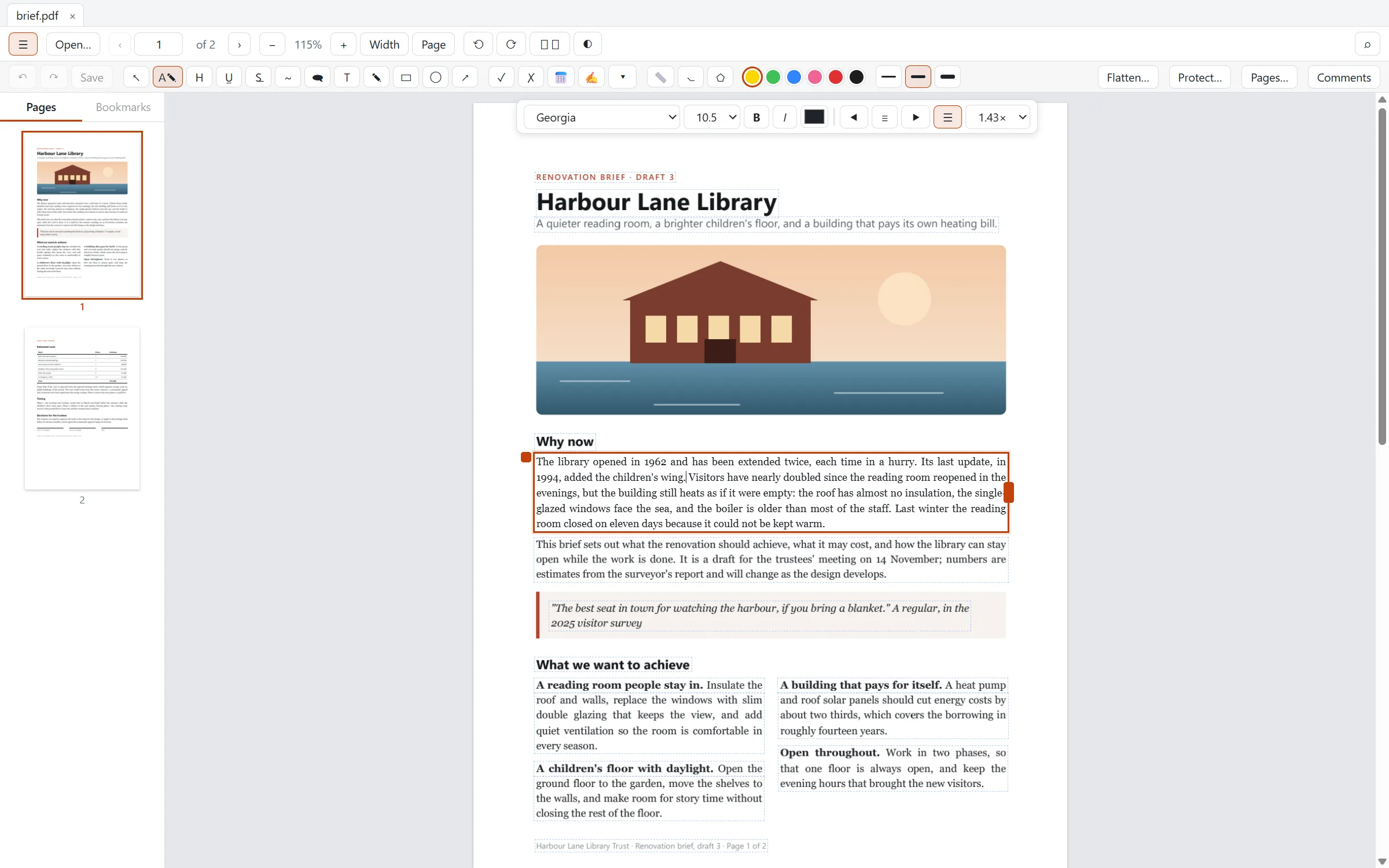
Annotate & review
Highlight, comment, draw and measure, with standard PDF annotations that look the same in every other PDF app.
Forms & signatures
Fill the form fields a PDF already has, or type anywhere on one that has none. Then sign it with a signature you draw, type or import.
Pages & files
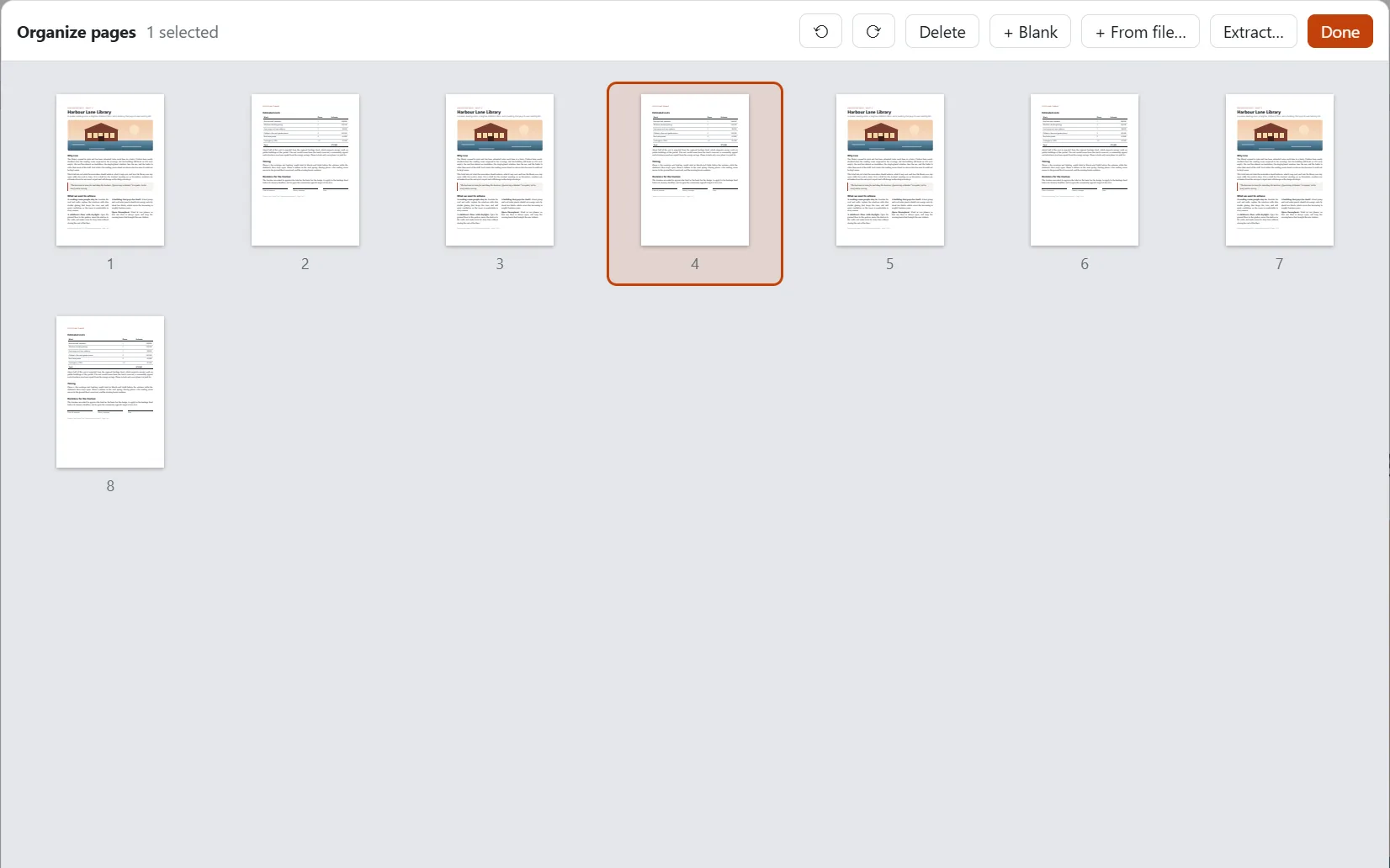
Reorder, rotate and delete pages by dragging thumbnails. Combine documents, pull pages out into a new file, and send smaller files.
Fast on any file
Oryx draws pages on several cores at once, and only what you can see, so a thousand-page manual scrolls as smoothly as a one-page letter. Light and dark themes follow your system, and dark pages keep photos in their true colours.
on a 1,000-page document, with no dropped frames
results stream in, and files you opened before are searchable too
each document in its own tab, each remembering its page and zoom
is journaled, so unsaved changes come back after a crash
Private by design
Oryx vs a typical PDF editor
| Capability | A typical PDF editor | Oryx PDF Editor |
|---|---|---|
| Price | Monthly or yearly subscription | Free. No paid features |
| Editing text | Often a white box with new text on top | Edits the real text and reflows it |
| Where your file goes | Online editors upload it | Stays on your computer |
| Account | Usually required | None |
| Annotations, forms & signatures | Often in a higher plan | Included |
| Page organizing & compression | Often in a higher plan | Included |
| Password protection | Often in a higher plan | AES-256, included |
| Telemetry | Common | None |
Get Oryx PDF Editor 1.0.3 · Free
Pick the file for your system. We'll email you a one-time code, and the download starts as soon as you enter it.
Windows 10 and 11, 64-bit
macOS 11 Big Sur or later
64-bit (x86_64)
First launch & new versions
If Windows shows "Windows protected your PC", choose More info → Run anyway. On Windows 10, the installer adds Microsoft's WebView2 if it's missing. Or install with winget: winget install Unravelers.OryxPDFEditor
Drag Oryx PDF Editor into Applications. The first time, open System Settings → Privacy & Security and click Open Anyway. (On macOS 14 and earlier, right-click the app and choose Open.)
Install the .deb with apt or the .rpm with dnf, like any other package. The AppImage needs no install: make it executable (chmod +x) and run it.
Oryx never updates itself. When you want a new version, download it here and install it over the old one. Your settings, signatures and recent files are kept.
The first-launch warning appears because Oryx is new and not yet widely downloaded; it only shows once. Verify your download (optional): each file's SHA-256 checksum is in SHA256SUMS.txt. By installing Oryx you agree to its license.
FAQ
Something else, or found a PDF Oryx gets wrong? Email jamal@unravelers.tech.
Yes, for everyone, at home and at work. There are no paid features, no trial, no watermark on what you save, and no license keys.
No. Oryx works entirely on your computer and never sends your documents, or anything about them, anywhere.
Text that is really text, yes: from Word, LaTeX, InDesign, browsers and most other tools, including Chinese, Japanese and Korean. Scanned pages are pictures of text, so they can't be edited as text yet. Right-to-left scripts such as Arabic and Hebrew aren't supported for editing yet.
Yes. Oryx saves standard PDF: annotations, form entries, signatures and edited text appear the same in Adobe Acrobat, browsers and other readers.
Oryx places signatures you draw, type or import as an image on the page, which is how most everyday documents are signed. Certificate-based digital signatures aren't supported yet.
Both systems double-check apps that aren't yet widely downloaded. It only happens on the first launch; the steps are in the download section above.
Download the newest version from this page and install it over the old one. Oryx doesn't update itself or check for updates in the background.
Windows 10 and 11 (64-bit), macOS 11 or later on Apple silicon and Intel, and 64-bit Linux (Ubuntu, Debian, Fedora, openSUSE and others).
Oryx PDF Editor - End-User License Agreement
Copyright (c) 2026 Unravelers Technologies (FZE). All rights reserved.
By installing or using Oryx PDF Editor (the "Software") you agree to these terms. If you don't agree, don't install or use it.
The Software is free of charge. You may install it on any number of devices and use it for personal, educational, commercial and government purposes. There are no license keys, accounts, subscriptions or paid features.
You may not sell, rent or sublicense the Software; modify it, or reverse engineer, decompile or disassemble it, except where applicable law expressly allows this despite this restriction; remove or change its copyright notices; or distribute modified copies. You may share unmodified copies of the official installers, free of charge, as long as these terms go with them.
The Software works on your computer. It does not send your documents, their contents or your usage to Unravelers Technologies (FZE) or anyone else, and it has no telemetry. It connects to the internet only when you ask it to, for example to open a web link.
The Software includes open-source components under their own licenses, listed in the third-party notices that come with it (Help > About). Those licenses apply to those components.
The Software is licensed, not sold. Unravelers Technologies (FZE) keeps all rights, title and interest in it, including all intellectual property rights.
THE SOFTWARE IS PROVIDED "AS IS", WITHOUT WARRANTY OF ANY KIND, EXPRESS OR IMPLIED, INCLUDING BUT NOT LIMITED TO THE WARRANTIES OF MERCHANTABILITY, FITNESS FOR A PARTICULAR PURPOSE AND NONINFRINGEMENT. Keep copies of documents that matter before editing them.
TO THE EXTENT PERMITTED BY LAW, UNRAVELERS TECHNOLOGIES (FZE) SHALL NOT BE LIABLE FOR ANY CLAIM, DAMAGES OR OTHER LIABILITY, WHETHER IN AN ACTION OF CONTRACT, TORT OR OTHERWISE, ARISING FROM, OUT OF OR IN CONNECTION WITH THE SOFTWARE OR ITS USE, INCLUDING LOSS OF DATA OR DOCUMENTS.
These terms end automatically if you break them; you must then remove the Software. Sections 5 to 7 survive.
New versions of the Software may come with updated terms, which apply to those versions.
Questions: https://unravelers.tech/products/oryx-pdf-editor
No subscription. No upload. No catch.
Oryx PDF Editor is free for Windows, macOS and Linux. Edit the text, sign the form, and keep your files to yourself.