Five tools that don't talk
A portal from one vendor, a CRM from another, KYC in a third and payments in a spreadsheet. Every client exists five times, and nobody trusts any of the numbers.
01
Orbitra is The Forex CRM: a client portal, back office and sales CRM for forex and CFD brokers, in one system: onboarding and KYC, wallets and payments, MetaTrader 5 accounts, partners, reports and client engagement. Your brands, your entities, your languages, on your own server.
Brokerages outgrow their tools
Most brokers run on a patchwork of portals, CRMs and spreadsheets. Orbitra puts the client, the money and the team in one place, so every number agrees and nobody copies data between screens.
A portal from one vendor, a CRM from another, KYC in a third and payments in a spreadsheet. Every client exists five times, and nobody trusts any of the numbers.
01A long form, a confusing document upload and no idea what happens next. The client you paid to acquire leaves before they ever deposit.
02Who approved it? Was the card money returned first? Did the client trade at all? Without the checks in one place, every payout is a judgment call.
03A second brand, a new regulated entity or Arabic-speaking clients should be a setting, not a six-month project with a developer.
04From lead to funded trader
From your website, an affiliate or a CSV. Duplicates are merged, and routing rules hand it to the right desk and agent with a follow-up.
Your own onboarding flow, appropriateness test and agreements, then identity documents with sanctions screening and a risk score.
Deposits land in a wallet, move to MetaTrader 5 accounts in a click, and balances and positions update live in the portal.
Academy courses, milestones, automated messages, partners who bring their own clients, and reports on what works.
What's included
For clients and for staff
A portal clients come back to, and a back office your sales, compliance and finance teams can work in at full speed.
Client portal
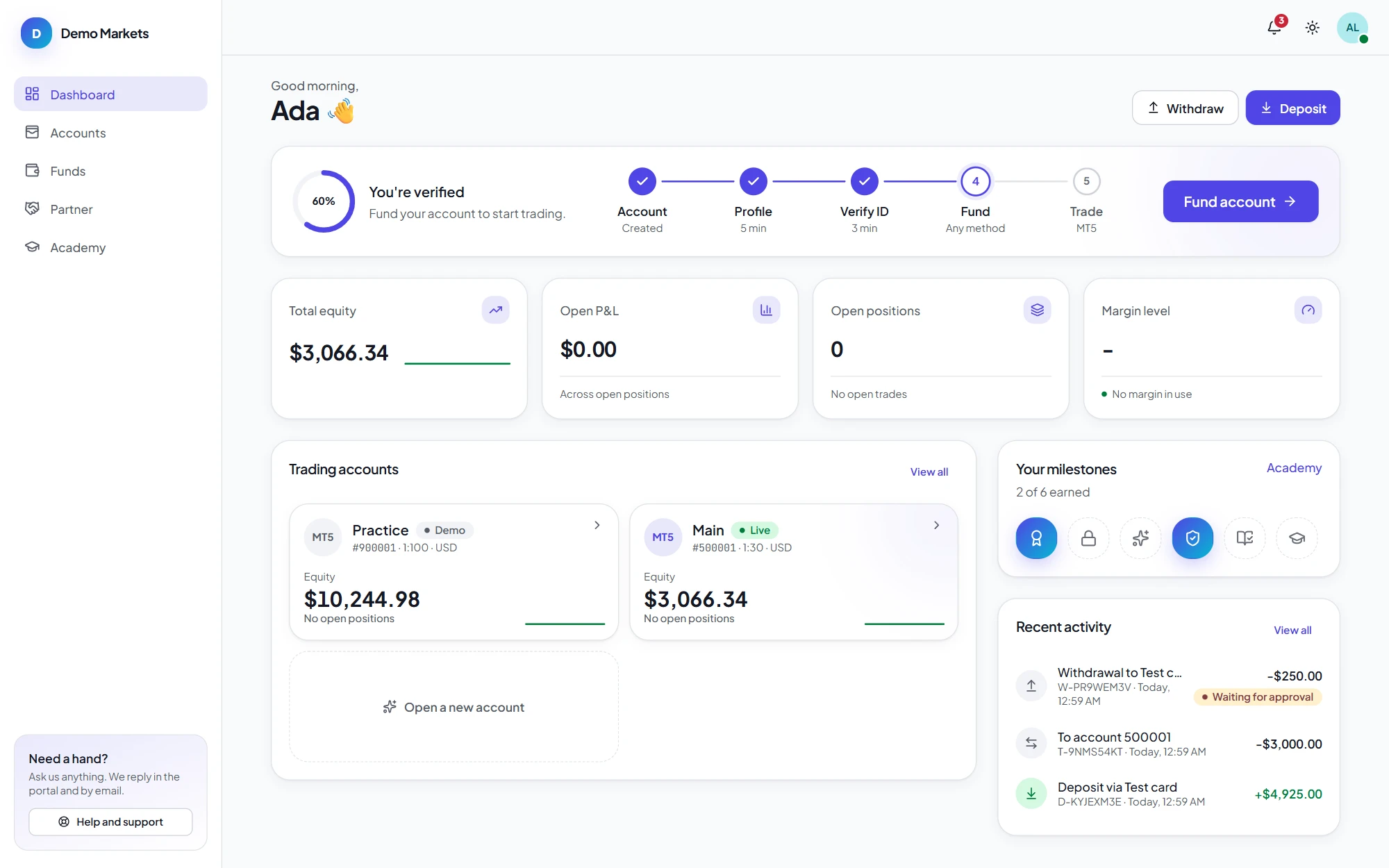
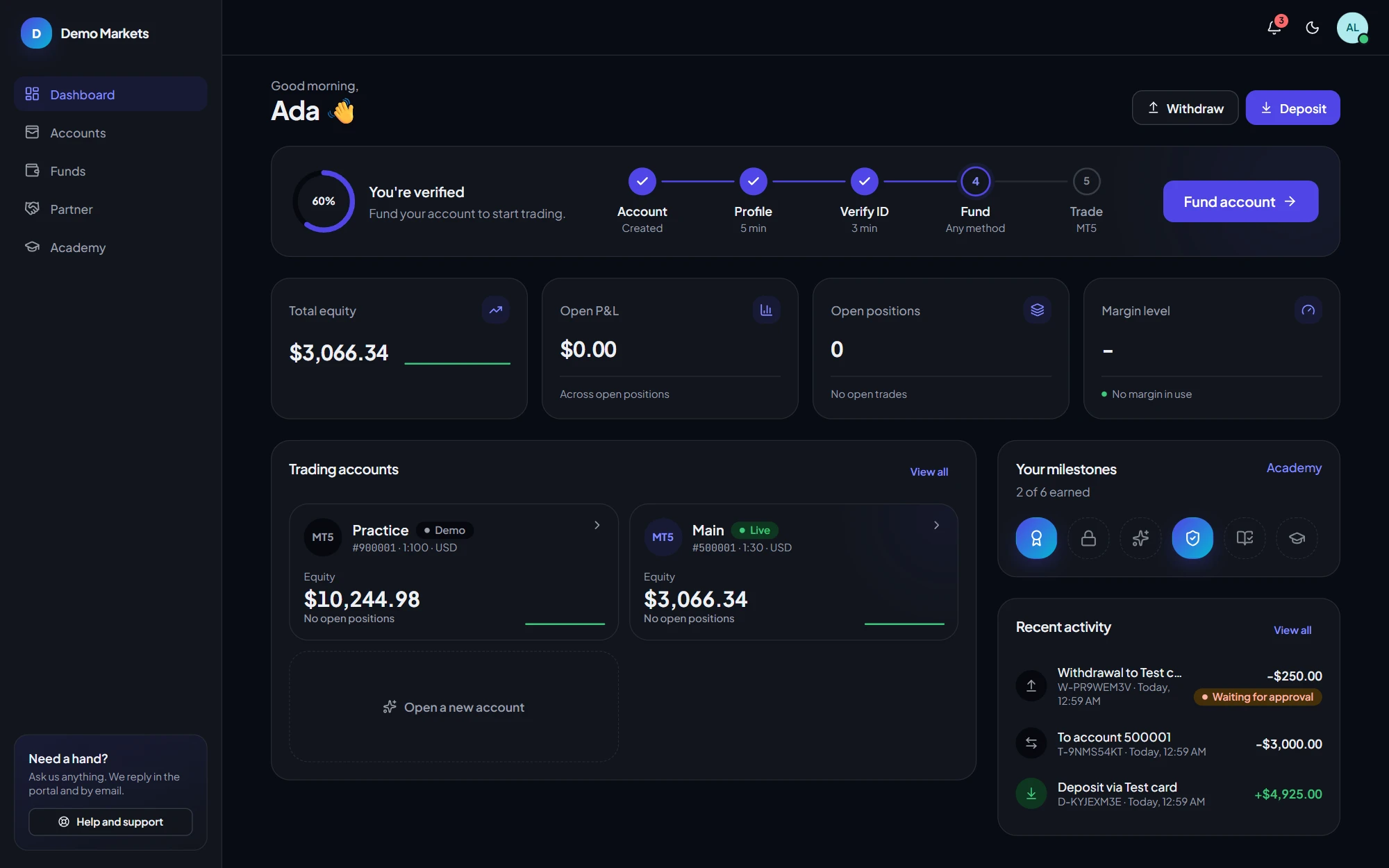
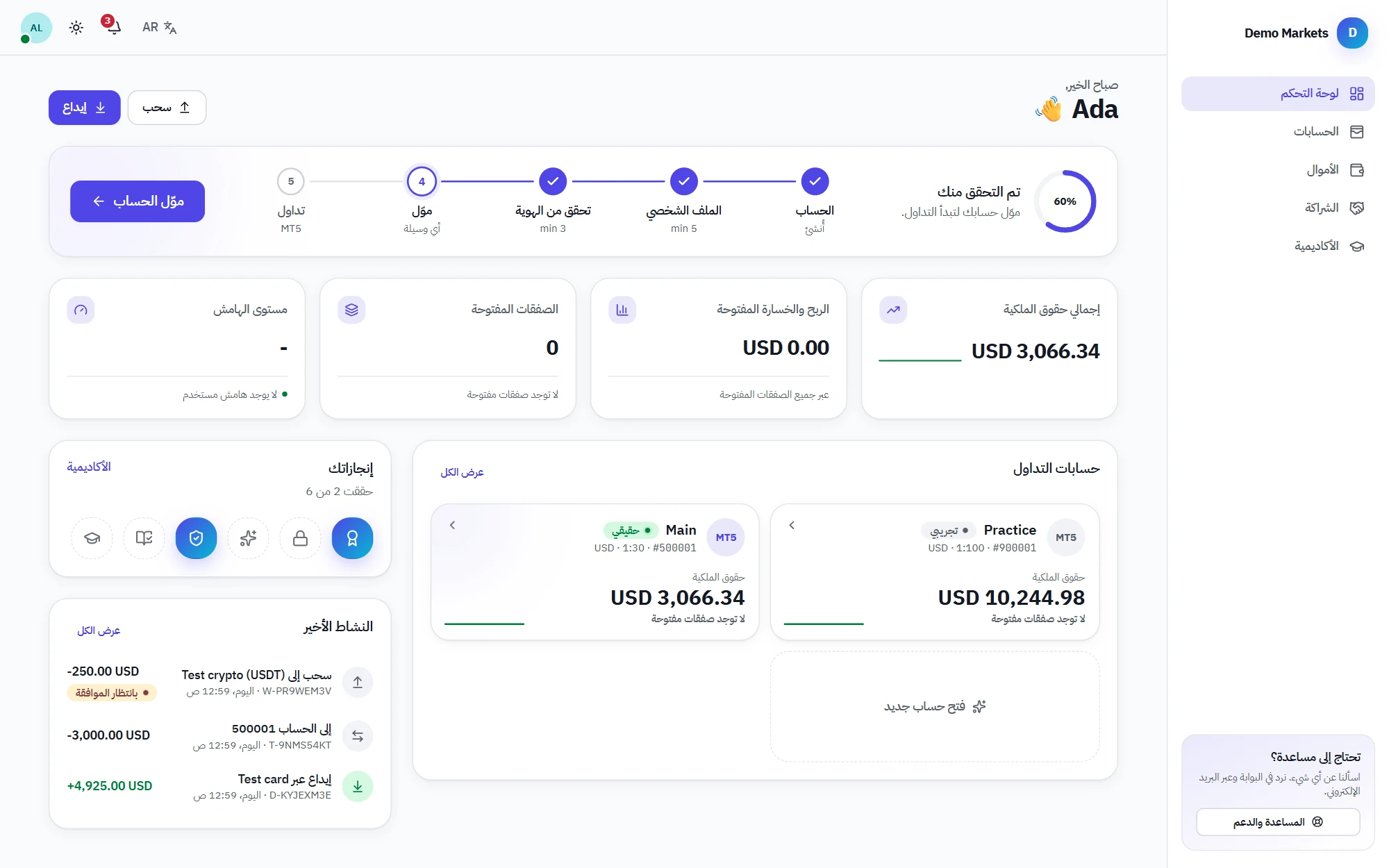
Everything a trader needs on one screen: their verification progress, equity and positions updating live, accounts, money and what to do next. In light or dark, on any device, in six languages.
Wallets & payments
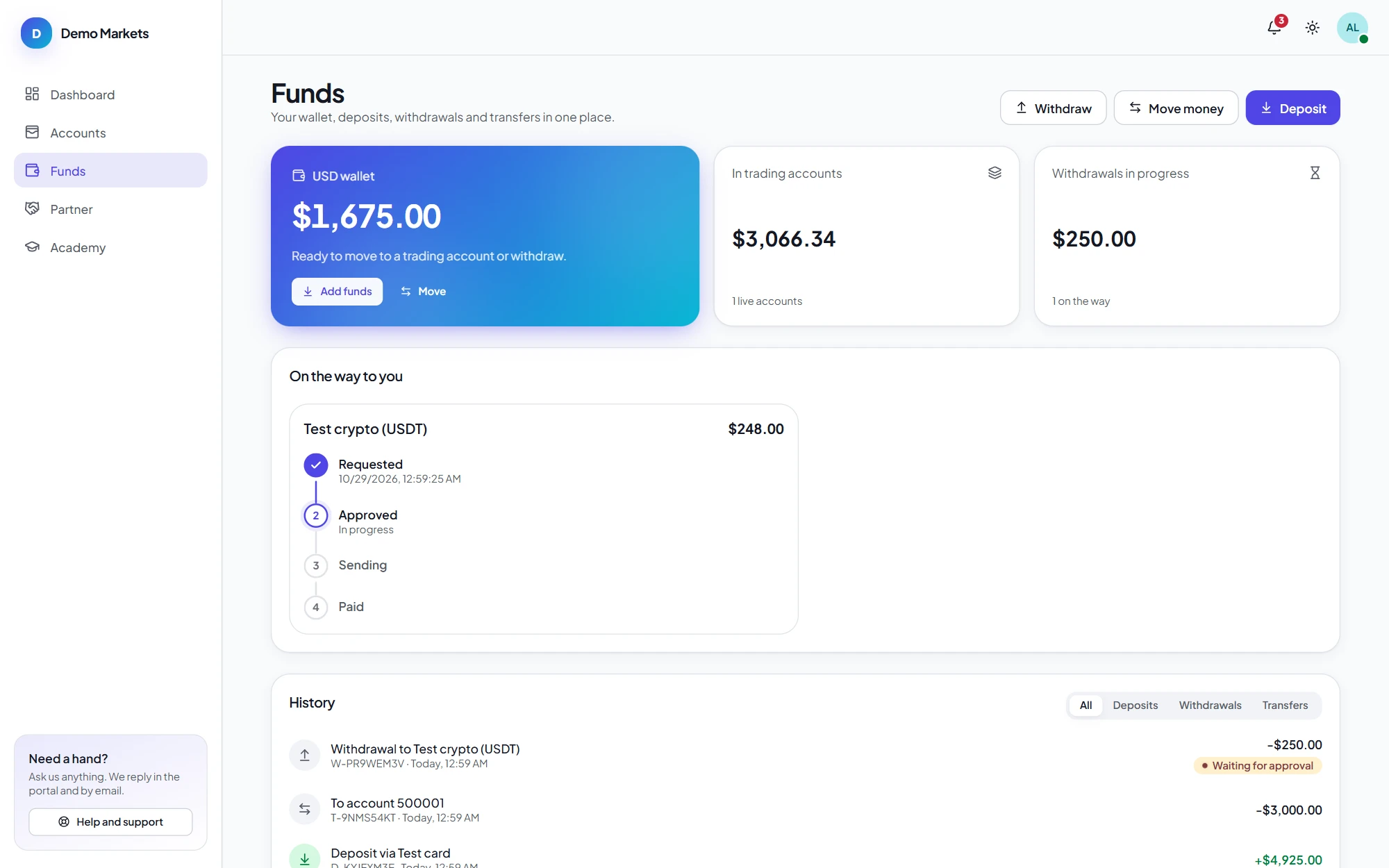
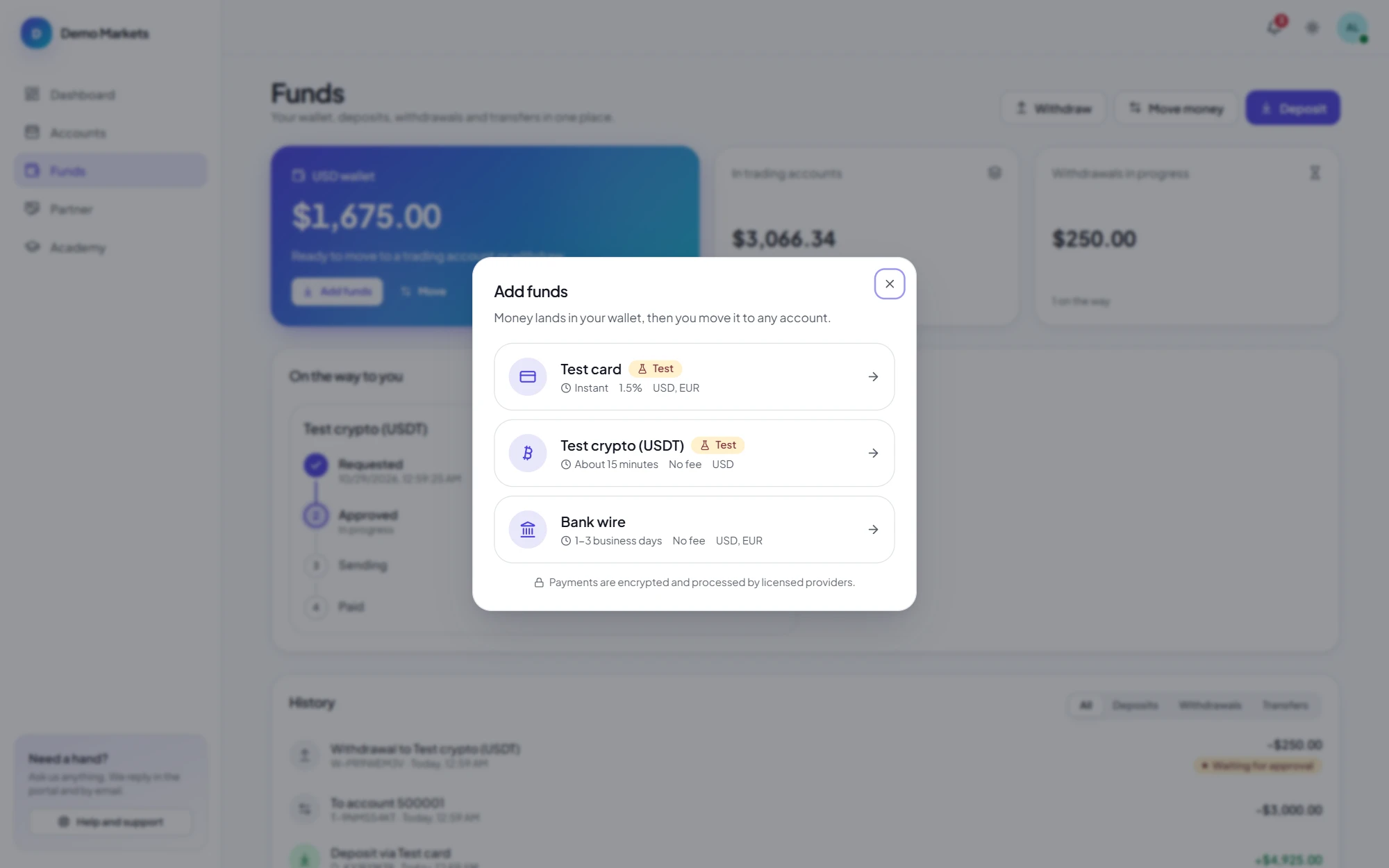
Deposits land in the client's wallet, one per currency, and move to trading accounts instantly. Every movement is a balanced double-entry ledger entry, so the wallet balance is never a guess.
Four-eyes withdrawals
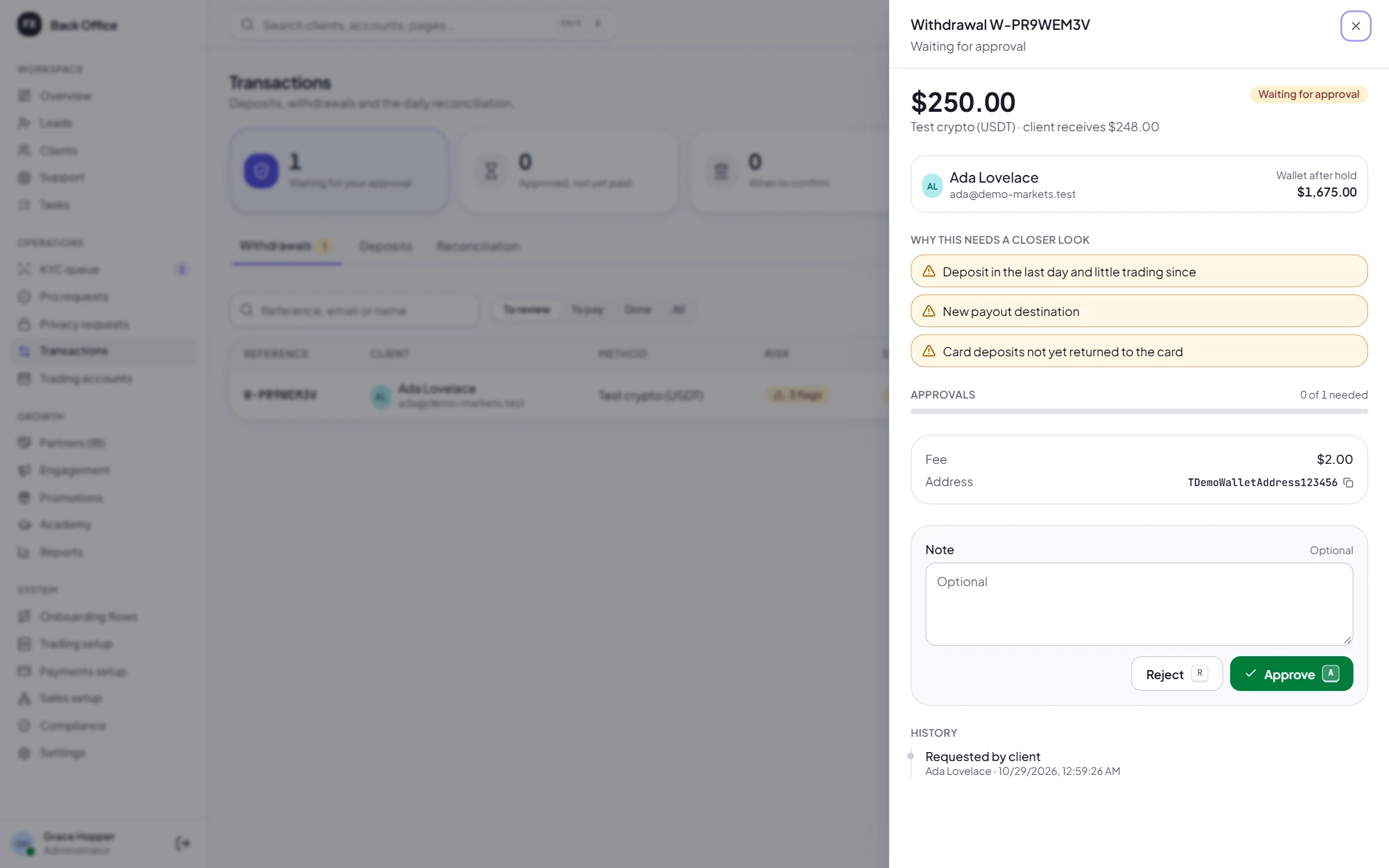
Each withdrawal arrives with the reasons it might need a closer look, and the right number of approvals from different finance staff. The money is held from the moment it's requested.
Sales CRM
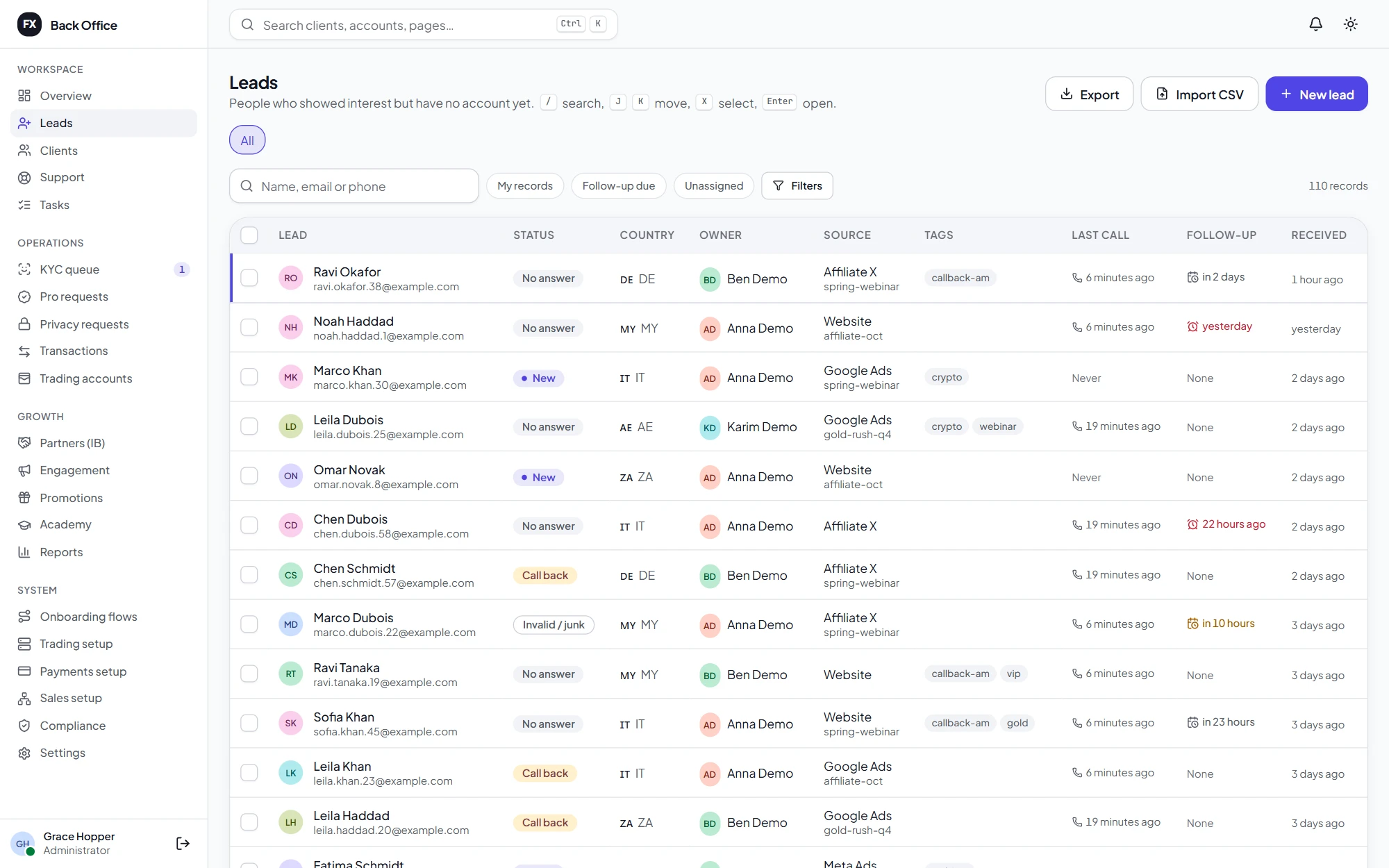
Leads from forms, affiliates and imports, routed to desks and agents automatically. Every screen works from the keyboard, and agents only ever see their own clients.
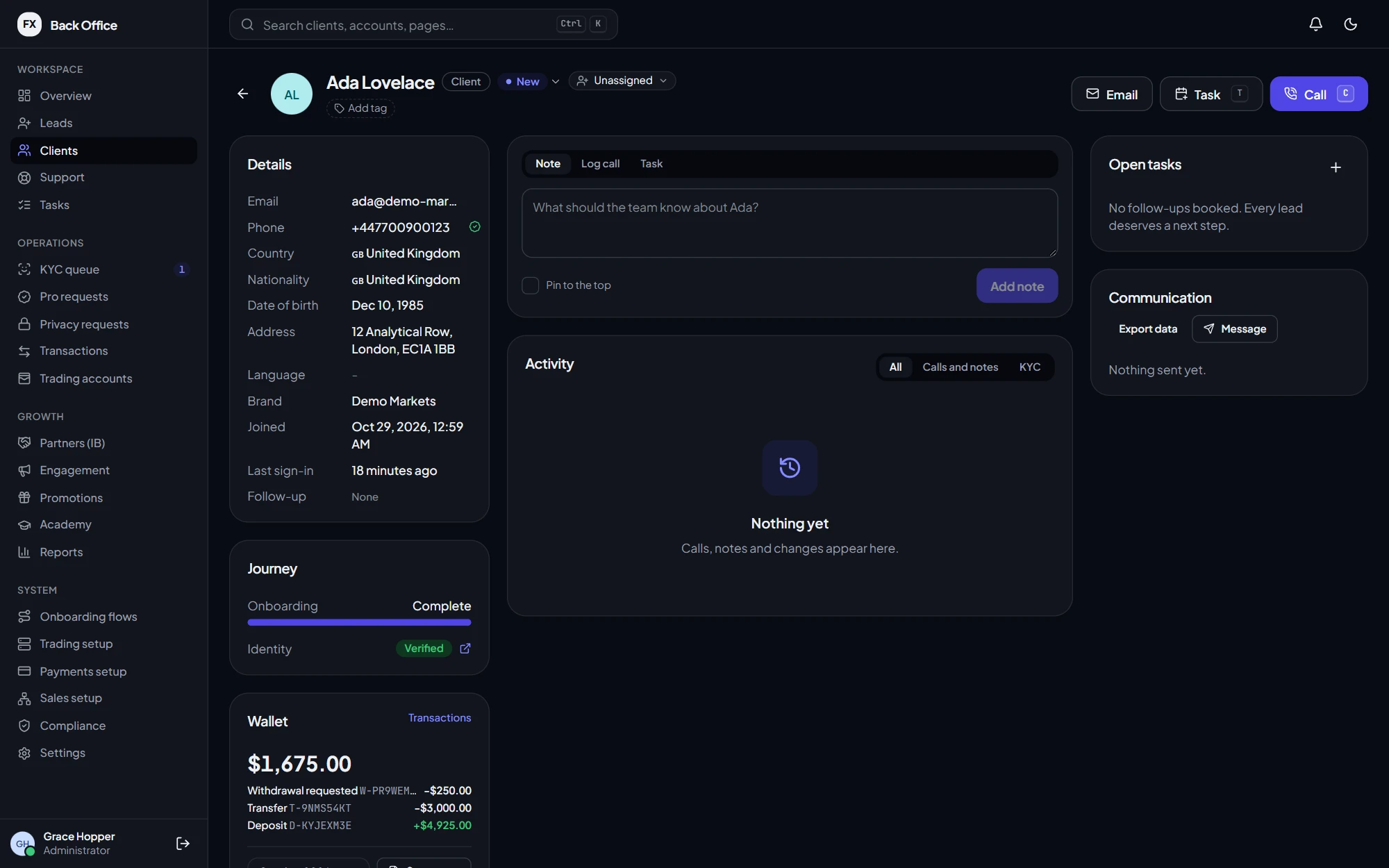
Client 360
Details, onboarding and verification, wallet, trading accounts, calls, notes, tasks and every message sent, in one place. Staff act without hunting through tabs.
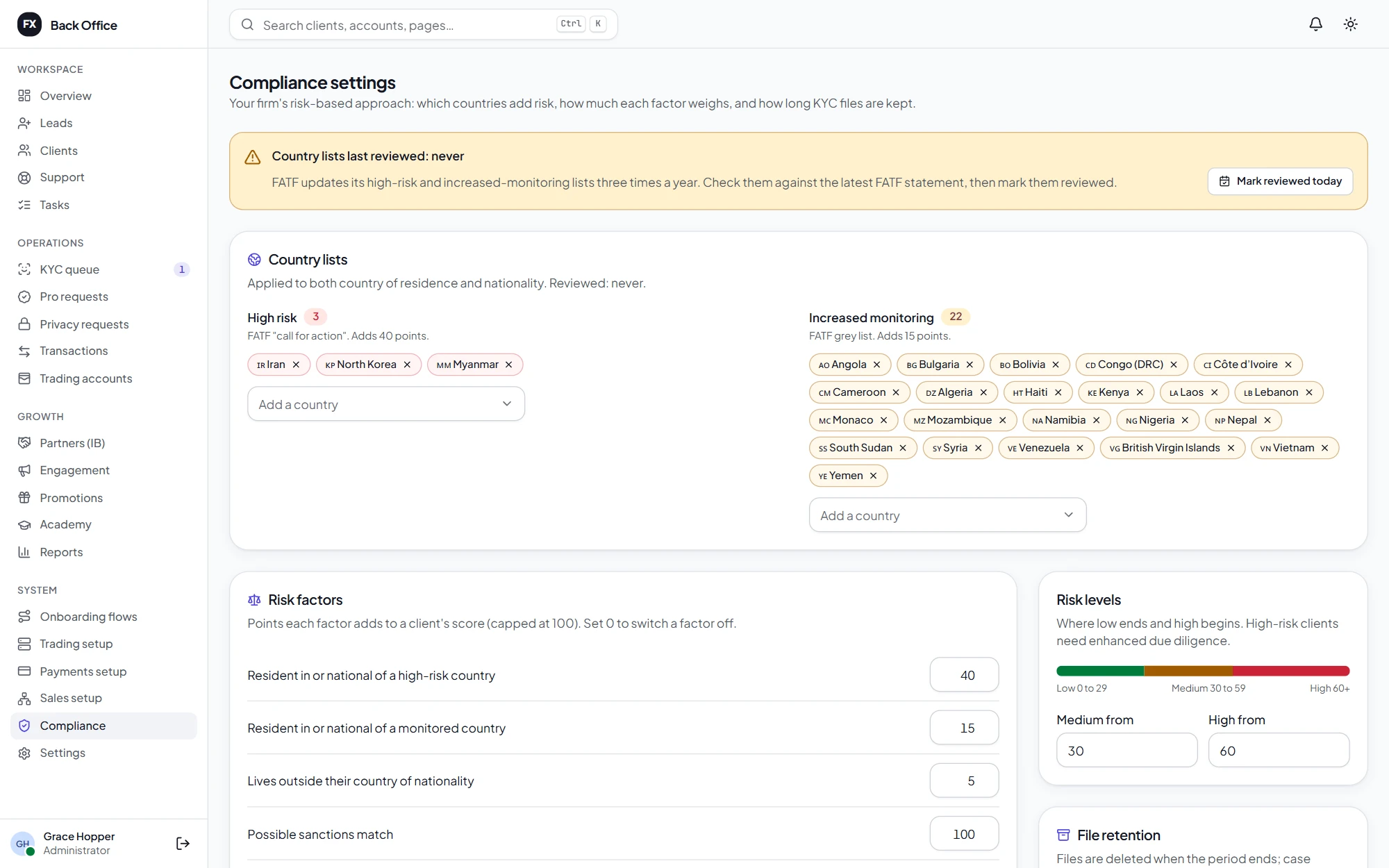
KYC & compliance
Compliance sets which countries add risk, how much each factor weighs and how long files are kept. Every client gets an explainable score, and every decision is recorded.
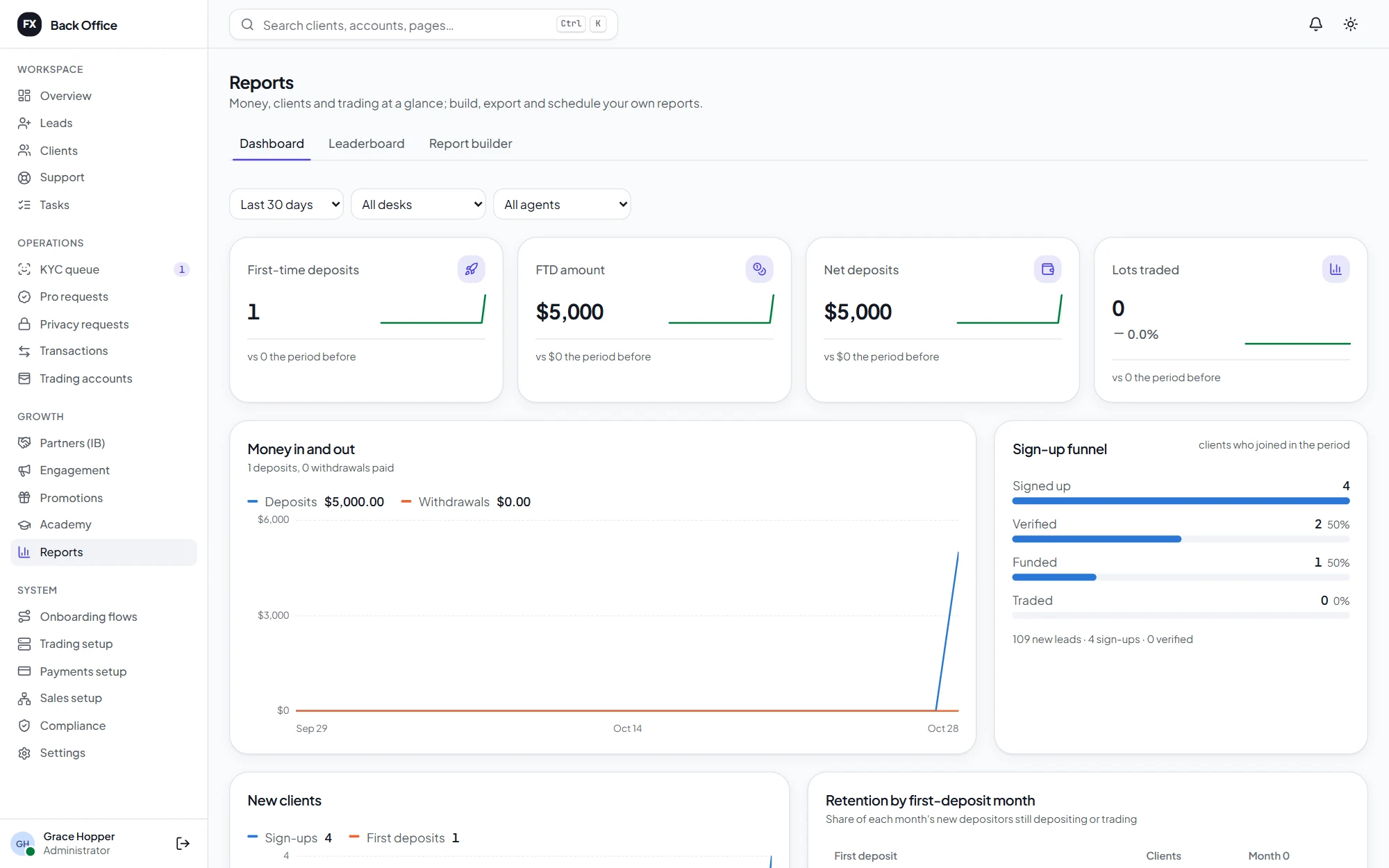
Reports
A dashboard of first-time deposits, money in and out, the sign-up funnel and retention, plus leaderboards for agents and desks and a report builder for everything else.
Honest about where it stands
Trading accounts are where a CRM meets real money, so we tell you exactly what has and hasn't been proven. MT5 integration has not been tested on a real MT5 server yet: we need a broker's MT5 demo account to verify it.
White-label, multi-entity, multilingual
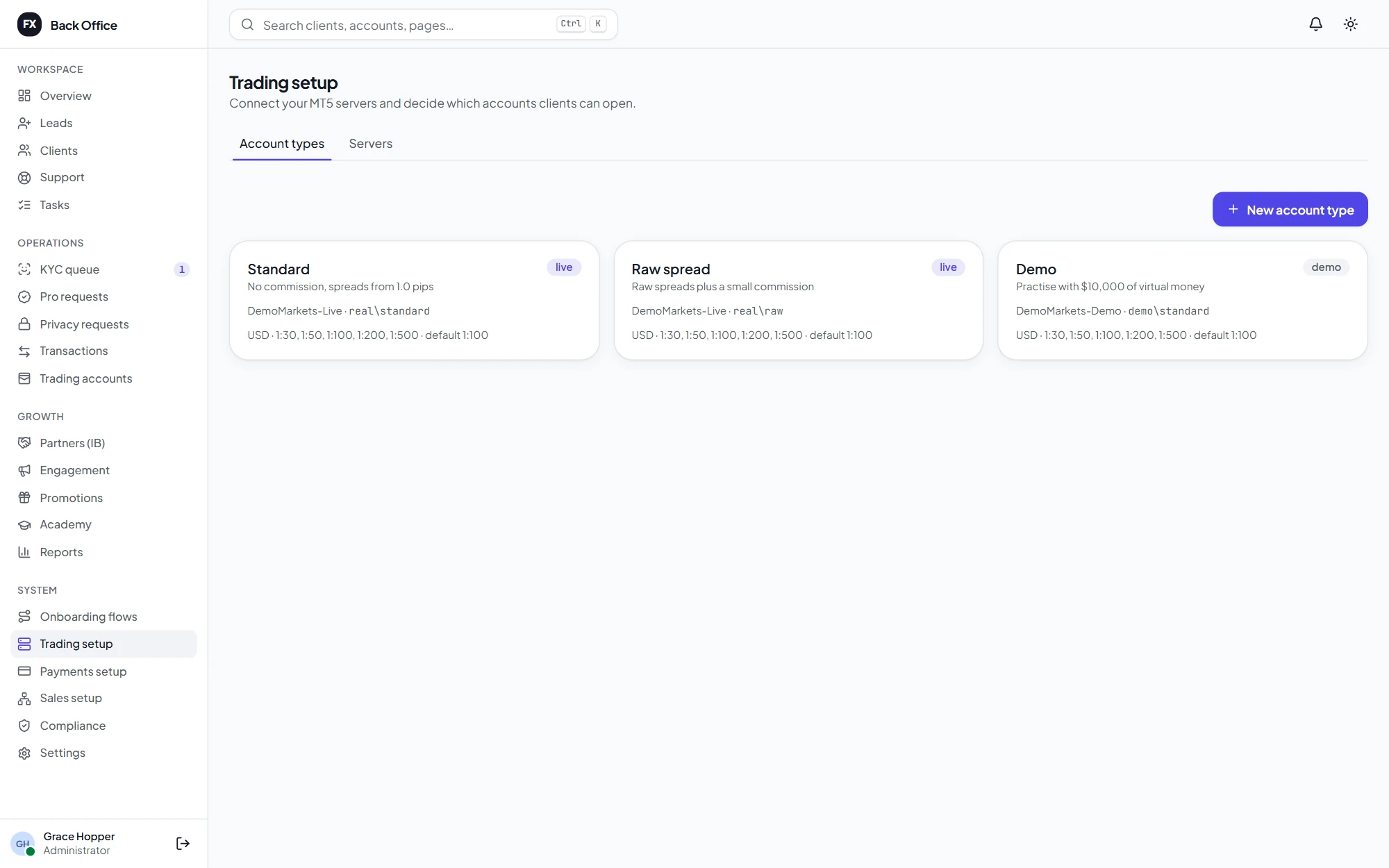
Give each brand its own domain, colours, fonts, corner style and logos, and see the portal change as you edit. Each regulated entity has its own countries, leverage caps, KYC requirements and risk warning. Clients pick from six languages, and Arabic reads right to left, with amounts that stay readable.
Everything else a brokerage needs
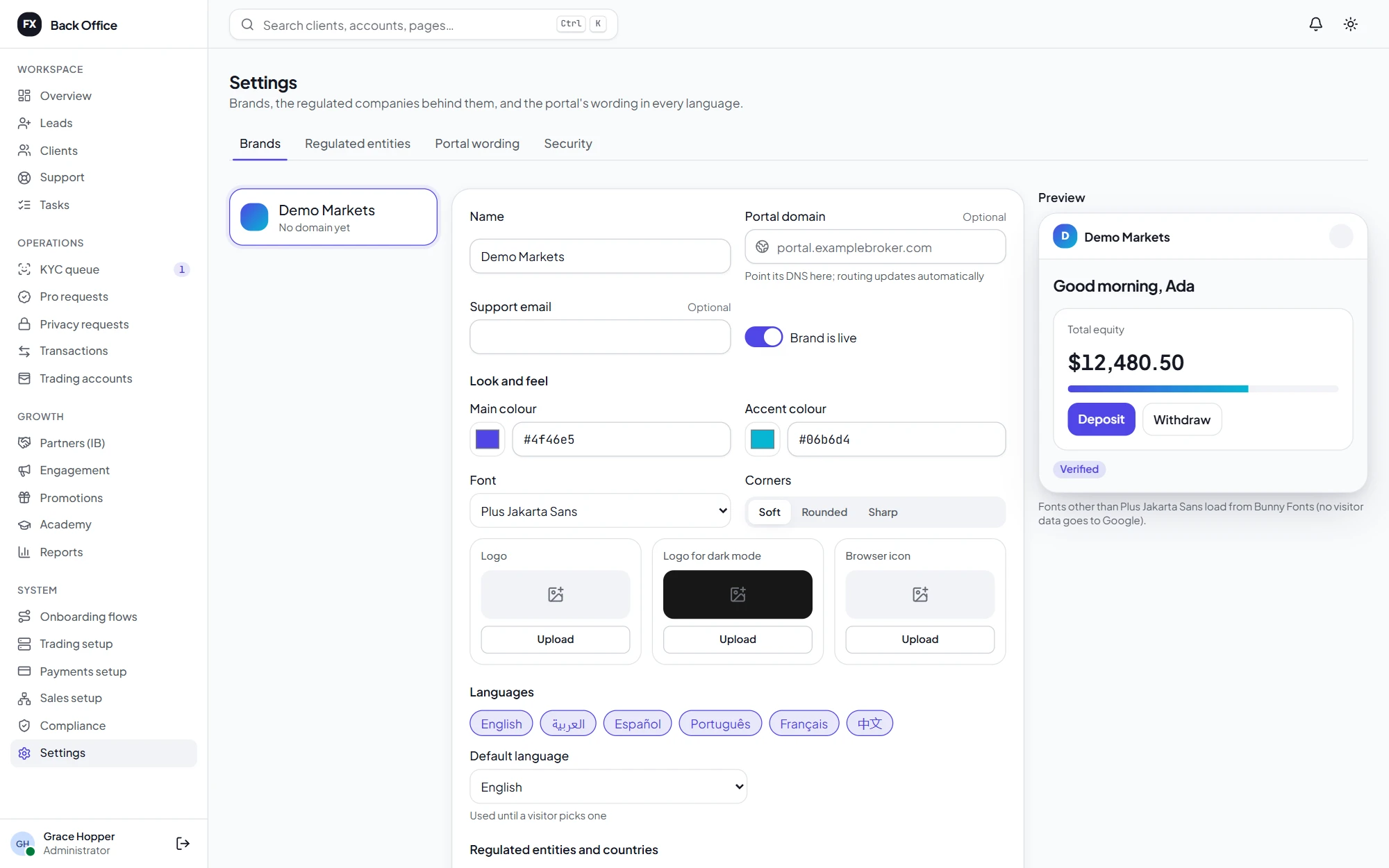
Referral links, per-lot rebates, CPA and revenue share, multi-level sub-partners, and commission paid into wallets every day.
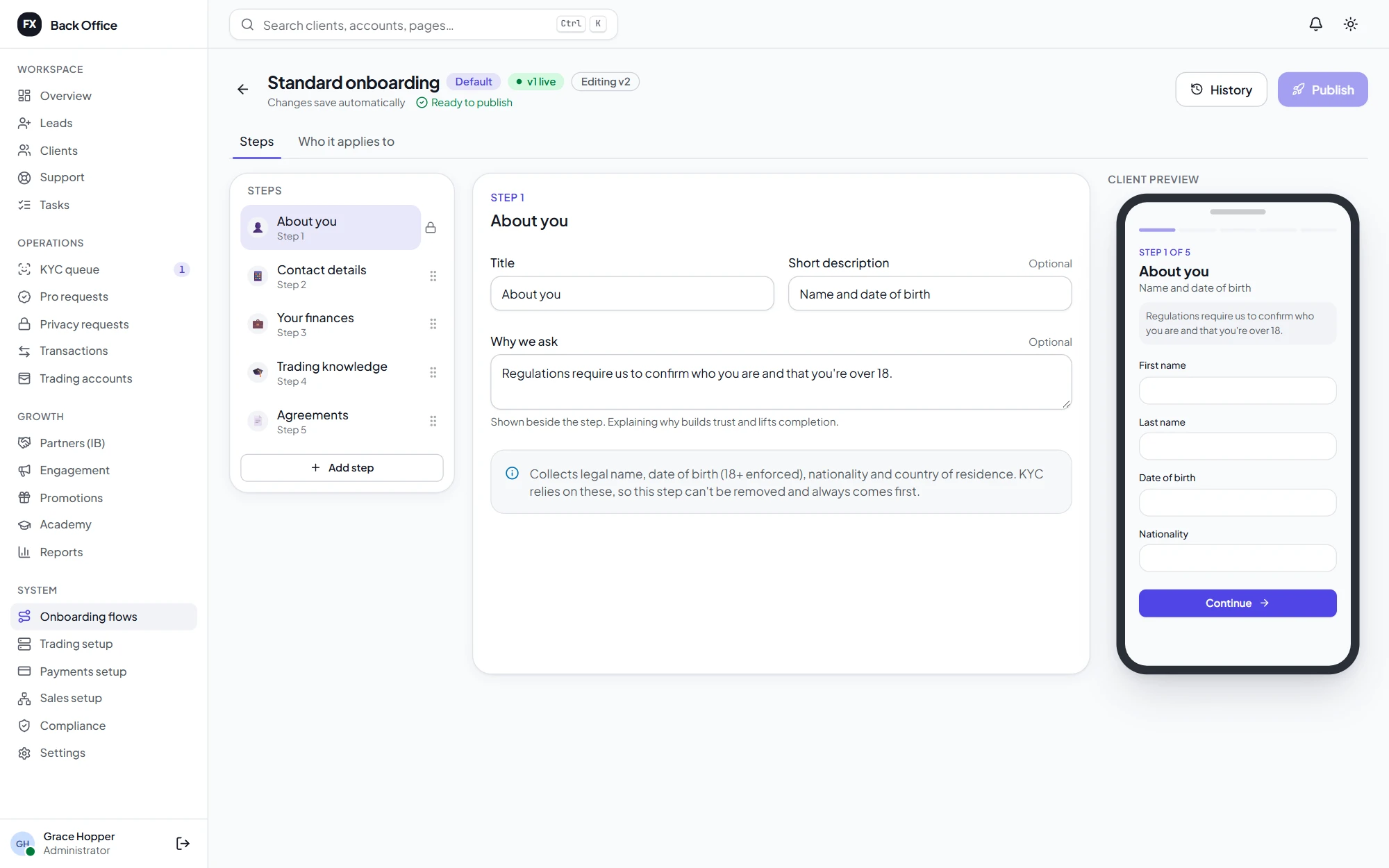
Build your own steps, questions, knowledge tests and agreements, target them by brand, entity and country, and publish versions safely.
Templates per brand and language, automations that react to what clients do, campaigns, announcements and consent built in.
A shared inbox for client requests with internal notes, and Crisp, Tawk.to, Intercom or LiveChat in the portal.
Short courses with quizzes, progress and milestones. Three starter courses are included.
Deposit bonuses paid as trading credit, released as clients trade, and switched off where regulators ban them.
Brands with their own domains, colours, fonts and logos, and regulated entities with their own leverage caps and rules.
English, Arabic (right to left), Spanish, Portuguese, French and Simplified Chinese, with your own wording per brand.
Secure and private by design
Connectors included
Each one is switched on and configured per broker in the back office, with credentials stored encrypted. Verified on your sandbox accounts during the pilot.
Orbitra vs separate tools
| Capability | Separate portal, CRM & spreadsheets | Orbitra |
|---|---|---|
| Client records | Copied between five tools | One client, everywhere |
| Onboarding & KYC | Fixed forms from a vendor | Your own flows, risk rules and audit trail |
| Withdrawals | Email threads and judgment calls | Risk flags and multi-person approvals |
| Wallet balances | Reconciled by hand | A double-entry ledger, reconciled nightly |
| New brand or country | A development project | A setting, with its own entity and rules |
| Languages | English only | Six, including Arabic right to left |
| Your data | On someone else's platform | On your own server, encrypted |
Getting started
We're looking for brokers to pilot Orbitra with us, especially those who can provide an MT5 demo server to verify the trading integration.
How a pilot works
We show you the portal and back office with sample data, and go through how your desks, entities and payment methods would be set up.
One Linux server with Docker runs everything. The installer generates every secret, and nightly encrypted backups go to storage you choose.
We verify MT5, your payment providers and KYC on their sandboxes together, using your accounts.
Your team works through the go-live checklist with us: backups proven with a restore drill, then your first clients.
We also recommend an external penetration test against your staging copy before launch. Email jamal@unravelers.tech to book a walkthrough.
FAQ
Something else? Partnership enquiries or an MT5 demo server to offer? Email jamal@unravelers.tech.
Orbitra is The Forex CRM from Unravelers Technologies: one system for forex and CFD brokers that combines a client portal, a staff back office and a sales CRM, with onboarding, KYC, payments, MetaTrader 5 accounts, partners and reports built in.
The CRM side is built and tested, and so is the bridge against a simulated MT5 server. It has not yet been verified against a real MT5 server, because that needs a broker's MT5 demo server and Manager API login. If you are a broker with a demo server, we would like to verify it with you before any live use.
MetaTrader 5, through our own bridge. A built-in trading simulator is used for demos and testing. Other platforms can be added through the same connector.
Each connector is checked against the provider's current API documentation and covered by automated tests. Like MT5, they are verified on the provider's sandbox with your accounts before go-live, which is part of every pilot.
On your own server: one Linux machine with Docker runs the portal, back office, database, background jobs, automatic HTTPS and backups. The MT5 bridge runs on Windows next to your MT5 server.
We load-tested it with 50,000 clients and 1,000,000 deals: every staff and client screen answered in under 150 milliseconds on a modest server.
Yes. Each brand has its own domain, look and languages; each entity has its own countries, leverage caps, KYC requirements, bonus rules and risk warning. A client's entity is chosen from their country.
Yes. Any portal text can be changed per brand and language from the back office. The non-English translations are drafts and should be reviewed by a native speaker for your market.
It depends on your setup and the help you need. Email us and we'll talk it through.
Brokers, introducing brokers and fintech teams
Book a walkthrough with sample data, or help us verify MetaTrader 5 with your demo server and become one of our first pilots.