Stock that only adds up on paper
The register says 400 brackets, the shelf says 310, and nobody knows which delivery or production run the difference went into.
01
Ingot runs a manufacturing business from one Windows PC, or several on the office network: raw materials, production, stock and both registers, quotations through to paid invoices, expenses and accounts that post themselves. No internet needed, and your data is backed up automatically, encrypted, in more than one place.
$19.99 / month Billed monthly. Cancel any time
Running a factory on spreadsheets
Materials come in, products go out and invoices get paid, but stock, costs and money live in different notebooks and files. Ingot keeps them in one place, so every number agrees with every other.
The register says 400 brackets, the shelf says 310, and nobody knows which delivery or production run the difference went into.
01What does one finished piece really cost in steel, paint, bolts and labour? Without that number, every quotation is a guess.
02Quotations in Word, orders in a notebook, invoices in Excel and payments in the bank app. Who still owes you, and since when?
03Years of customers, stock and accounts on a single disk with no copy anywhere else, until the day that disk stops working.
04From raw material to paid invoice
Raise a purchase order, receive the goods against it (in part if they arrive in part), and the stock, its cost and what you owe the supplier update together.
A bill of materials says what goes into one piece. A production order shows what you need, what's short and what's on order, and recording the run turns materials into finished goods at full cost.
Quote, convert to an order in one click, deliver from stock, invoice and record the payment. Every step starts from the one before it, already filled in.
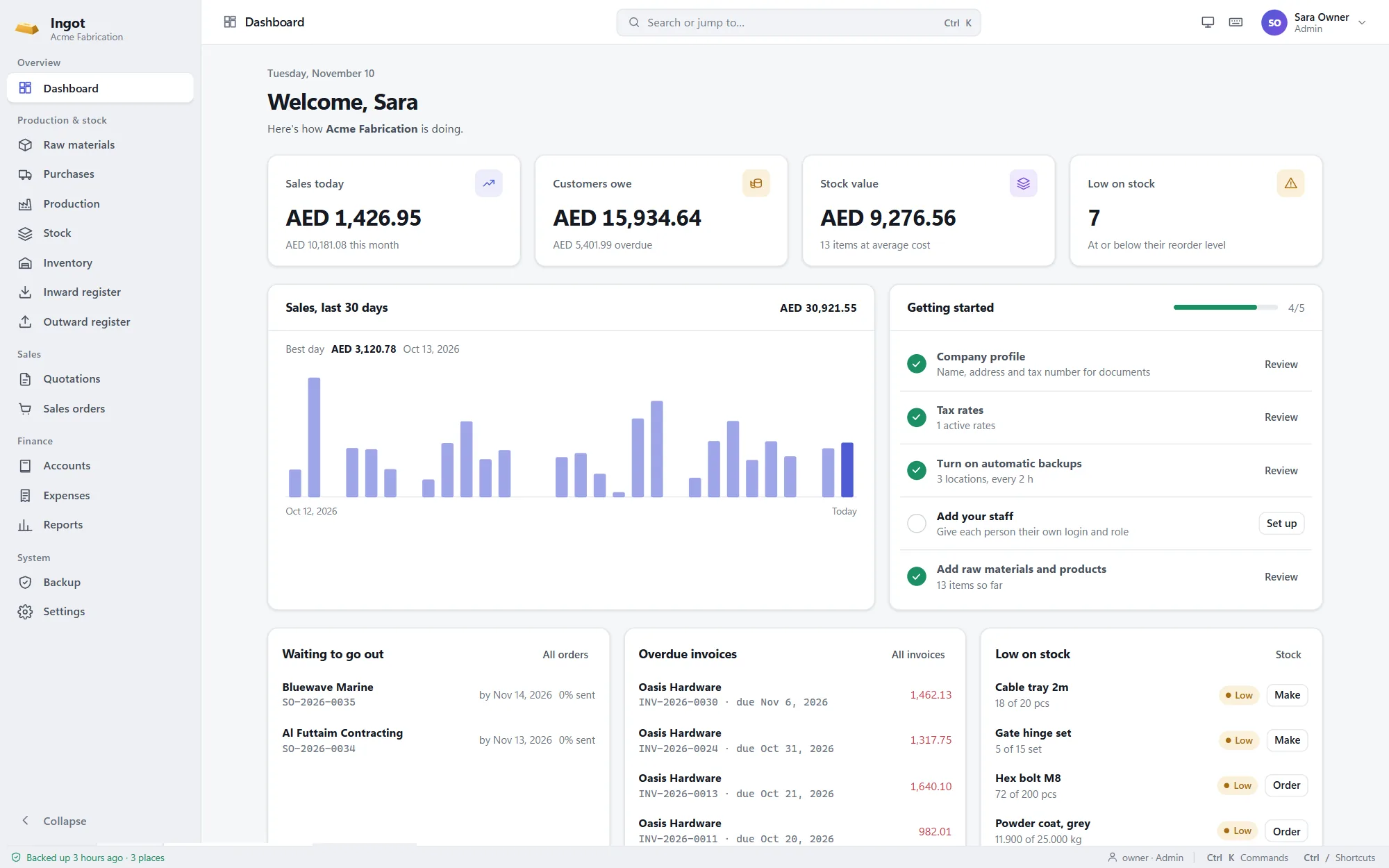
The dashboard and reports show today's sales, who owes what, stock value, profit and loss, and what to order or make next.
What's included
One app for the whole business
Built for the people who run the floor, the store and the office: quick to learn, hard to get wrong, and honest about the numbers.
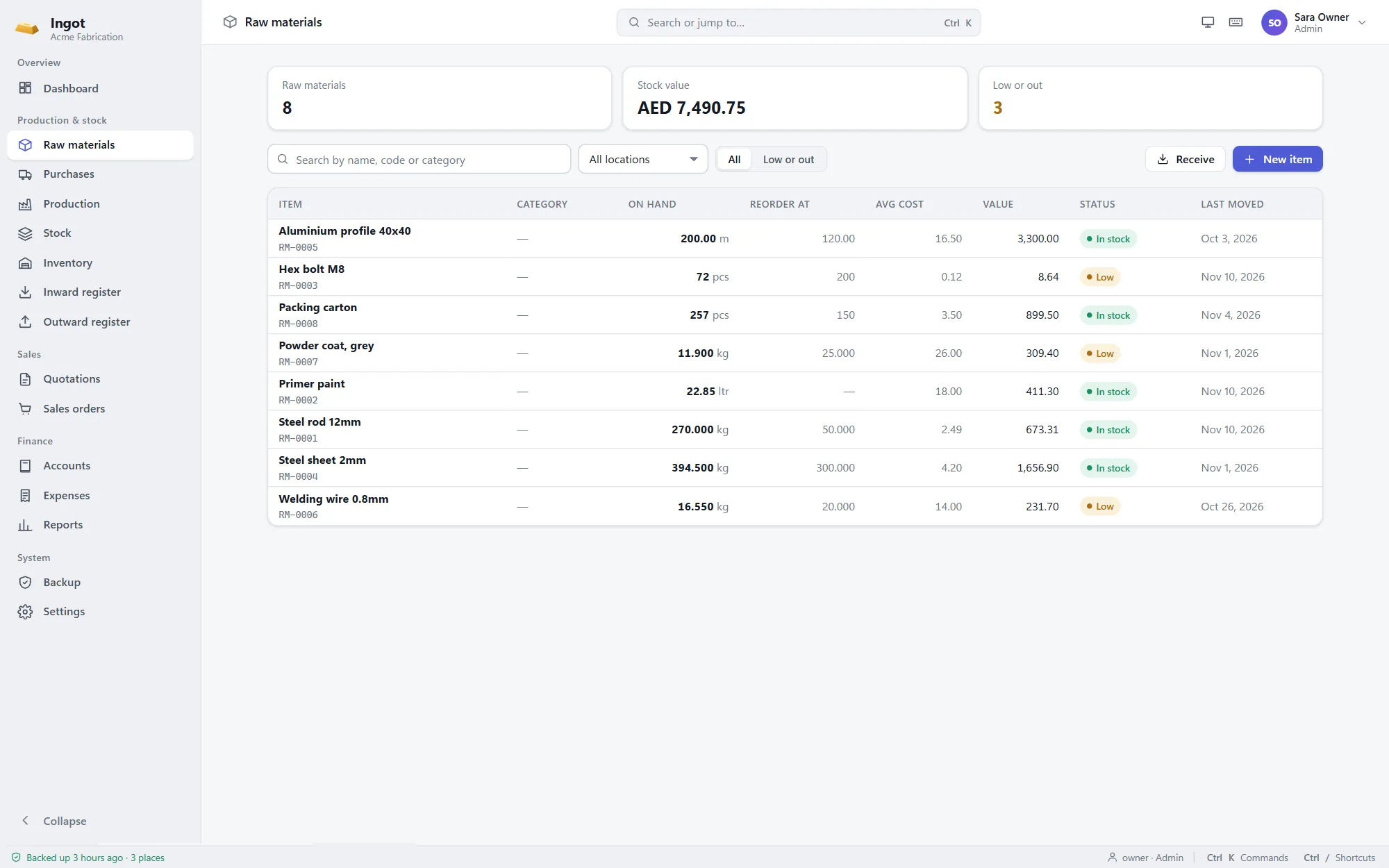
Raw materials & stock
All stock lives in one ledger. Every receipt, issue, production run, delivery and adjustment is an entry in it, so the balance on screen, the registers and the books can never disagree.
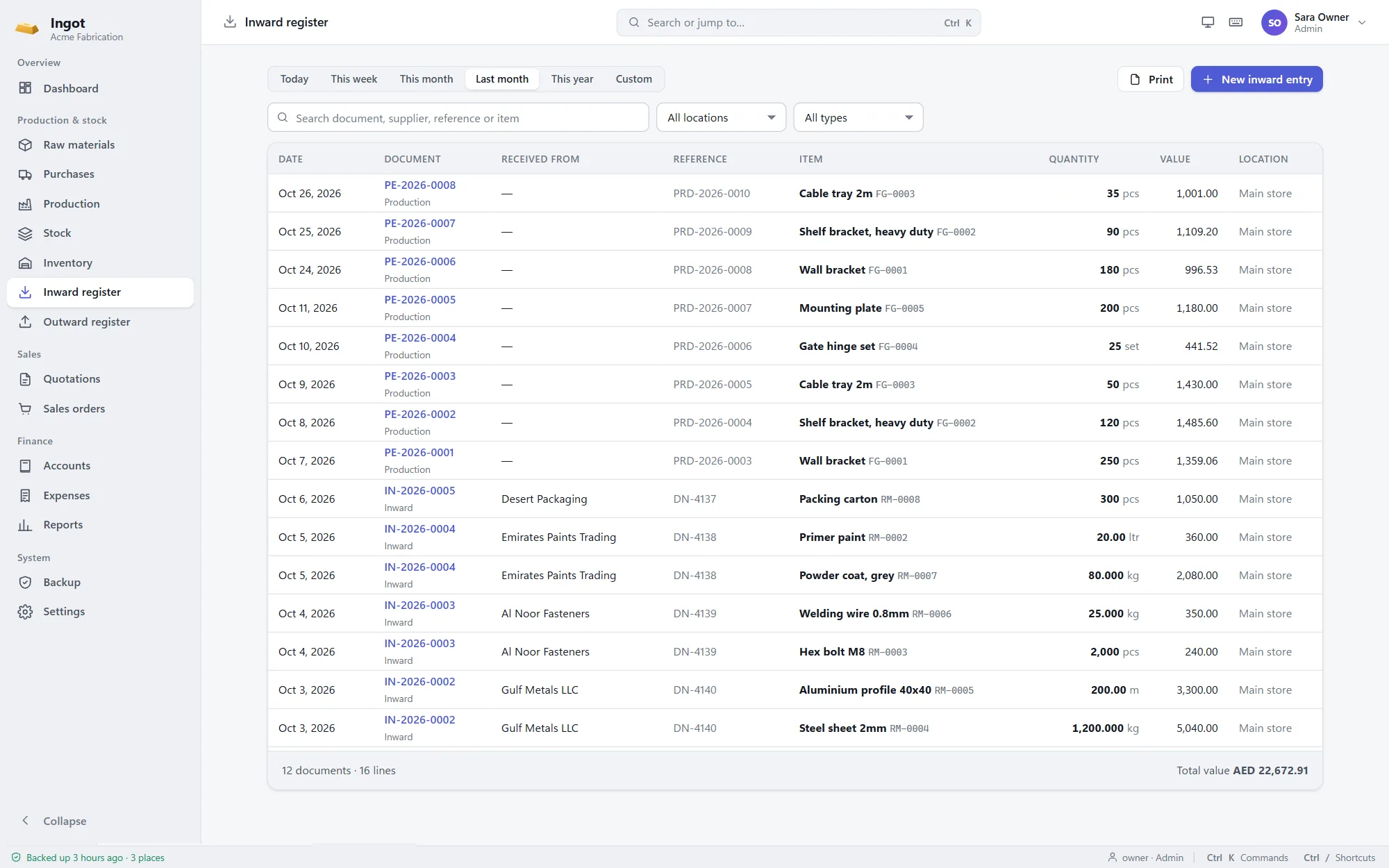
Inward & outward registers
Goods received, production output, deliveries and issues appear in the inward and outward registers the moment they're recorded, with the supplier or customer, reference, quantity and value.
Quotations to payments
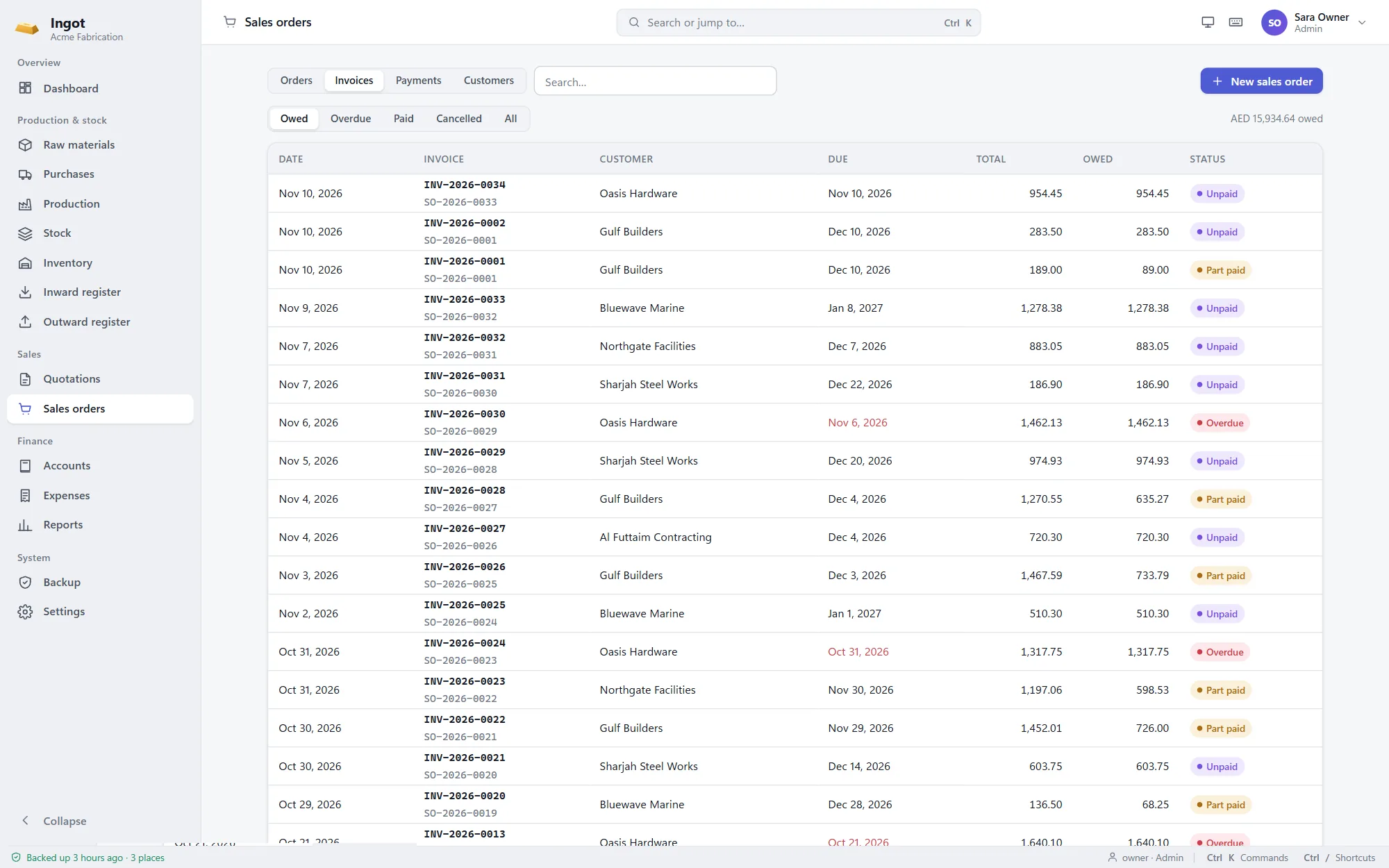
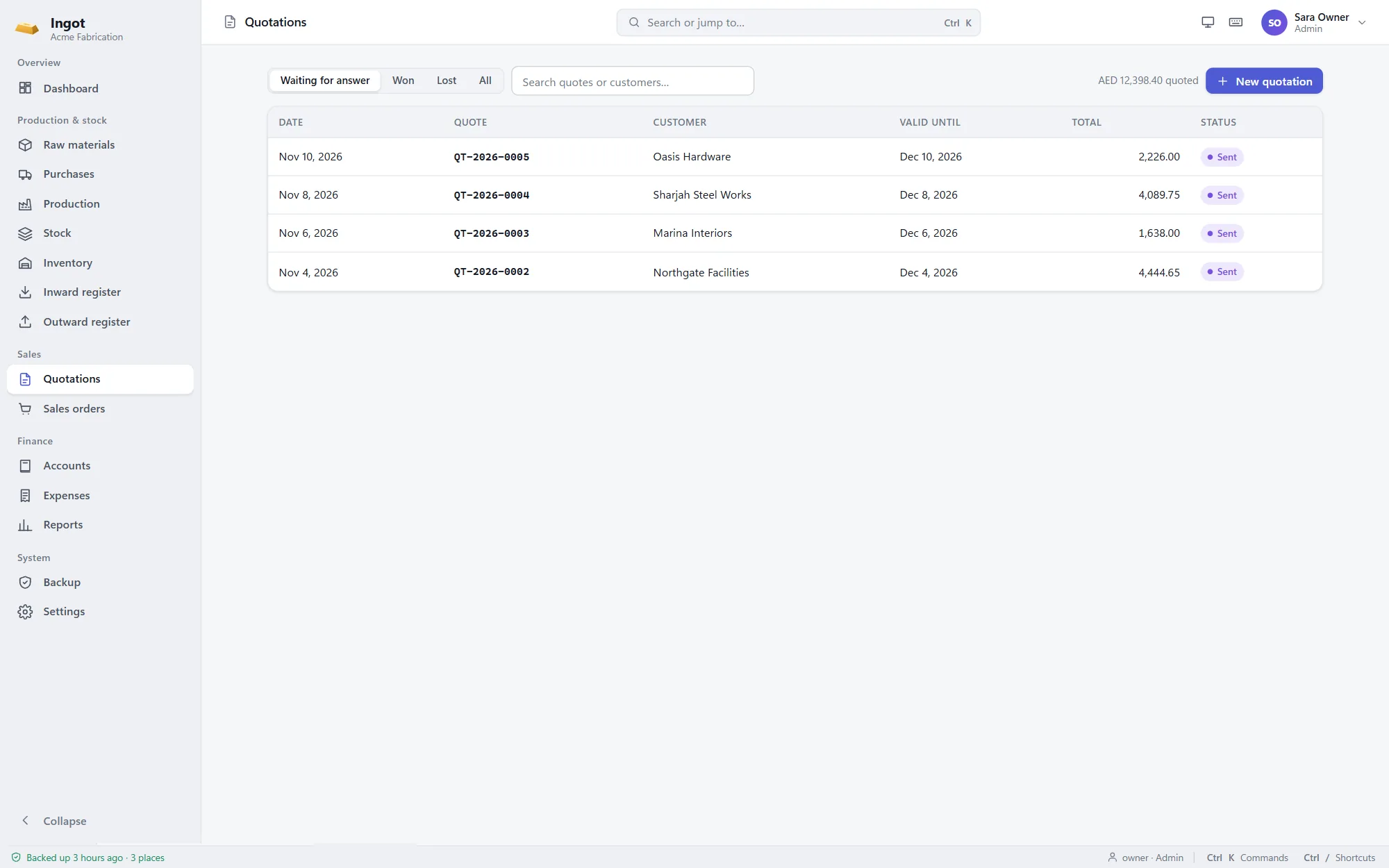
A quotation becomes an order in one click, keeping its prices and discounts. Deliver from stock, invoice what went out, and record payments against each invoice until it's paid.
Credit notes & returns
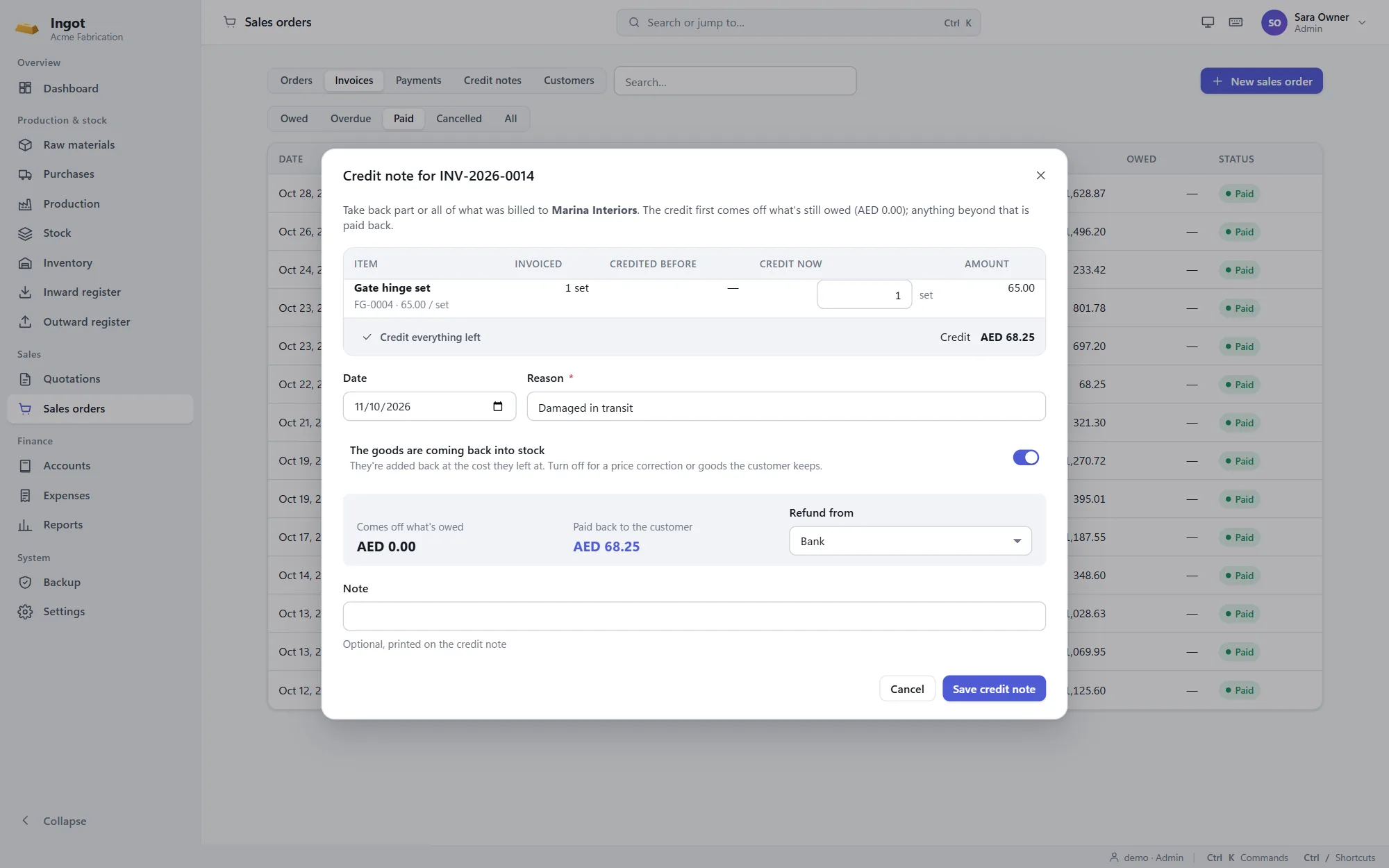
Take back part or all of an invoice with a credit note. It comes off what the customer owes, or is refunded if they've already paid, and returned goods go back into stock at the cost they left at.
Accounts
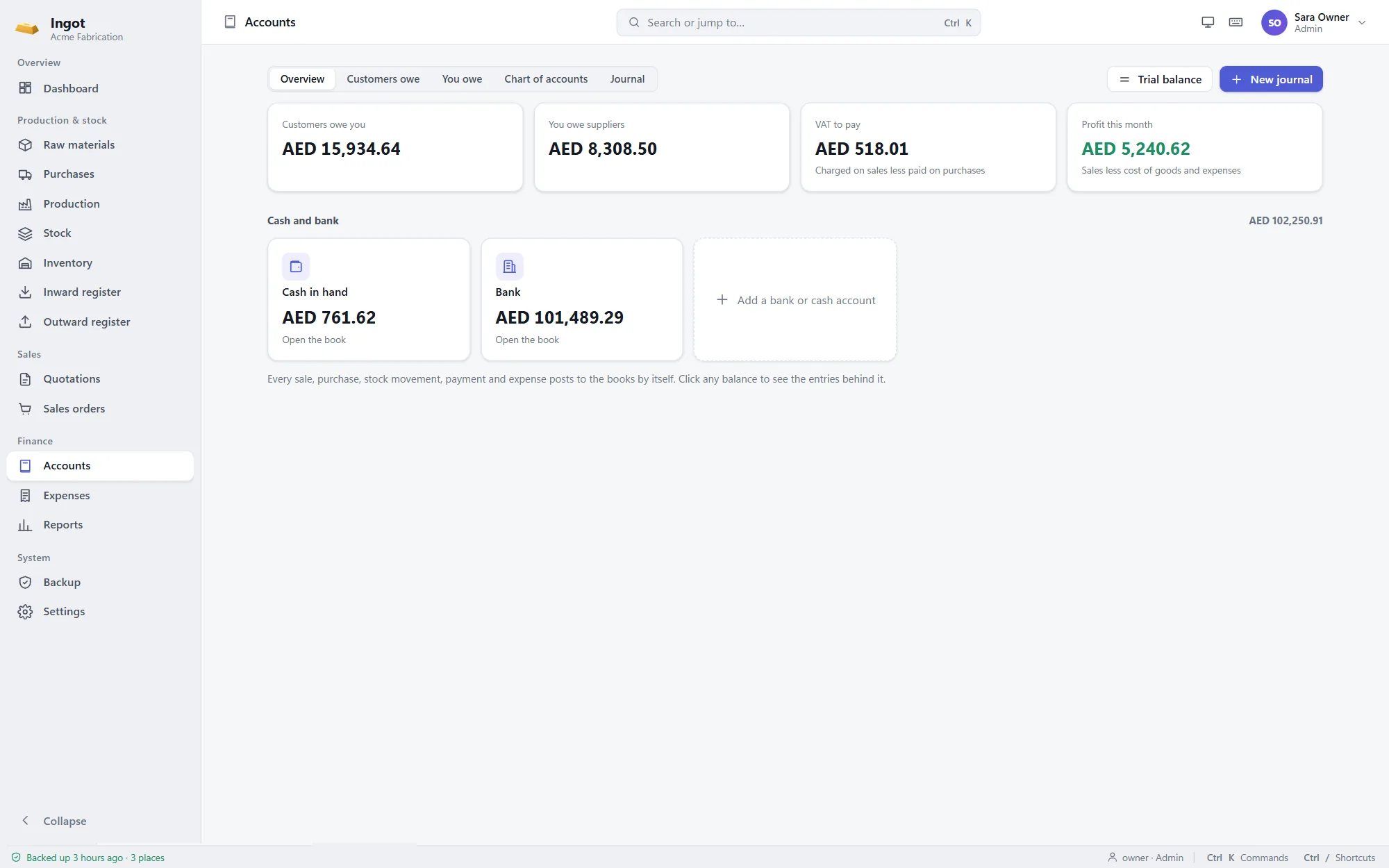
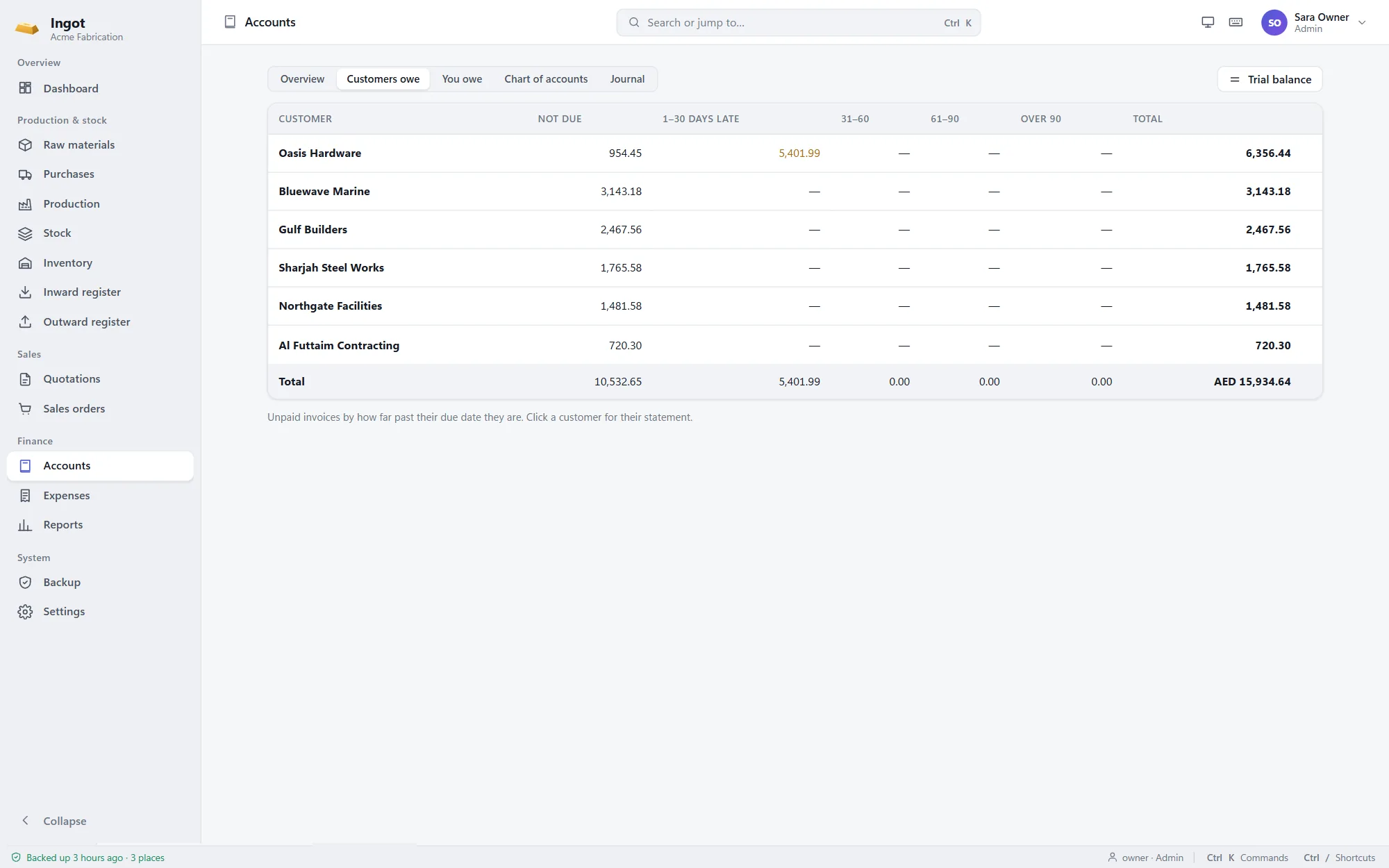
Every receipt, invoice, payment, production run and expense posts its own balanced journal. Your accountant gets a trial balance, ledgers and ageing; you get the answers in plain words.
Reports
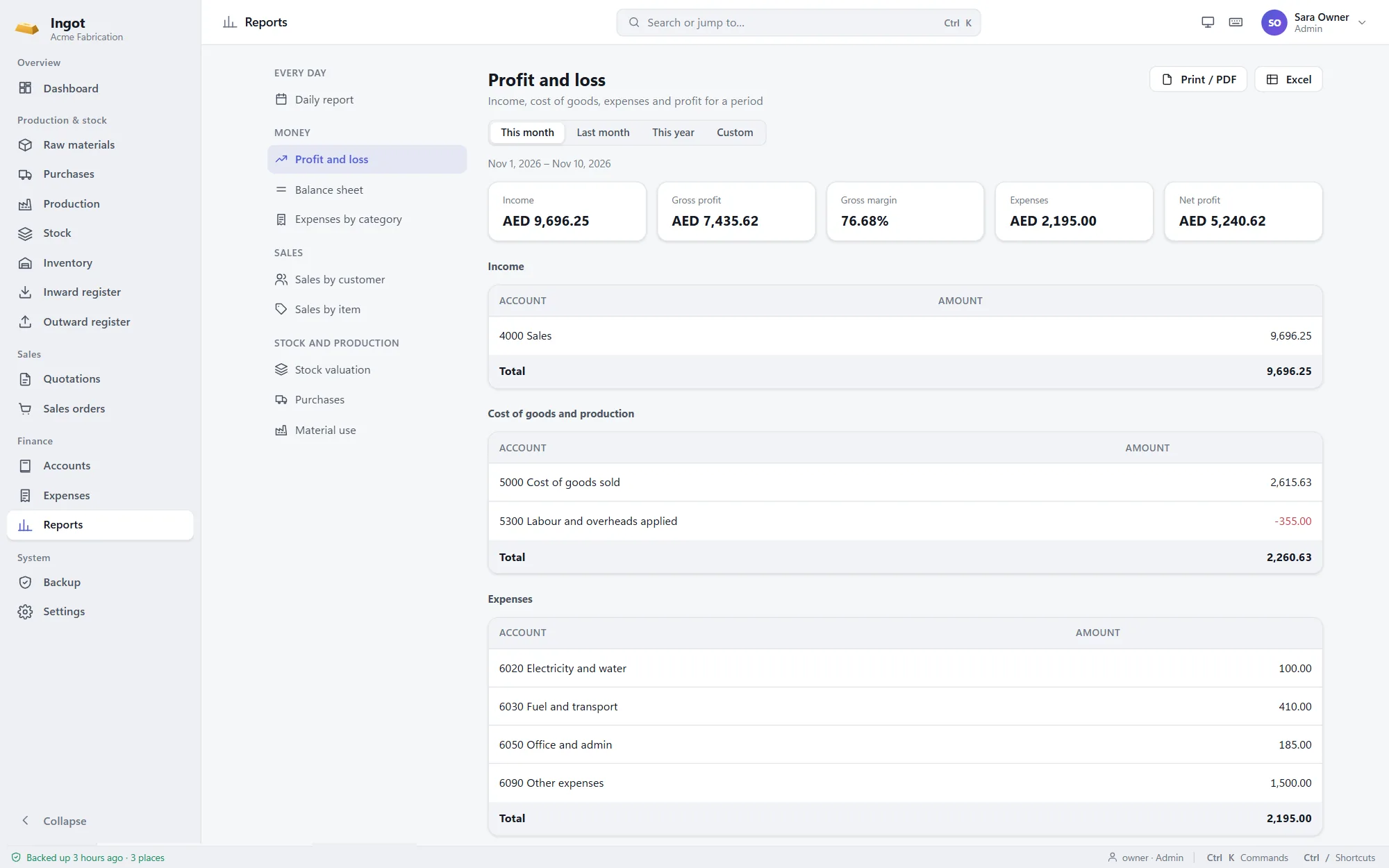
Nine reports cover the day and the month: what was sold, received and paid, profit and loss, the balance sheet, expenses, sales by customer and item, stock value on any date, purchases and material use.
Arabic & VAT
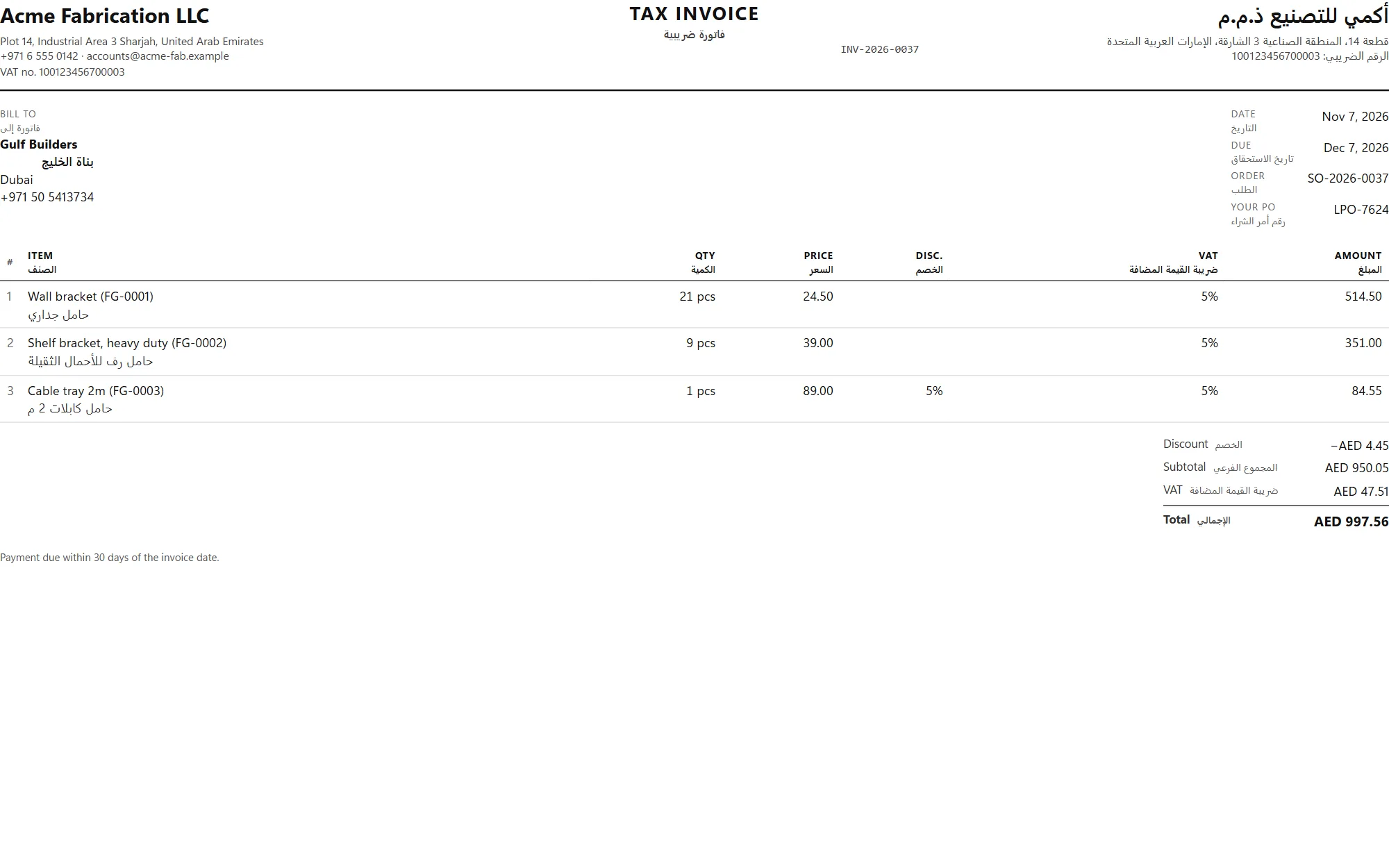
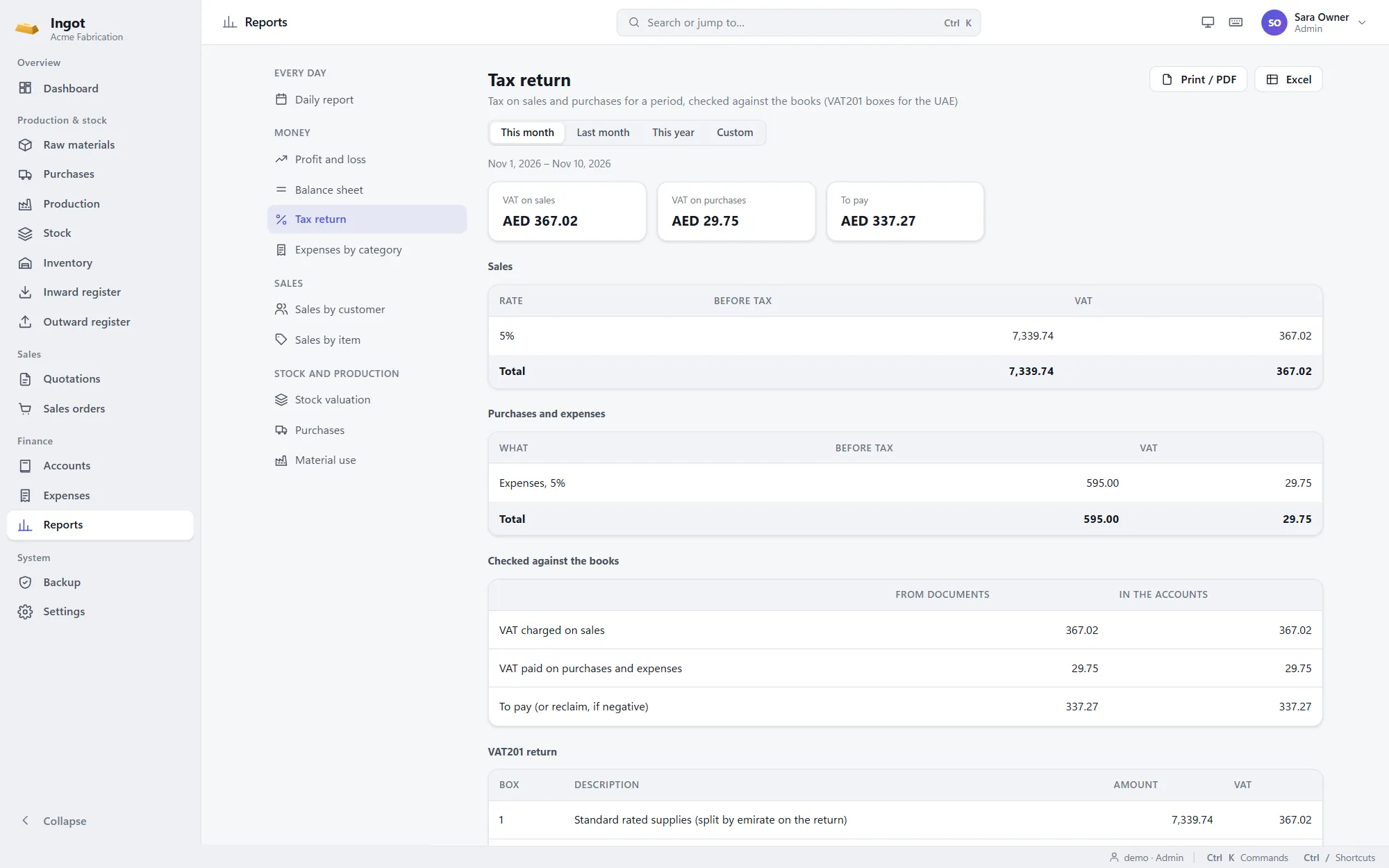
Switch on Arabic and every quotation, order, invoice, credit note and delivery note prints in both languages, with your Arabic letterhead. At the end of the period, the tax return report adds up what to pay.
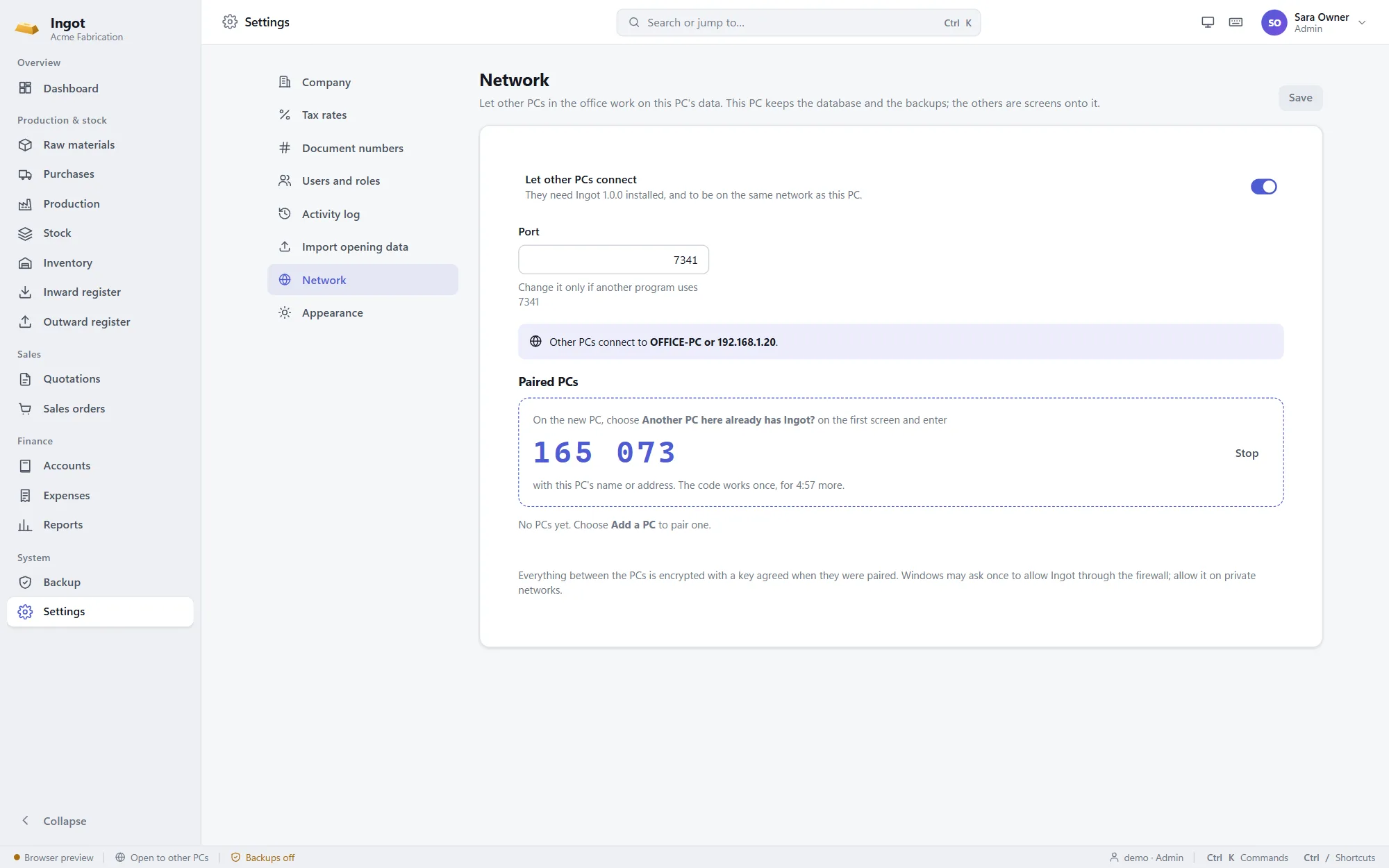
Several PCs
One PC keeps the data and the backups. The others connect to it over the office network, and everyone works on the same stock, orders and accounts with their own login. Still no internet needed.
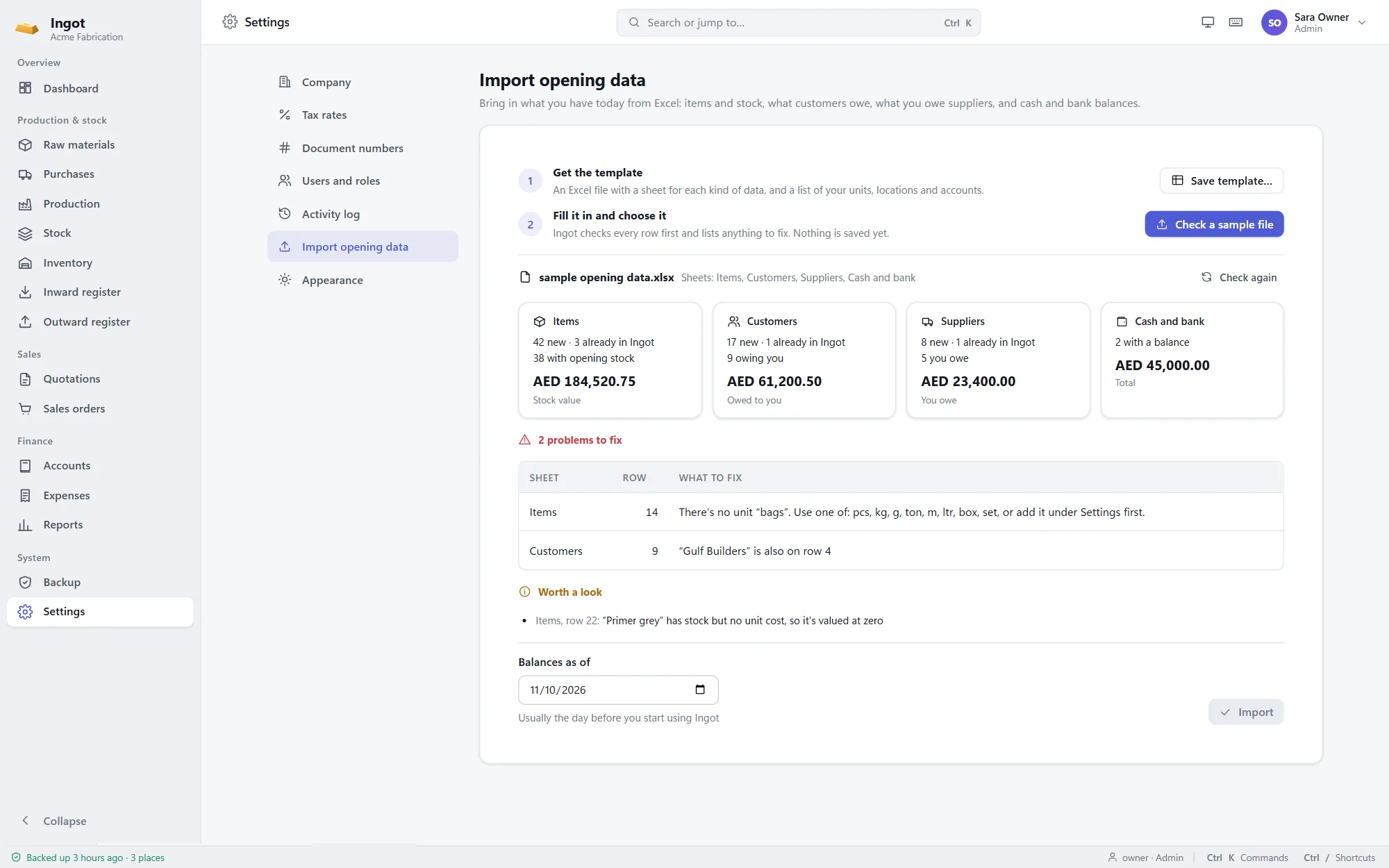
Opening data
Fill in one Excel template with your items and stock, what customers owe, what you owe suppliers and your cash and bank balances. Ingot checks every row first and lists anything to fix before it saves a thing.
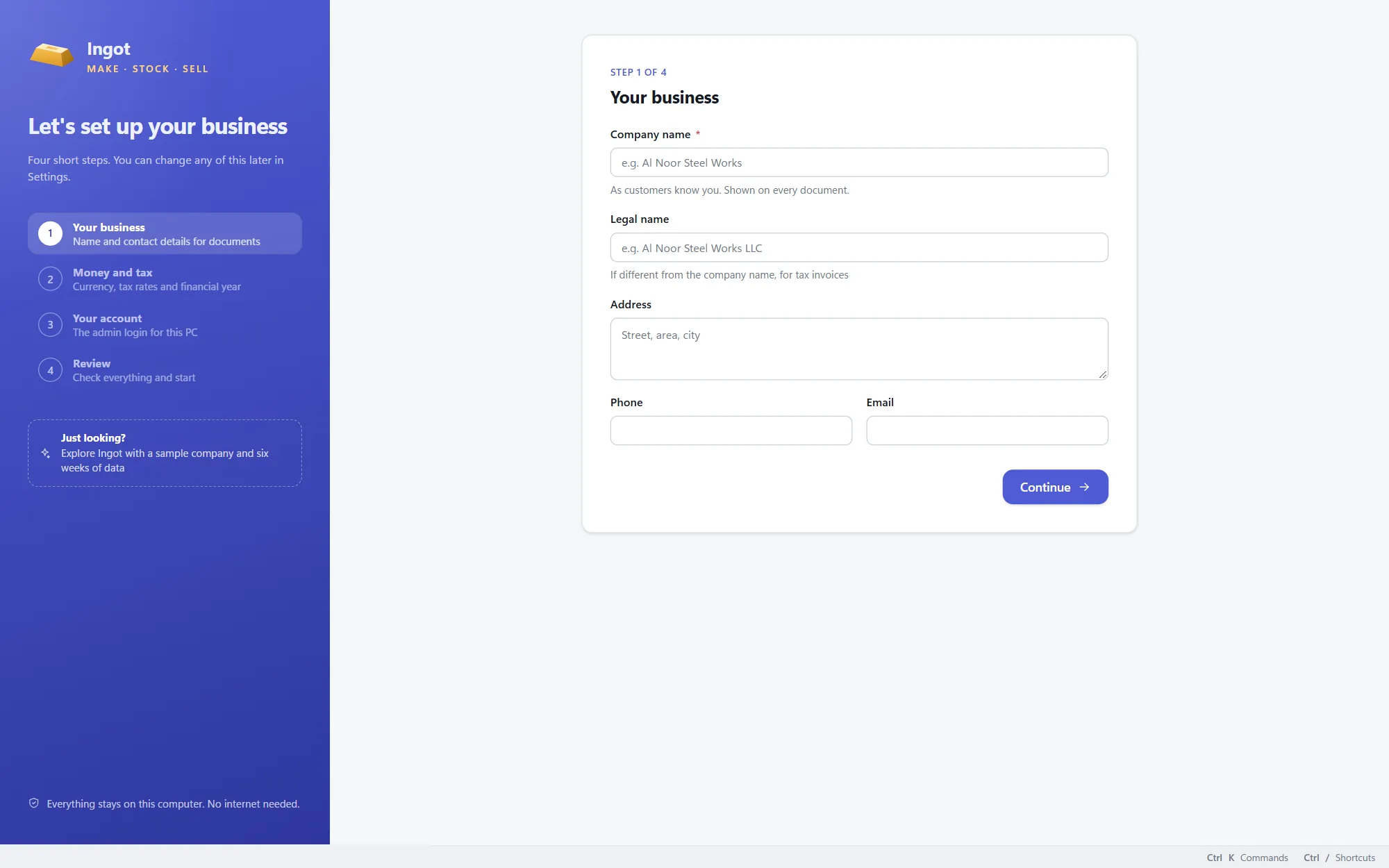
Try it first
On the first screen, choose "Explore Ingot with a sample company". You get a small metal workshop with six weeks of purchases, production, sales, payments and expenses, and a login for every role.
Automatic backups
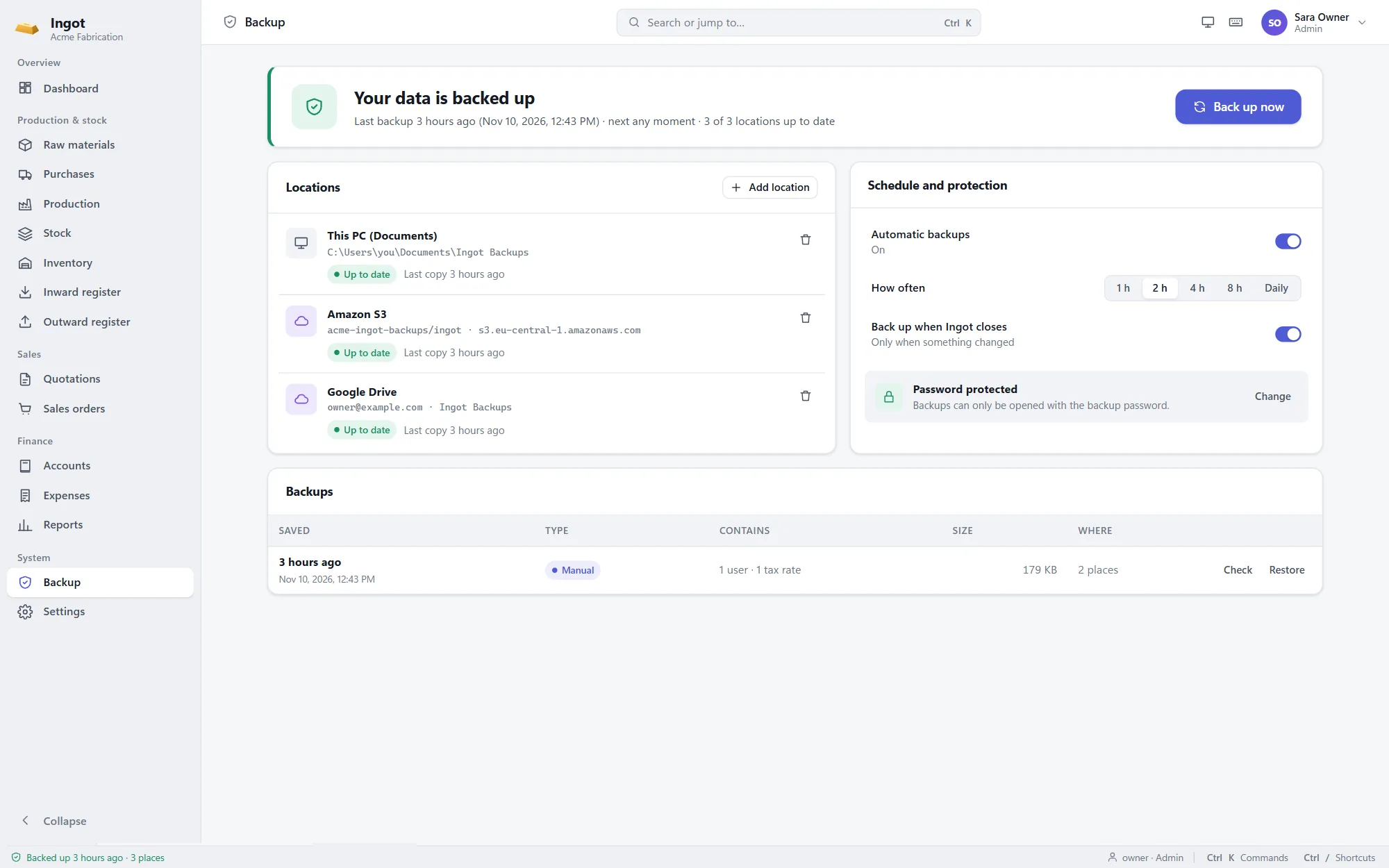
Backups are on from the first day and need no one to remember them. The status bar always says when the last one was saved and where, and the dashboard warns you if a location stops working.
For the whole team
Roles
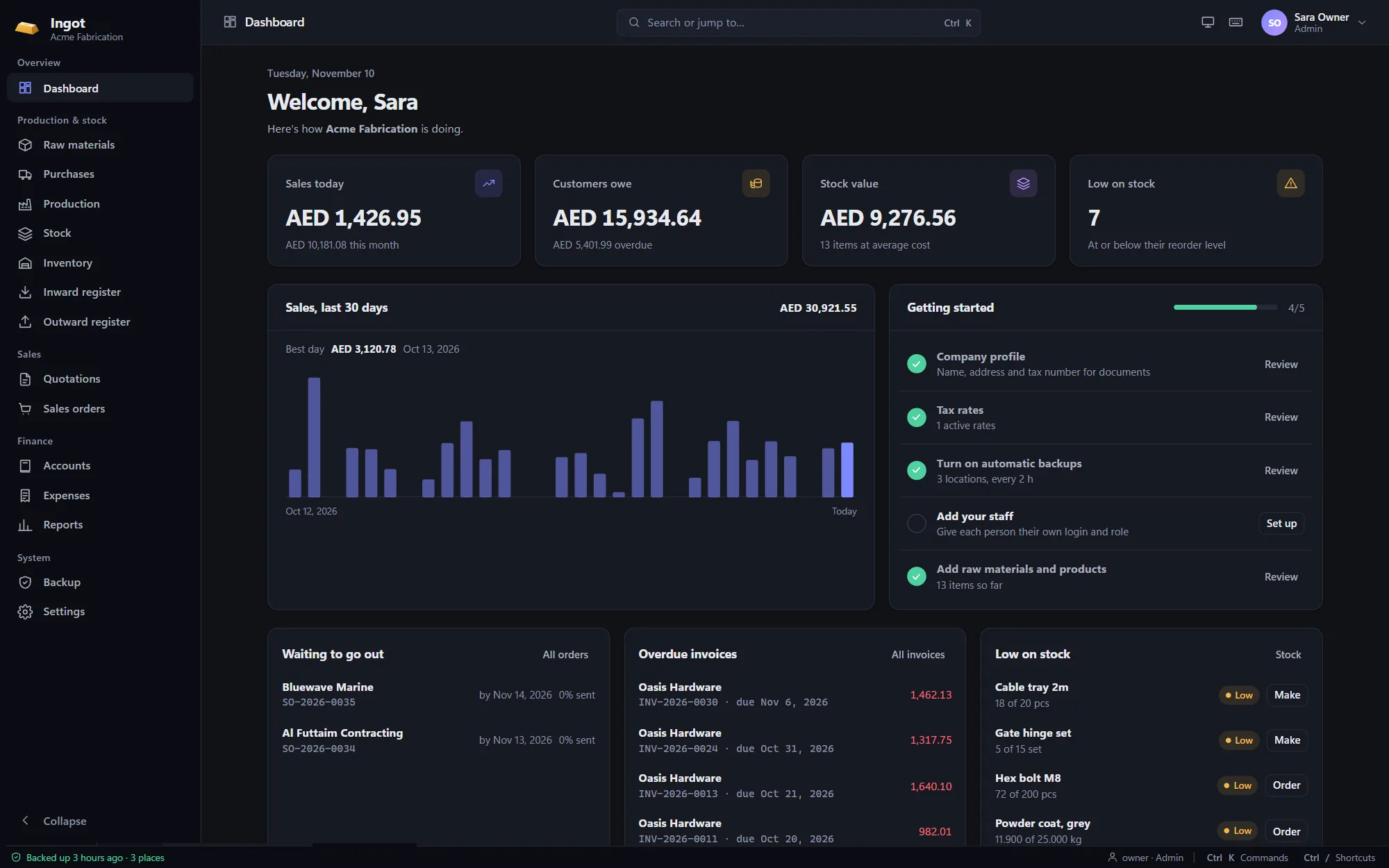
Give each person their own login. Ingot hides what a role can't use and refuses what it can't change.
Everything runs on the PC. No internet connection, no monthly server, no waiting for pages to load.
Ctrl+K opens any screen or action, and the everyday ones have their own shortcuts.
Set the currency, decimals, tax name and rates, and whether prices include tax.
QT-2026-0001, INV-2026-0001 or your own prefixes, for every kind of document.
Easy on the eyes in a bright office or on a late shift.
Who created, changed or cancelled what, and when, for the admin to review.
Pair the office, store and shop-floor PCs with the main one, and everyone works on the same data.
Every list and report exports to Excel, and your opening data comes in from a checked template.
Private by design
Ingot vs spreadsheets
| Capability | Spreadsheets & notebooks | Ingot |
|---|---|---|
| Stock balance | Recounted by hand, often wrong | Always the sum of every entry |
| Cost of a product | A guess | Materials at average cost plus labour |
| Inward & outward registers | Written up at the end of the day | Filled in as you work |
| Quote to invoice | Retyped at every step | One click from each step to the next |
| Who owes you | Searched for in the bank app | Ageing by customer, overdue flagged |
| Accounts | Rebuilt by the accountant each month | Posted automatically, balanced |
| Reports | Assembled from several files | Nine reports, to print or Excel |
| Who changed what | Nobody knows | Every change logged with a name |
| Backups | When someone remembers | On a schedule, encrypted, in several places |
| Internet needed | For the cloud tools, always | Never, except for cloud backups |
Get Ingot 1.0.0
We'll email you a one-time code, and the download starts as soon as you enter it.
Windows 10 and 11, 64-bit
Install, setup & updates
Run the setup file. If Windows shows "Windows protected your PC", choose More info, then Run anyway. On Windows 10, the installer adds Microsoft's WebView2 if it's missing.
Enter your company details, currency and tax, and create the admin login. Or restore a backup from another PC.
Choose where backups go and set a backup password. Write it down and keep it away from the PC.
Save the Excel template from Settings, fill in your items, stock and balances, and import it.
Install the new version over the old one. Your data and settings are kept.
The first-launch warning appears because Ingot is new and not yet widely downloaded; it only shows once. Verify your download (optional): each file's SHA-256 checksum is in SHA256SUMS.txt. Want help importing your data or training your team? Email jamal@unravelers.tech.
FAQ
Something else? Email jamal@unravelers.tech.
Ingot is a Windows app from Unravelers Technologies for small and mid-sized manufacturers. It covers raw materials and purchasing, production with bills of materials, stock and the inward and outward registers, quotations, sales orders, deliveries, invoices and payments, expenses and accounts, with daily and monthly reports and automatic backups.
No. Ingot runs on your PC, or across your office network, and keeps its data in one file on the main PC. The internet is only used if you choose to send backups to Google Drive or cloud storage, and those uploads simply wait until a connection is back.
Yes, each with their own login and role: Admin, Accountant, Sales or Store keeper. Each role sees and changes only what it should, and every change is recorded with the person's name. They can share one PC or work on several.
Yes, on the same office network. One PC keeps the data and the backups; the others install Ingot, pair with it using a 6-digit code, and work on the same data at the same time. The main PC needs to be on while the others work, and every PC runs the same version of Ingot. Working from another site over the internet isn't supported yet.
Any business that buys materials, makes products from them and sells them: metal fabrication, furniture, food, plastics, printing, building materials and similar. Items can be counted in pieces, kilos, litres, metres or any unit you add.
Each material carries a weighted average cost from what you paid for it. When you record a production run, the materials used leave at that cost, and the finished goods come in at the materials' cost plus the labour and overheads you enter.
No. Every document posts its own balanced journal, so the books stay right while you work in invoices, payments and expenses. Your accountant still gets a trial balance, ledgers, statements and ageing.
Yes. On the first screen, choose to explore Ingot with a sample company: a small metal workshop with six weeks of realistic work and a login for every role. When you're ready, one click clears it and you set up your own business.
Yes. Switch on documents in English and Arabic in Settings, add your company's Arabic name and address, and give customers and items their Arabic names. Quotations, orders, invoices, credit notes and delivery notes then print in both languages.
It adds up the tax on your sales, less credit notes, and on your purchases and expenses for any period, and checks the totals against the accounts. For a UAE company it fills in the VAT201 boxes. Imports, reverse charge and the split by emirate aren't tracked, and your accountant should check it before you file.
Issue a credit note against the invoice: it takes back the lines you choose, reduces what the customer owes or refunds them, and puts returned goods back into stock. Goods you send back to a supplier are recorded from the purchase order, and a supplier's own credit note takes money off what you owe them.
You set the currency, its symbol and decimals, the name of the tax (VAT, GST or sales tax), its rates, and whether prices include tax. Document numbers and the start of the financial year are yours to set too.
Backups run on a schedule and when Ingot closes, are encrypted with your backup password, are checked when written, and are kept in as many places as you choose: the PC, USB drives, Google Drive or S3-compatible storage. Older ones are tidied automatically, keeping the last 24 hours, 14 days, 8 weeks and 12 months.
Yes. Fill in the Excel template with your items and opening stock, what customers owe, what you owe suppliers and your cash and bank balances. Ingot checks every row and lists anything to fix before anything is saved. We can help with the first import.
Not yet. Ingot is built for Windows 10 and 11, 64-bit.
Windows double-checks apps that aren't yet widely downloaded. It only happens on the first launch; choose More info, then Run anyway.
Per business, depending on the number of users and the help you need to get started, such as importing your data and training your team. Email us and we'll talk it through.
For manufacturers and workshops
See Ingot with your own products and processes, or download it for Windows and try it yourself.