The webhook you never saw
Stripe says it sent it. Your logs say nothing arrived. Without the raw request you are guessing which one is wrong.
01
HookCatch catches the webhooks Stripe, GitHub, Shopify and your own services send, right on your machine and exactly as they arrived. Check the signature, forward them to your app, and when your code breaks, fix it and send the same request again.
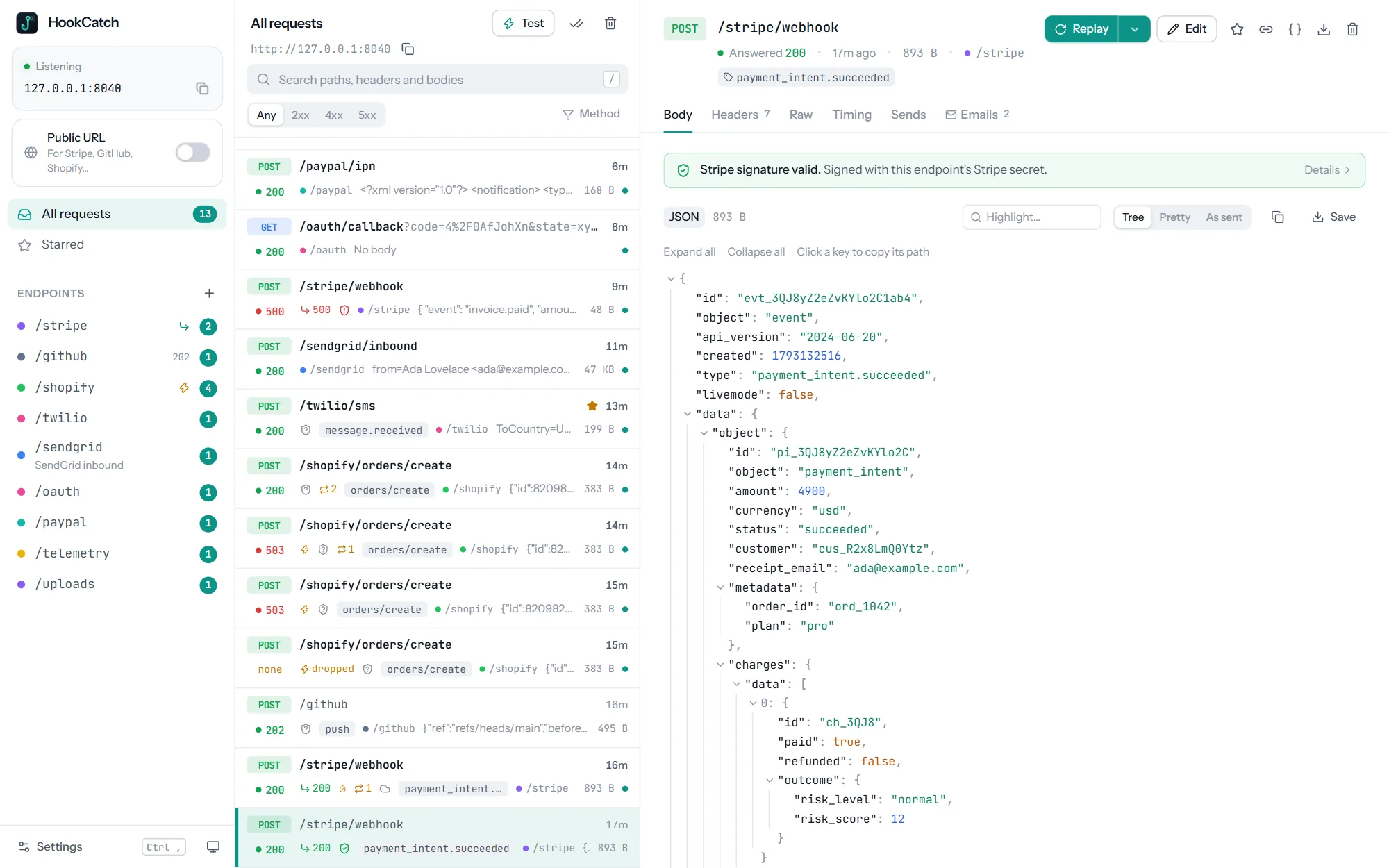
Webhooks are the part of your app you can't see
A webhook arrives once, from someone else's server, while you're not looking. HookCatch keeps every one of them, shows you exactly what was sent, and lets you send it again whenever you need to.
Stripe says it sent it. Your logs say nothing arrived. Without the raw request you are guessing which one is wrong.
01A proxy re-encoded the body, the secret is from the wrong mode, or the timestamp is too old. The error message never says which.
02Your handler crashed on the first delivery. Now you wait an hour for the retry, or click through a dashboard to resend it.
03Your own service sends webhooks too. What happens when the receiver answers 503 twice, or hangs? Production finds out first.
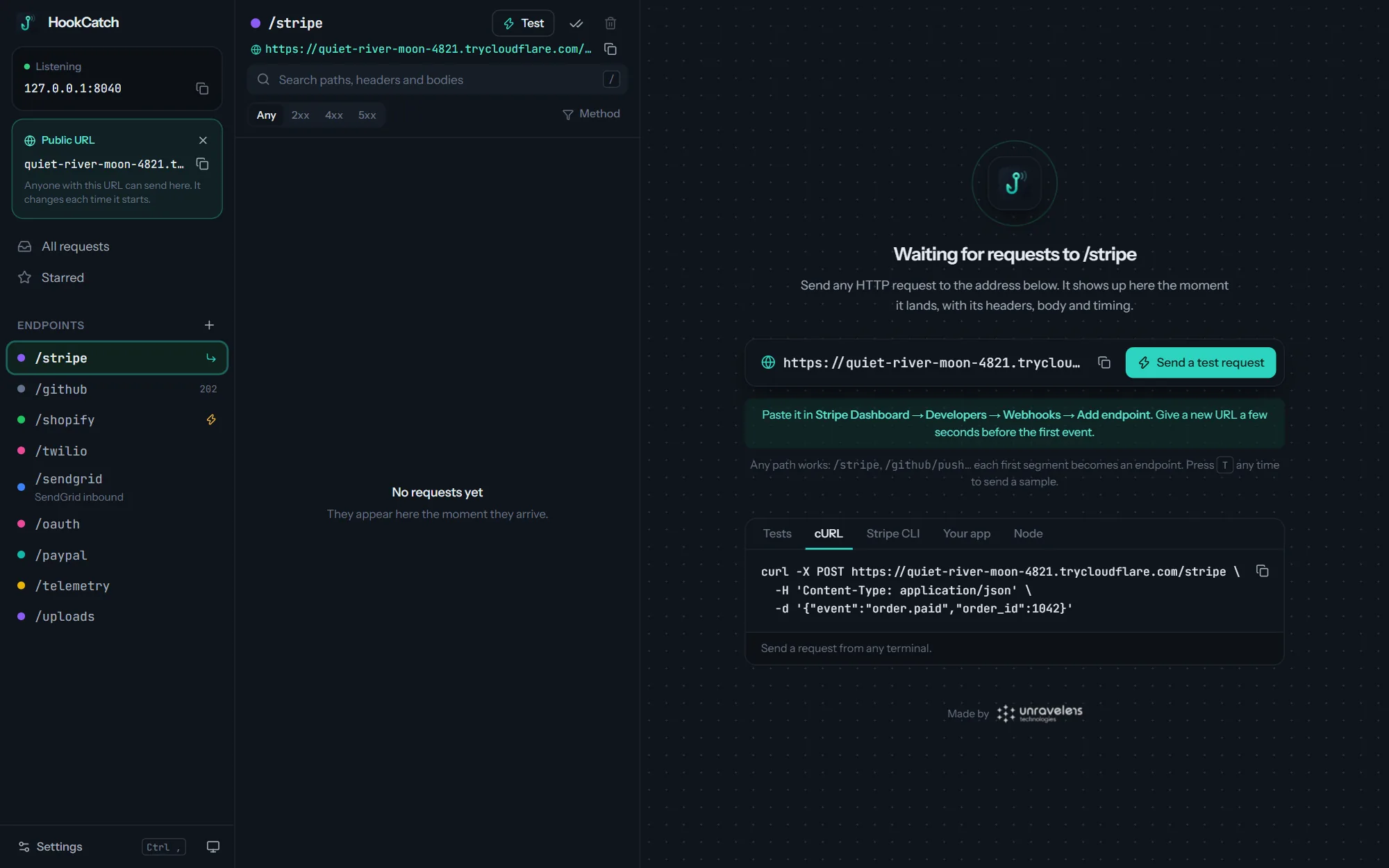
04Set up in under a minute
It starts listening straight away at http://127.0.0.1:8040. No account, no sign-up.
Use a path per service, like /stripe or /github. For Stripe, GitHub and other providers on the internet, switch on the public URL.
Every request appears the moment it lands: headers, body, timing and the answer HookCatch gave.
Signatures checked for
# Anything that sends HTTP can send it to HookCatch
$ curl -X POST http://127.0.0.1:8040/orders \
    -H "Content-Type: application/json" \
    -d '{"order": {"id": 1042, "status": "paid"}}'

# Stripe CLI, straight into the /stripe endpoint
$ stripe listen --forward-to 127.0.0.1:8040/stripe

# Or switch on the public URL and paste it into
# the provider's dashboard:
# https://quiet-river-1042.trycloudflare.com/stripe
Built for the requests that matter
Check it, forward it, replay it, change it, and reach it from anywhere.
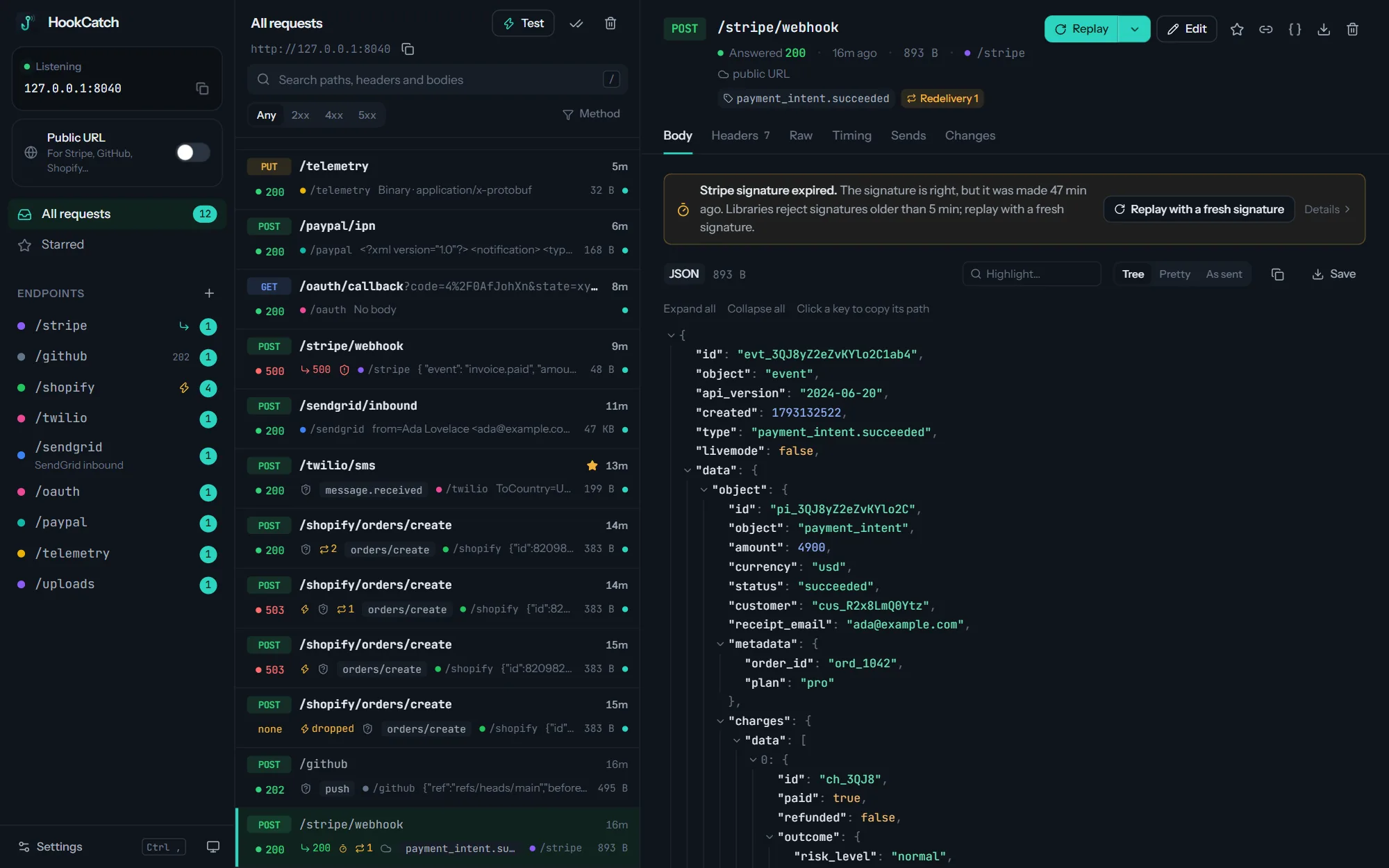
Signature checks
Add the signing secret once and HookCatch checks every request the way the provider's own library does. When it fails, it tells you the reason in plain words and how to fix it.
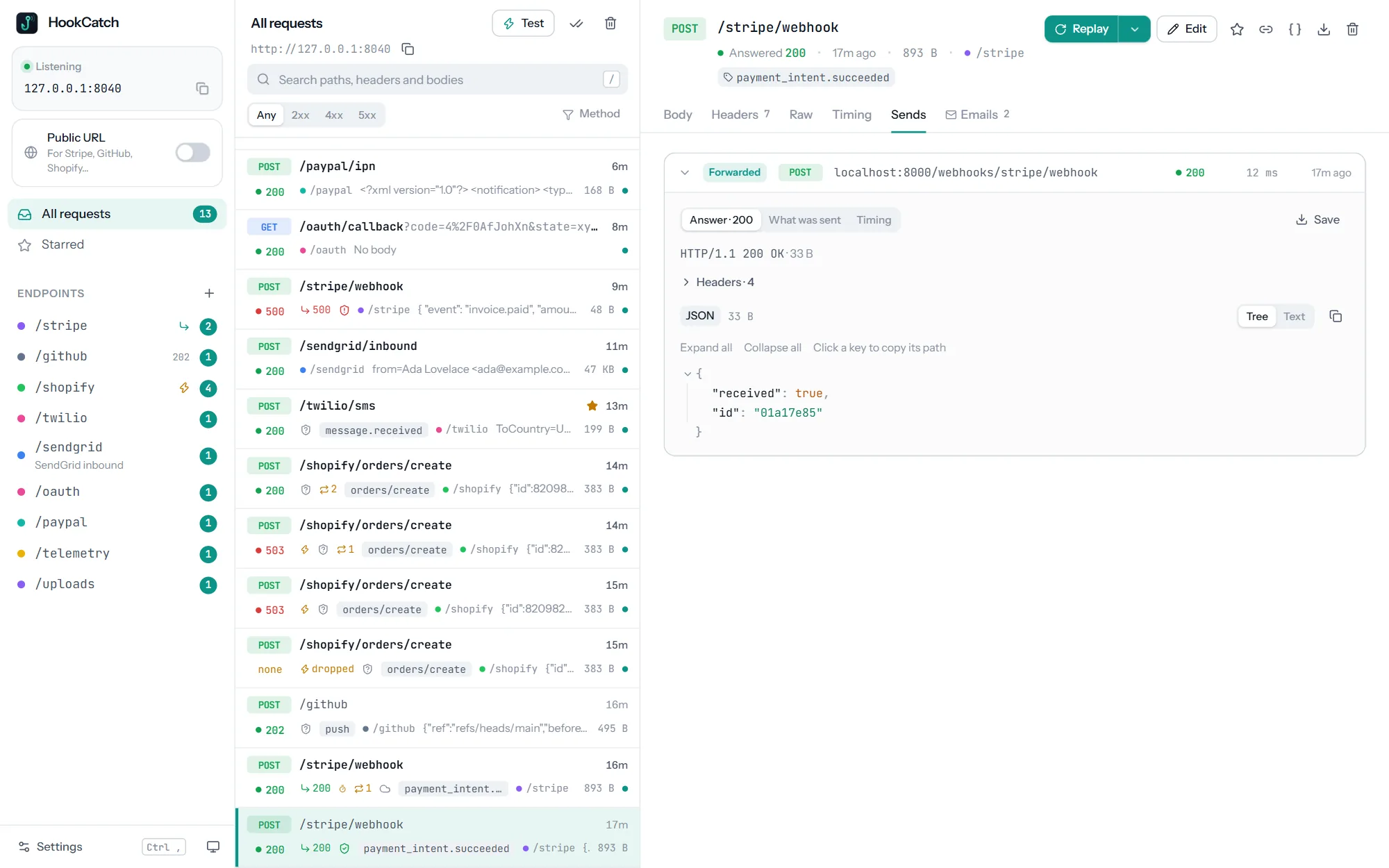
Forward to your app
Give an endpoint a target and every request is sent on to your app as it arrives, byte for byte. You see what came in and what your app answered, side by side.
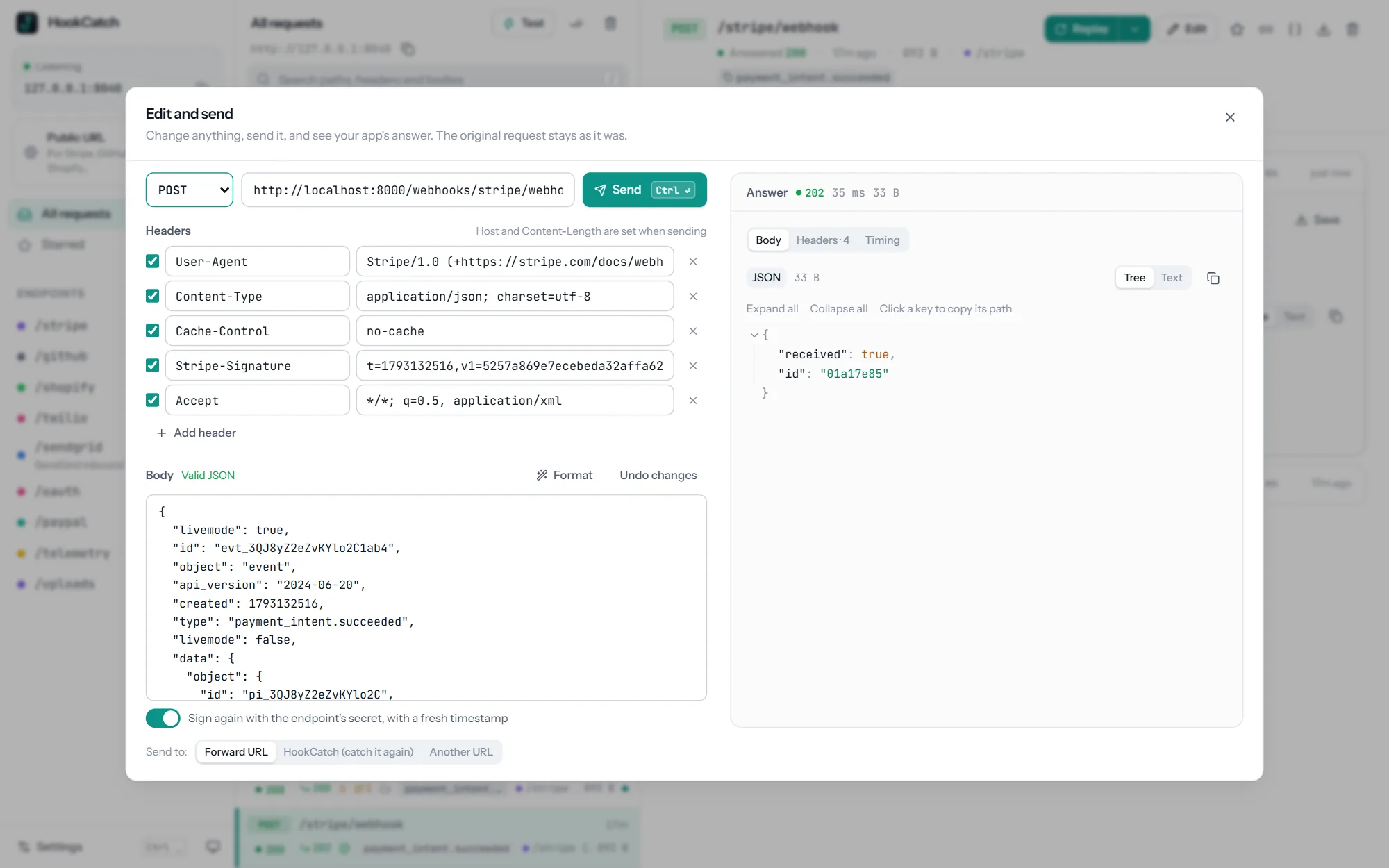
Replay and edit
No more waiting for the provider to retry or hunting for a resend button. Replay any captured request in one keystroke, or change it first and send your version.
Public URL
Stripe, GitHub and Shopify cannot reach your laptop. Switch on the public URL and HookCatch gives you an https address that leads straight to it, ready to paste into the provider's dashboard.
Built for automated tests
Place the order, wait for the webhook your app sends, check what's in it. A few lines, in the
language you already test with, and no flaky sleep(5).
const hooks = new HookCatch();
await hooks.clear("orders");
await page.click("text=Pay now");
const hook = await hooks.waitFor({
  endpoint: "orders",
  json: { "order.status": "paid" },
  timeout: 30,
});$ hookcatch serve --tunnel # headless, for CI
$ hookcatch wait -e orders --field order.status=paid
$ hookcatch tail
$ hookcatch replay 42 --to http://localhost:8000Chaos mode · Misbehave on purpose
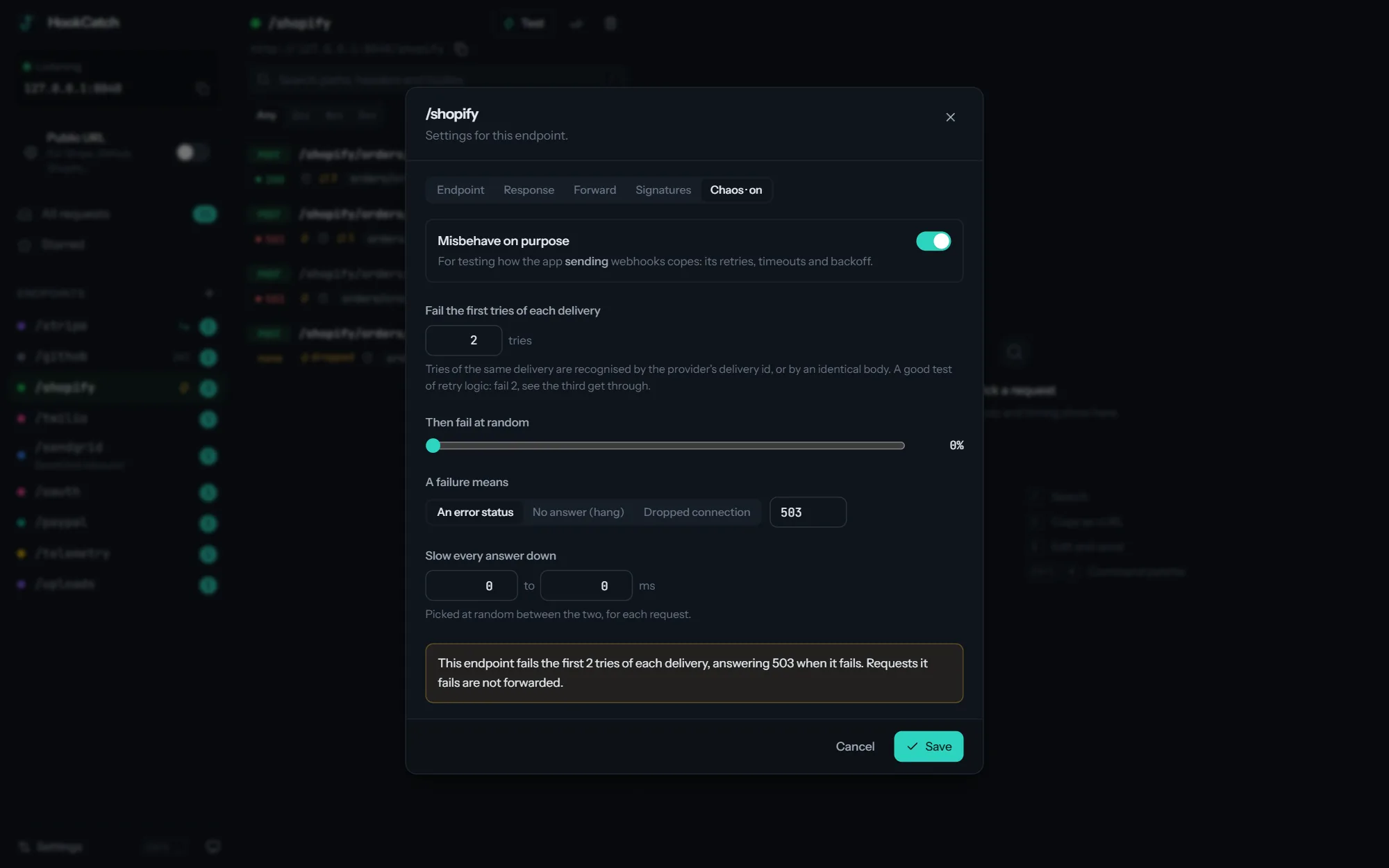
Turn chaos mode on for one endpoint and HookCatch becomes a bad receiver: it fails the first tries of each delivery, fails at random, answers with an error, never answers or drops the connection. Then watch whether your app backs off, retries and gives up the way it should.
Everything else you'd expect
Requests to /stripe, /github or /orders land in their own endpoint, created on first use, with names and colours.
HookCatch has its own HTTP server, so you see the raw bytes, header order and casing, chunked bodies and all.
JSON as a tree, forms and multipart as tables, XML pretty-printed, and gzip, Brotli and deflate decoded for you.
Choose the status, headers, body and delay each endpoint answers with, with placeholders that echo the request.
Full-text search across paths, headers and bodies, and a list that stays fast with thousands of requests.
Keeps catching with the window closed, starts at login, and sends one tidy notification for a burst.
If your app sends an email when a webhook arrives, HookCatch shows the emails MailCatch caught right next to the request.
Light and dark themes that follow your system, and shortcuts for everything you do often.
Private by design
Works with your stack
On Windows, macOS and Linux. No plugin, no SDK, no code change.
HookCatch vs an online request bin
| Capability | An online request bin | HookCatch |
|---|---|---|
| Where requests are stored | On someone else's servers | On your computer |
| Seeing the request | Headers and body, often reformatted | The raw bytes, headers and timing |
| Sending it to your app | Copy, paste into curl, fix the headers | Forwarded automatically, answer recorded |
| Trying again after a fix | Wait for the provider to retry | Replay in one keystroke |
| Signature failures | Read the provider's docs and guess | Checked, with the reason and the fix |
| Testing your own retries | Write a fake failing server | Chaos mode, per endpoint |
| Automated tests | Poll a web page | HTTP API, /wait, client libraries, CLI |
| Price | Free tiers with limits and expiry | Free |
Get HookCatch 1.0.0 · Free
Pick the file for your system. We'll email you a one-time code, and the download starts as soon as you enter it.
Windows 10 and 11, 64-bit
macOS 11 Big Sur or later
64-bit (x86_64)
For servers and CI. No window
First launch, servers & CI
If Windows shows "Windows protected your PC", choose More info, then Run anyway. On Windows 10, the installer adds Microsoft's WebView2 if it's missing.
Drag HookCatch into Applications. The first time, open System Settings, then Privacy & Security, and click Open Anyway. (On macOS 14 and earlier, right-click the app and choose Open.)
Install the .deb with apt or the .rpm with dnf, like any other package. The AppImage needs no install: make it executable (chmod +x) and run it.
Unpack the archive and put hookcatch on your PATH. Run hookcatch serve on a server or in CI; it needs no window.
The first-launch warning appears because HookCatch is new and not yet widely downloaded; it only shows once. Updating: install the new version over the old one, and your endpoints, requests and settings are kept. Verify your download (optional): each file's SHA-256 checksum is in SHA256SUMS.txt.
FAQ
Something else? Ideas or partnership enquiries? Email jamal@unravelers.tech.
Yes. Download it and use it for as many projects as you like.
No. Point the service that sends webhooks at HookCatch's address instead of your app's, and turn on forwarding so your app still gets every request.
Switch on the public URL. HookCatch opens a Cloudflare quick tunnel and gives you an https address to paste into the provider's dashboard. It needs no Cloudflare account.
It leads only to the capture port, never to the testing API or anything else on your machine. Anyone with the address can send requests to it, so switch it off when you are done. Each one is a new random address.
Yes. Run hookcatch serve on the CI machine, then use the HTTP API, the client libraries or hookcatch wait in your tests.
Yes. Choose to listen on all interfaces in Settings, and anything on your network or in Docker can reach HookCatch.
In a folder on your computer, which you can open from Settings. Old requests can be cleaned up automatically.
Both systems double-check apps that aren't yet widely downloaded. It only happens on the first launch; the steps are in the download section above.
Windows 10 and 11 (64-bit), macOS 11 or later on Apple silicon and Intel, and 64-bit Linux (Ubuntu, Debian, Fedora, openSUSE and others).
Before the next delivery fails
HookCatch is free for Windows, macOS and Linux. Set up in under a minute, and stop waiting for the provider to try again.