"It only reads its own config"
Then why did it open a file in another user's folder? Documentation and code reviews describe what an app should do, not what it does.
01
FerroTrace watches a running application and records what it does with files, databases, the network, its configuration and other programs, without changing it or adding anything to it. Then it shows what the app depends on, flags the unusual parts with the evidence, and can explain them in plain language.
Software does more than anyone wrote down
Every application touches files, hosts, databases and other programs nobody listed. FerroTrace watches it run and writes it all down, so you work from what it did, not from what someone remembers.
Then why did it open a file in another user's folder? Documentation and code reviews describe what an app should do, not what it does.
01After an upgrade the app talks to a new host, opens a port and starts a helper program. Nobody noticed, because nobody was looking.
02The service works on every machine but one. Somewhere there is a file, a database or an API it quietly needs.
03A third-party tool, an old internal app or a vendor's agent. You can't add logging to it, and you still have to know what it does.
04Three steps, no setup
A program that is already running, one FerroTrace starts for you, or everything started from a folder.
Click through it, run its tests, let it do its nightly job. FerroTrace records what it does while it runs.
Every file, query, connection and program it touched, alerts for the unusual parts, and a map of what it depends on.
What it records
From raw events to answers
Alerts with their evidence, a map that compares runs, every event, and an explanation when you want one.
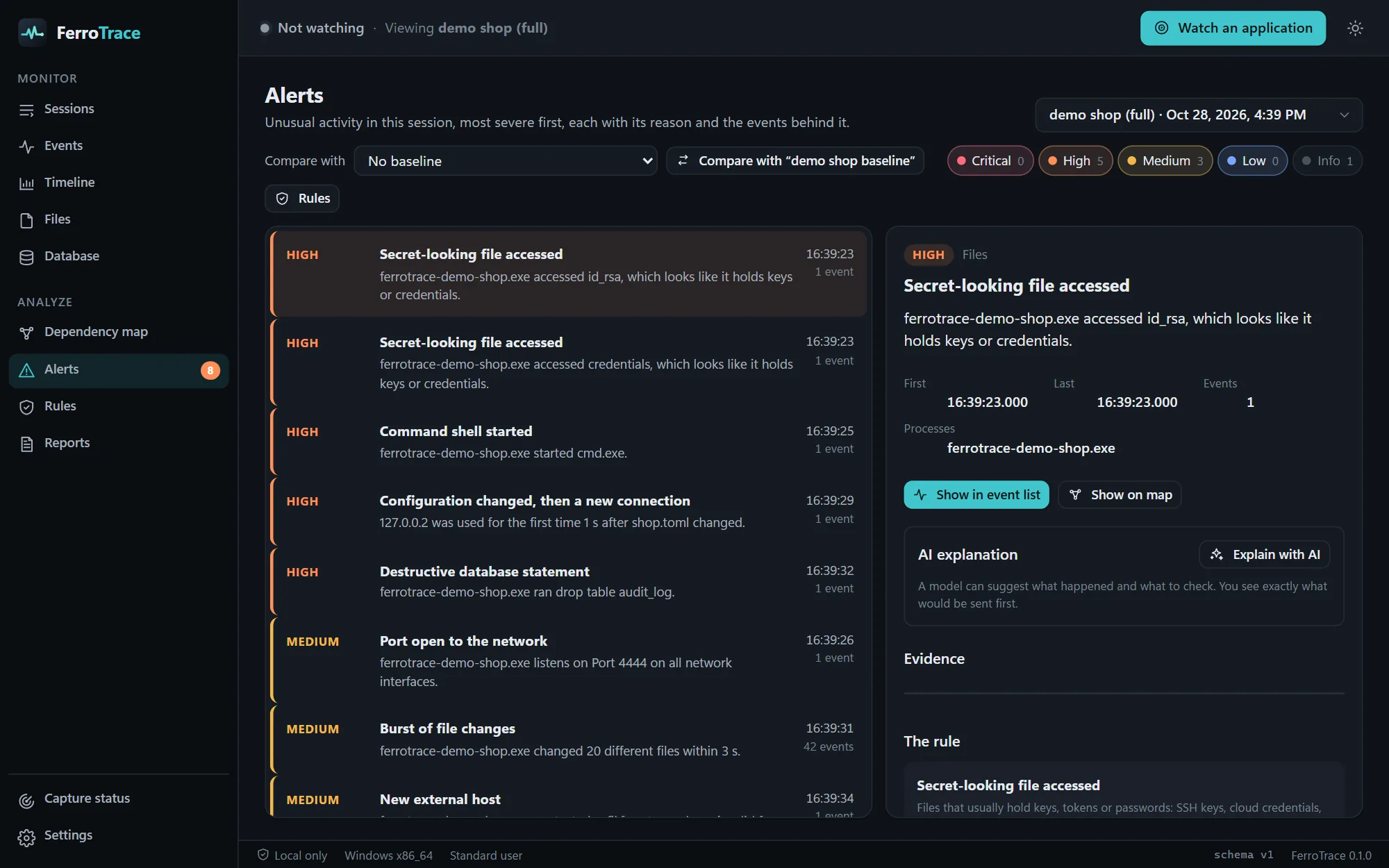
Alerts with evidence
Detection rules watch every event as it arrives. When something looks wrong, FerroTrace says what happened in a sentence and shows the exact events behind it, so you can judge it yourself.
Dependency map
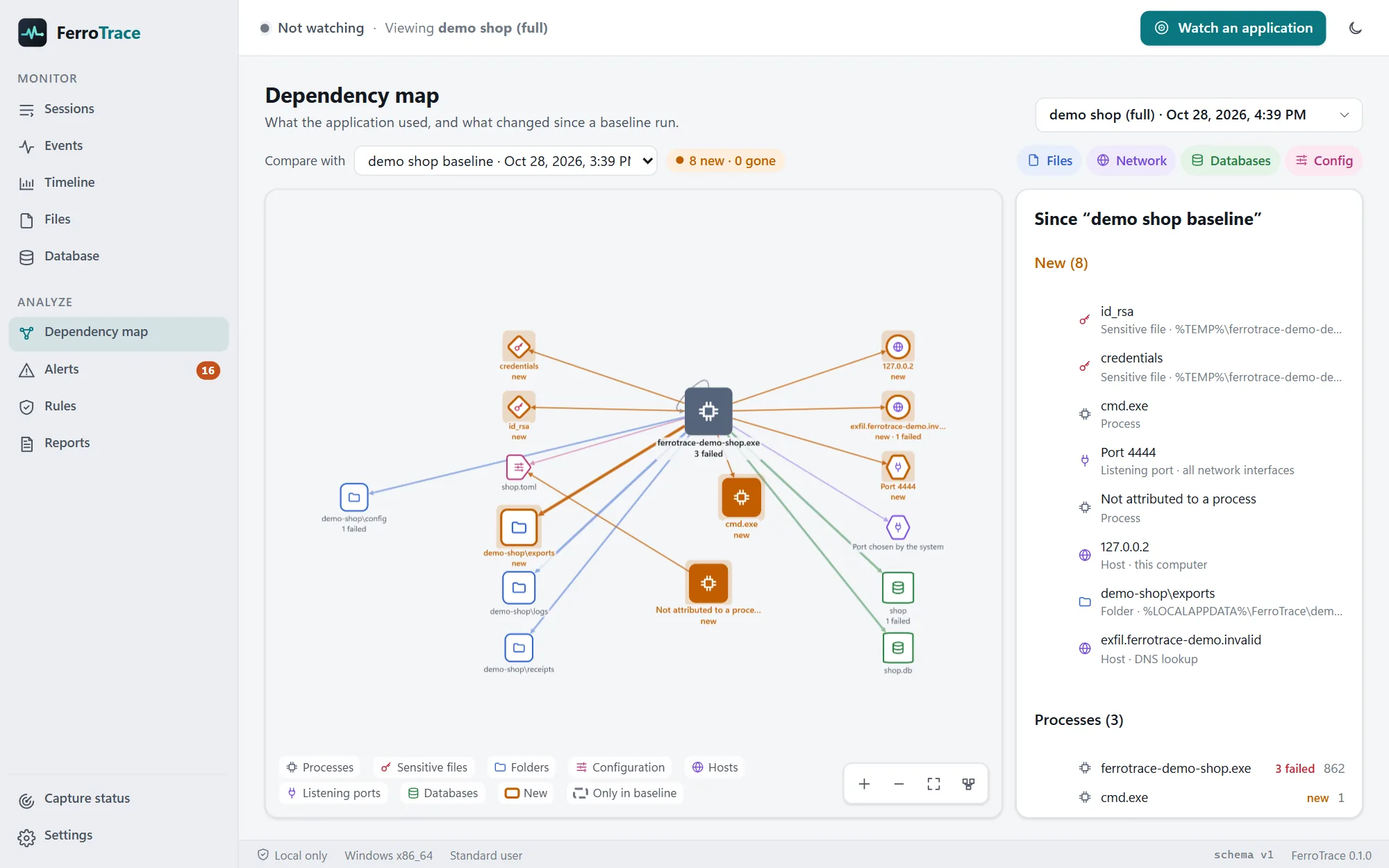
FerroTrace draws what the application depends on: its folders, configuration, hosts, ports, databases and the programs it starts. Compare a run with a normal one and everything new is marked.
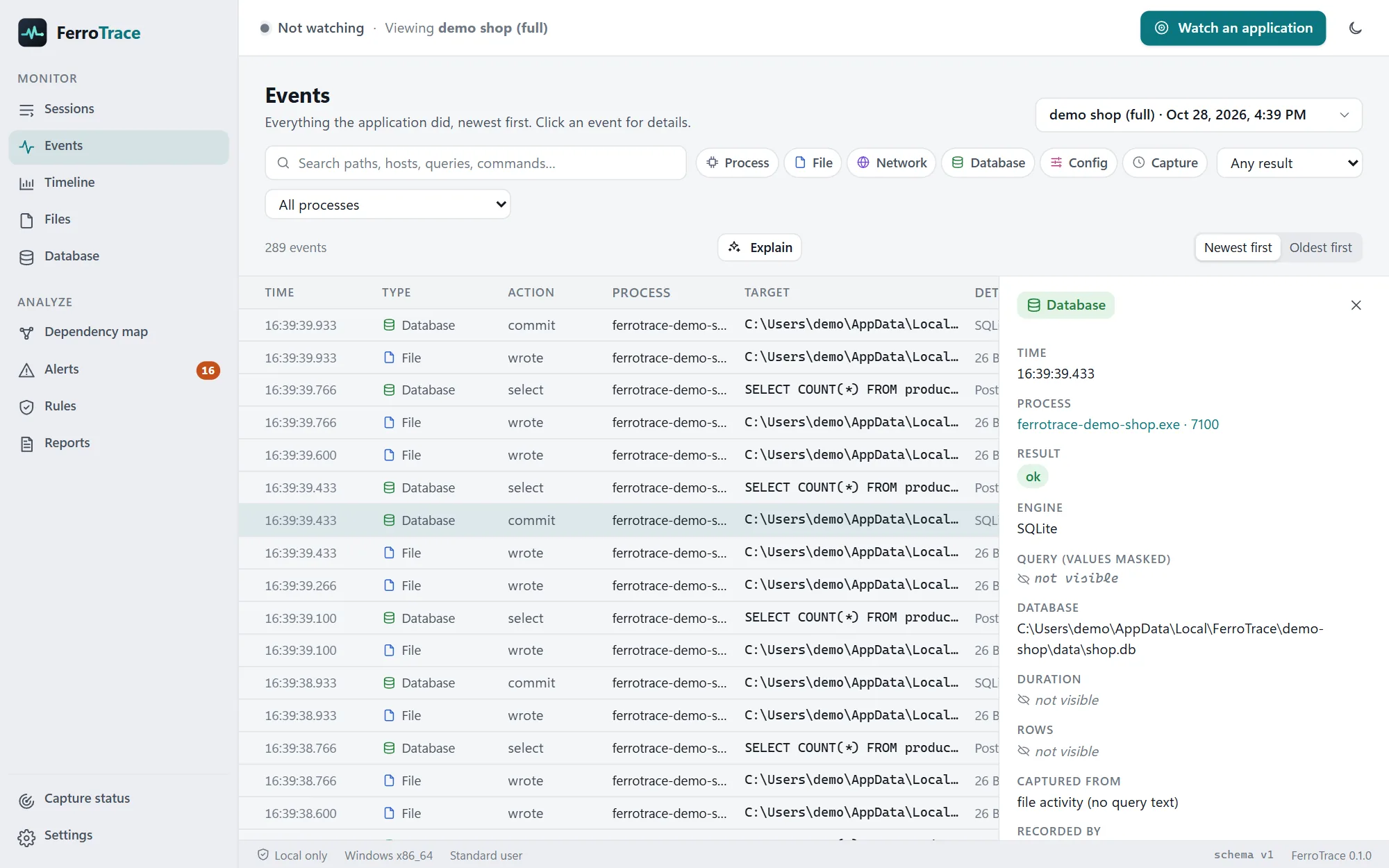
Every event
The full record of what the application did, newest first. Filter by type, result or process, search paths, hosts and queries, and open any event for every detail.
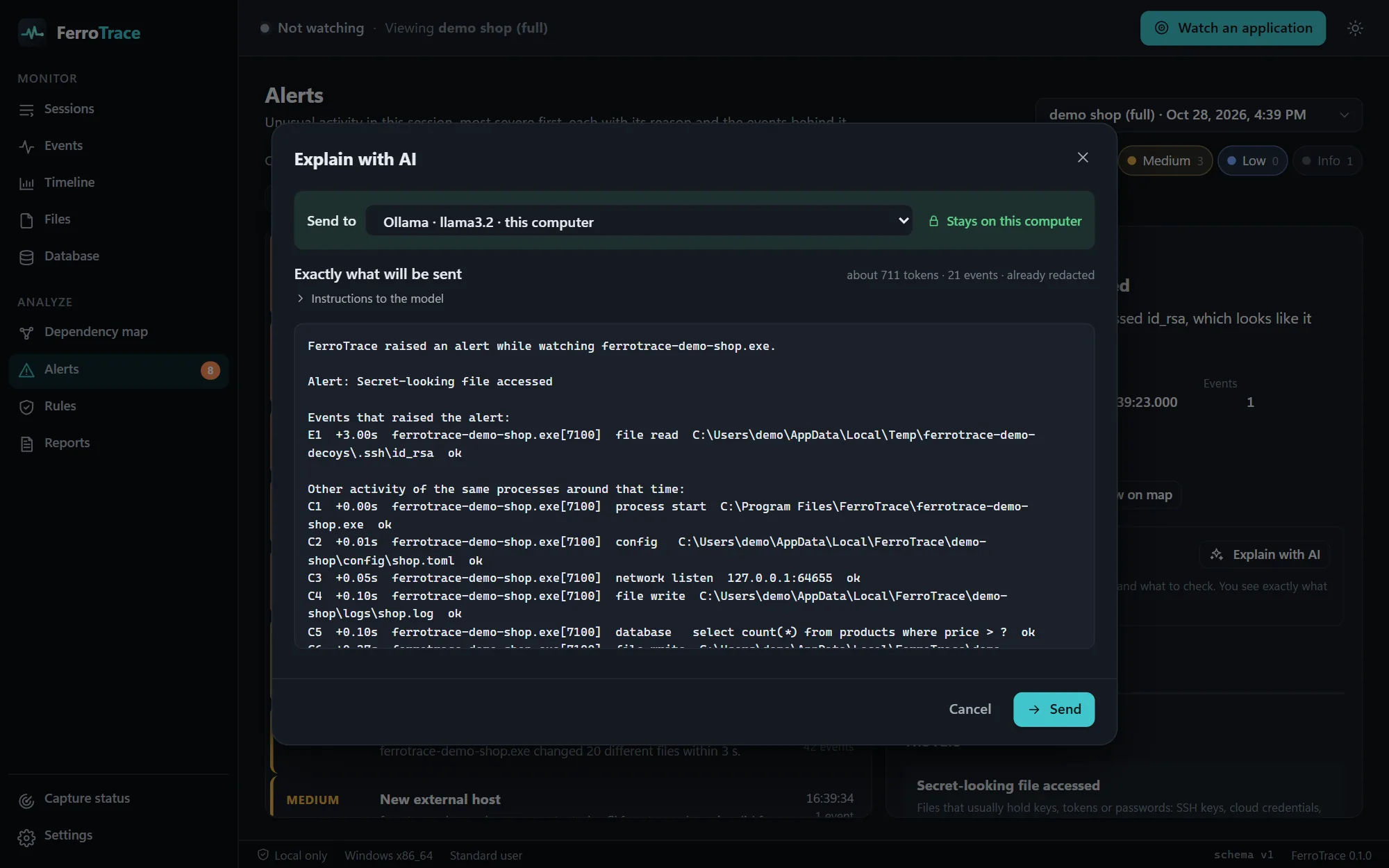
AI explanations
FerroTrace can explain an alert, or the events you selected, in plain language: what probably happened, the likely causes and what to check next. Every explanation names the events it is based on.
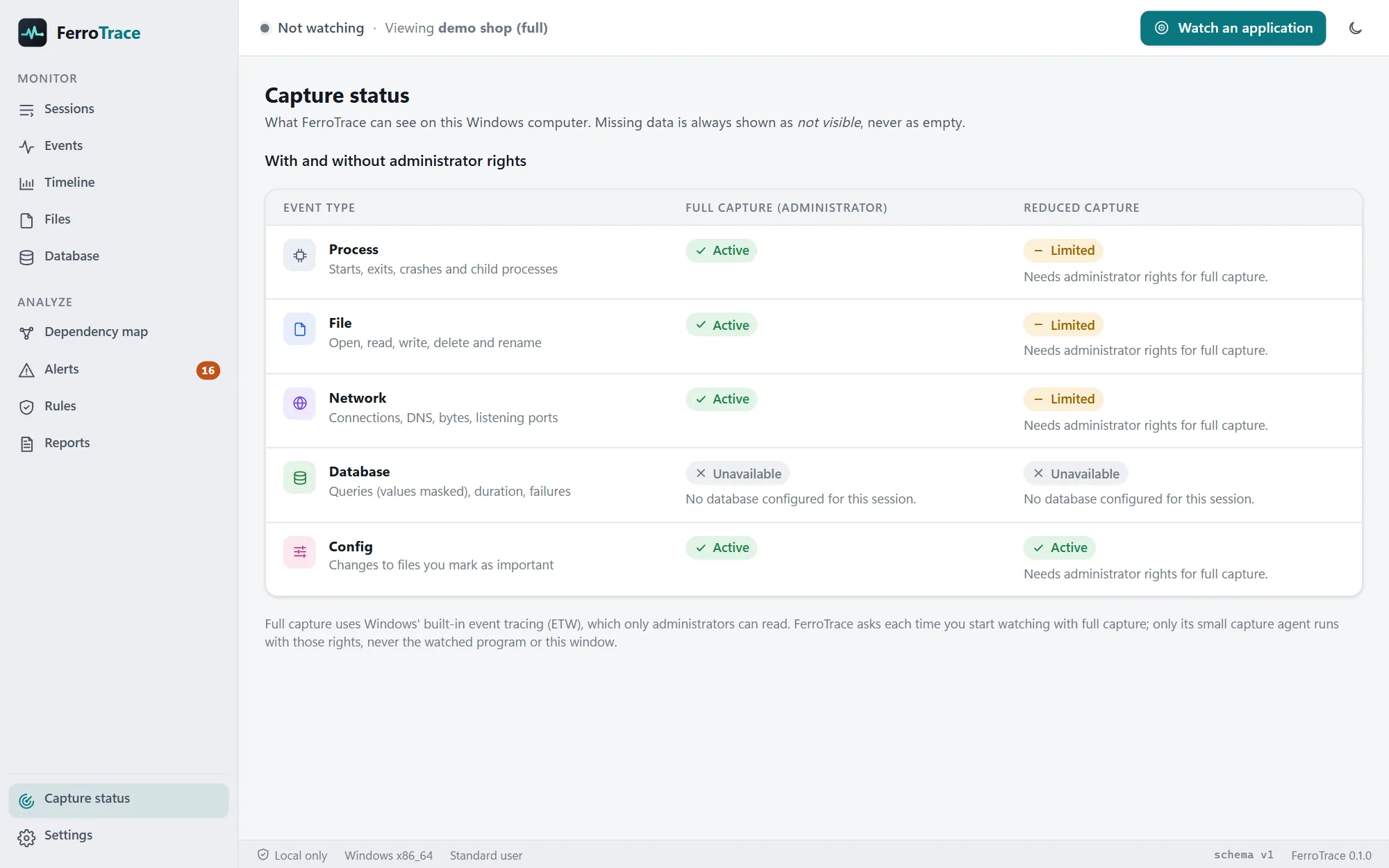
Honest about what it sees
FerroTrace reads the system's own records of what each program does. That is why it needs no code change, and why it can't break the application. Where it can't see something, it says so.
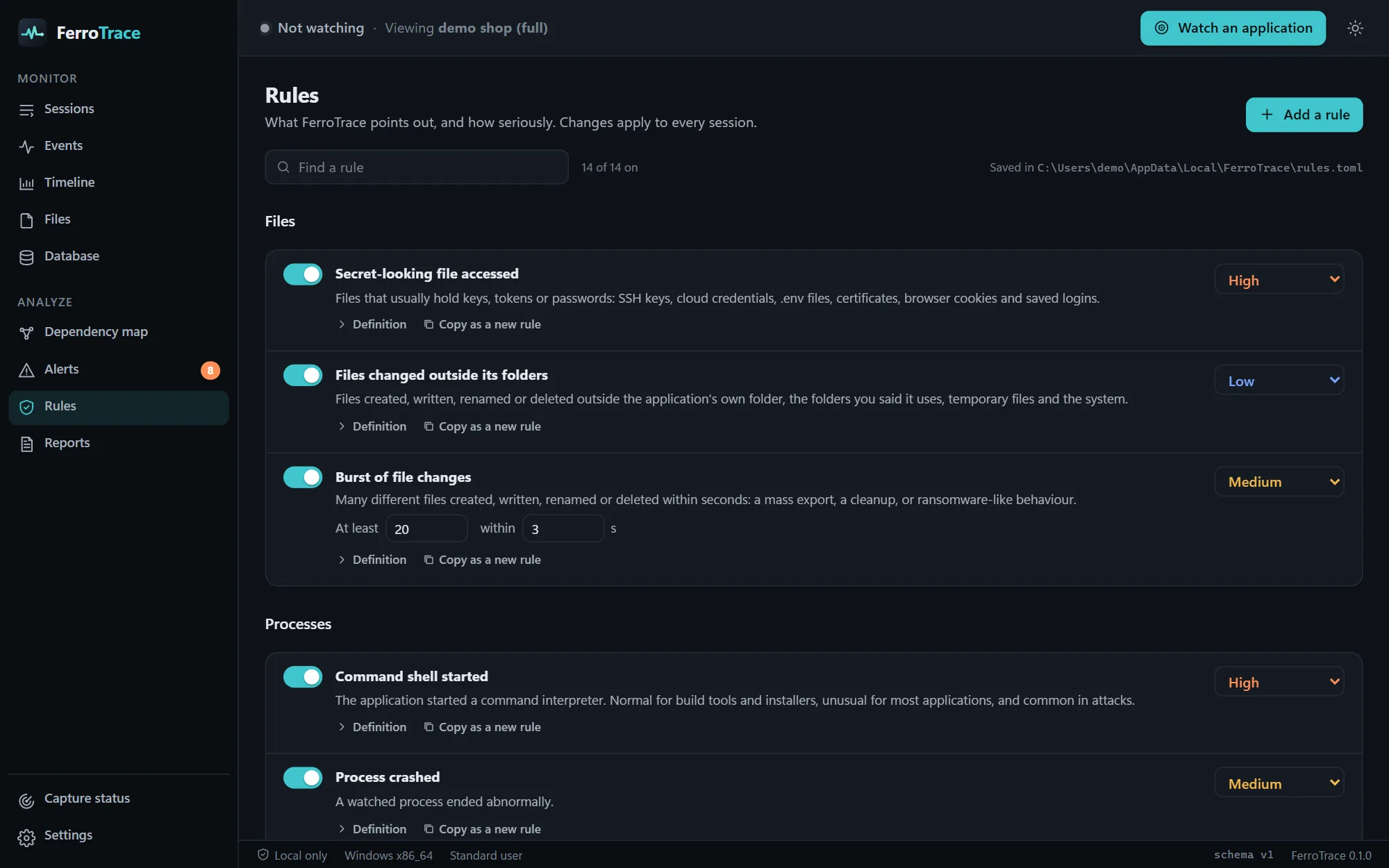
Rules you control
Every rule says what it looks for and why it matters. Change its severity, its thresholds or the folders your application is expected to use, turn it off, or copy it as the start of your own. Your changes apply to every session, recorded or not.
Everything else you'd expect
Activity over time by type. Drag across it to zoom in, and the range filters every other view.
The most used, slowest and failing files and queries, and secret-looking files on their own.
One HTML file with the summary, timeline, alerts, evidence, AI explanations and the map. Opens offline and prints well.
Every event, alert and explanation as JSON Lines, ready for your own scripts and tools.
Every run is saved. Name, pin, compare and clean them up automatically by age or size.
Watch, record, compare, map, report and export from scripts with ferrotrace watch and ferrotrace sessions.
A small shop that does a few suspicious things on purpose, so you can see FerroTrace work in your first minute.
Themes that follow Windows, a command palette and shortcuts for every view.
Private and transparent by design
Works with any Windows application
Any language, any framework, with or without its source code. Only applications you own or may test.
FerroTrace vs raw system tools
| Capability | Process and packet monitors | FerroTrace |
|---|---|---|
| What you get | Thousands of raw system events | What your app did, grouped and explained |
| Following one application | Build the filters yourself | Its child processes followed automatically |
| Database queries | Not visible | From server query logs, values masked |
| Spotting the unusual | Read everything and hope | 14 rules, with the evidence |
| Comparing two runs | Two exports and a diff tool | New and gone dependencies on a map |
| Sharing what you found | Screenshots | A report anyone can open |
| Secrets in the data | Recorded as they are | Masked before saving |
| Price | Free | Free |
Get FerroTrace 0.1.0 · Free
We'll email you a one-time code, and the download starts as soon as you enter it.
Windows 10 and 11, 64-bit
Install & first launch
Run the installer. It installs for all users in Program Files and asks for administrator rights once, because the capture agent must live where only administrators can change it. On Windows 10, it adds Microsoft's WebView2 if it's missing.
If Windows shows "Windows protected your PC", choose More info, then Run anyway. FerroTrace then asks you to confirm you only monitor applications you own or may test.
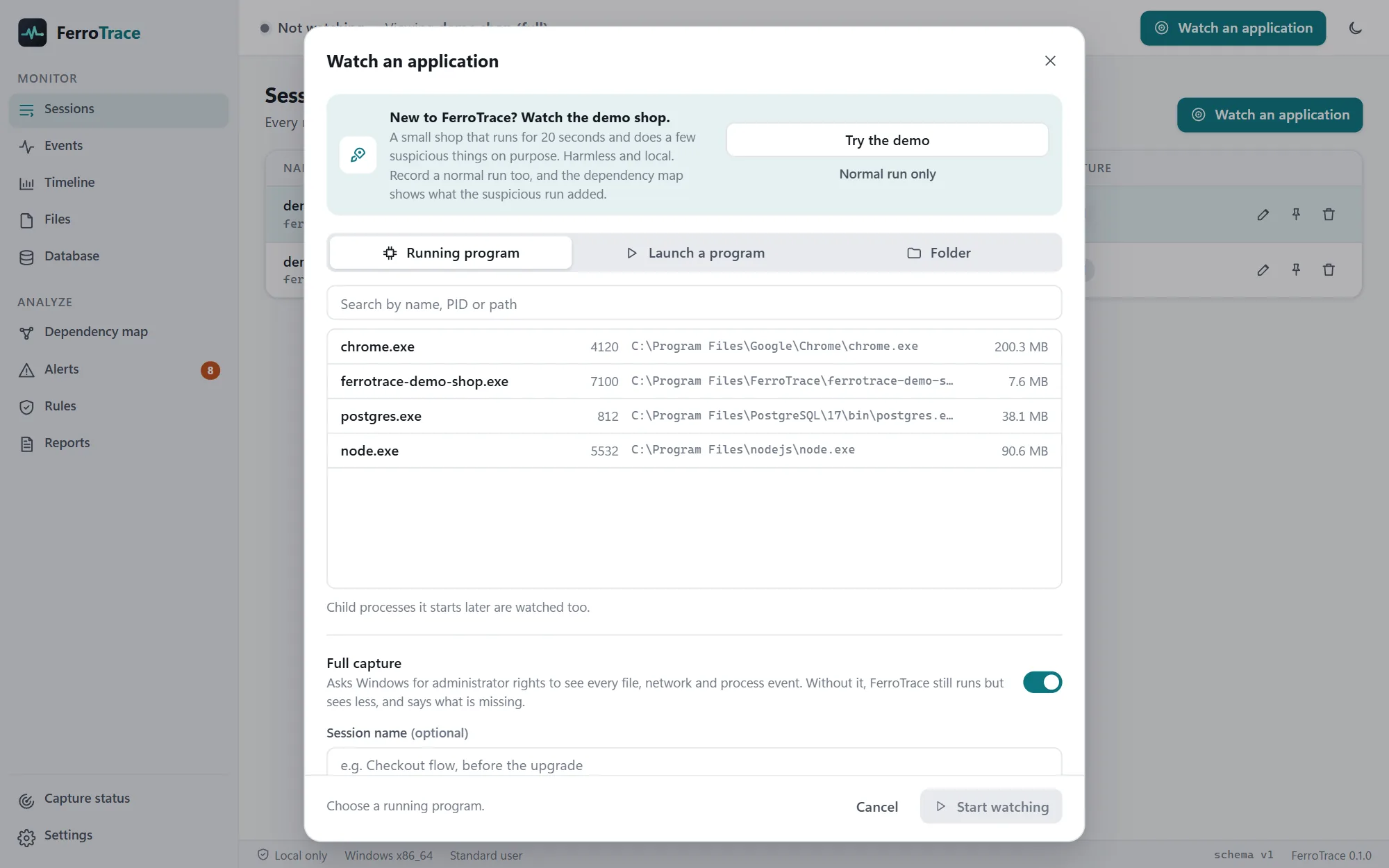
Click Watch an application, then Try the demo. Alerts appear within seconds, and the map shows what the run added compared with a normal one.
The first-launch warning appears because FerroTrace is new and not yet widely downloaded; it only shows once. Updating: install the new version over the old one, and your sessions, rules and settings are kept. Verify your download (optional): the installer's SHA-256 checksum is in SHA256SUMS.txt.
FAQ
Something else? Ideas or partnership enquiries? Email jamal@unravelers.tech.
Yes. Download it and use it as much as you like.
No. FerroTrace watches from the outside, through what Windows itself reports. Nothing is installed into the application, and it doesn't need its source code.
It can't crash it: nothing is attached to it. Watching costs some speed on very busy programs (3% to 5.4% on our deliberately busy benchmark), and if part of FerroTrace's capture fails, the application keeps running and the failure is recorded.
Full capture reads Windows' kernel event tracing, which only administrators may read. Only FerroTrace's small capture agent gets those rights, after a Windows prompt, never the watched application or the FerroTrace window. You can also watch without them, in reduced mode.
No. It records where connections go and how much they send, not the encrypted content. Secrets it does see, in command lines, URLs or queries, are masked before anything is saved.
PostgreSQL, MySQL, MariaDB and SQL Server, from their query logs (FerroTrace shows what to turn on), and SQLite from file activity, with no setup.
No. There is no account, no telemetry and no update check. The only connections it makes are to an AI provider you set up, when you click Send, and to a SQL Server you asked it to read from.
Only applications you own or are authorized to test. FerroTrace asks you to confirm that before it watches anything, and always shows what it is watching.
Not yet. FerroTrace is for Windows 10 and 11 (64-bit) today.
Before the next upgrade, audit or incident
FerroTrace is free for Windows. Watch the demo app in your first minute, then point it at the program you've been wondering about.