Blocked on the backend
The endpoint you need is "coming next sprint". So the screen that uses it waits too, and so do you.
01
API Mock Server gives you a working fake API in seconds, from a folder of JSON files or your OpenAPI file. Then it lets you make that API slow, make it fail, or make it stop answering, so your loading screens and error messages are built now, not after something breaks in production.
Waiting for the backend slows everyone down
Real networks are slow and real servers fail. Your app should handle both well. API Mock Server lets you build and test all of it now, on your own machine, as often as you like.
The endpoint you need is "coming next sprint". So the screen that uses it waits too, and so do you.
01On localhost every answer is instant, so the spinner, the skeleton and the double-click bug never show up until real users do.
02The 500 page, the retry button, the "you're offline" message: written in a hurry, the night production fell over.
03Your tests prove the happy path works. Proving the app survives a 503 or a dropped connection is the part nobody gets to.
04Three steps to a working API
You get a ready-to-use example with users, posts, orders and a login.
Your API is now running at http://localhost:4000.
Change your app's API address and start building.
That's all. No code to write, no account to create, nothing to set up.
# Your app sends          It gets
GET    /users           the list of users
GET    /users/1         user number 1
POST   /users           a new user, with a new id
PATCH  /users/1         the user, changed
DELETE /users/1         the user, removed
GET    /users/1/posts   only the posts of user 1
A fake API that acts like a real one
JSON files, OpenAPI files and hand-written answers, with every request in plain sight.
From JSON files
Make a file called users.json with a list of users in it, and you have the whole REST API for users. It behaves like a real server: add a user and it's in the list the next time you ask.
Already using json-server? Your db.json works as it is.
GET /users?role=admin
    only admins
GET /users?age_gte=18
    age 18 or more
GET /users?name_like=ada
    name contains "ada"
GET /users?q=london
    search everything
GET /users?_sort=-createdAt
    newest first
GET /users?_page=2&_limit=20
    page 2, 20 per page
OpenAPI & Swagger
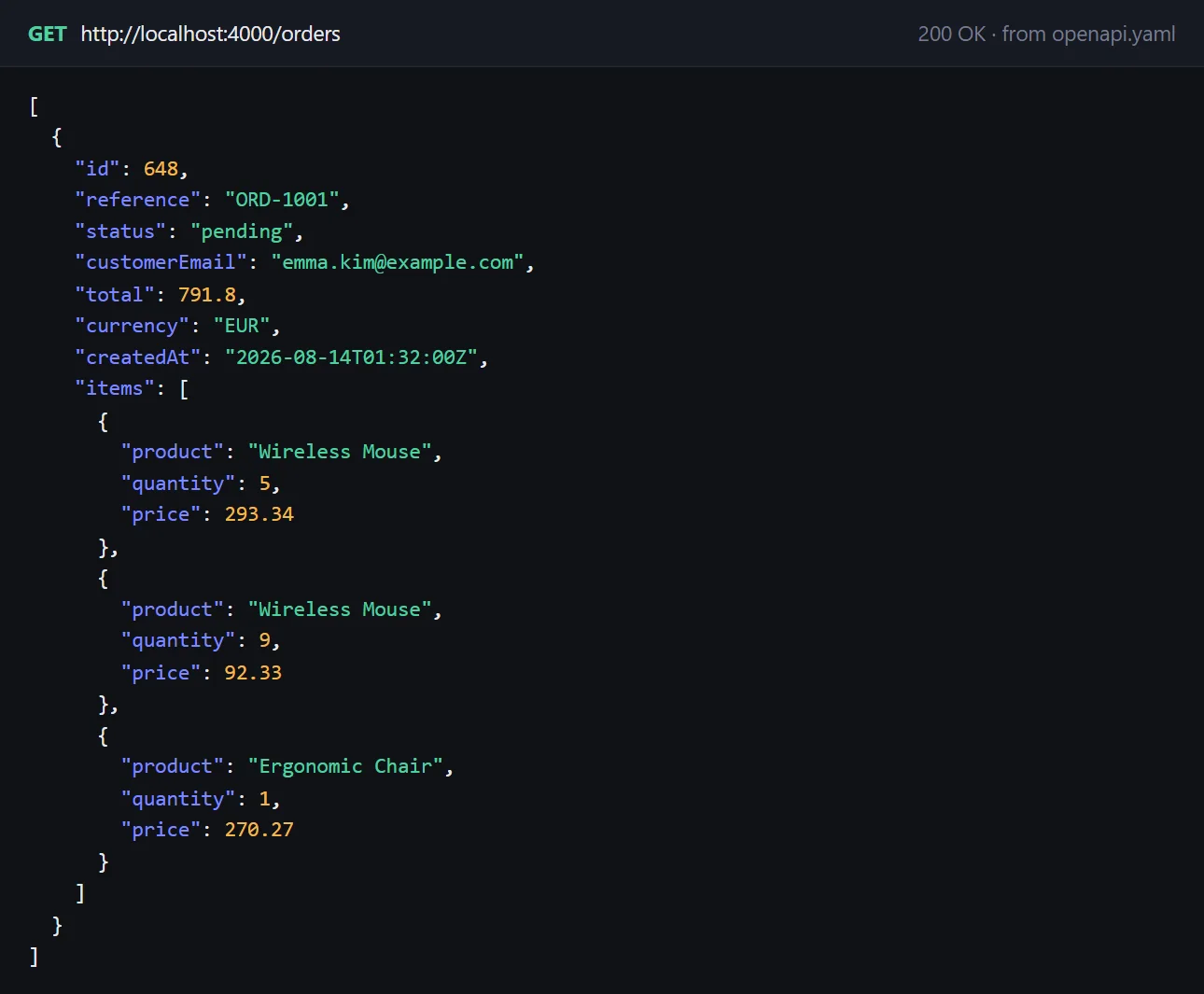
Got an OpenAPI or Swagger file from the backend team? Open it, and every endpoint in it works straight away. No waiting for the real thing.
Request checks
If your app sends something the API won't accept, you find out now, not when the real server turns it down. Missing fields, wrong types, values too long or too small: you get a clear list of what's wrong.
{
  "error": "The request body doesn't match the OpenAPI spec",
  "details": [
    "body.customerEmail: is required",
    "body.items[0].quantity: must be at least 1"
  ]
}
Any other answer
For everything that isn't a list of records, write the answer once in a small file. It can use what your app sent, and it can send back a file, like an image or a PDF.
[
  { "method": "POST", "path": "/login",
    "body": { "token": "abc123",
              "email": "{{body.email}}" } },
  { "method": "GET",
    "path": "/users/:id/avatar",
    "file": "avatar.png" },
  { "path": "/old-api/*", "status": 410 }
]
See every request
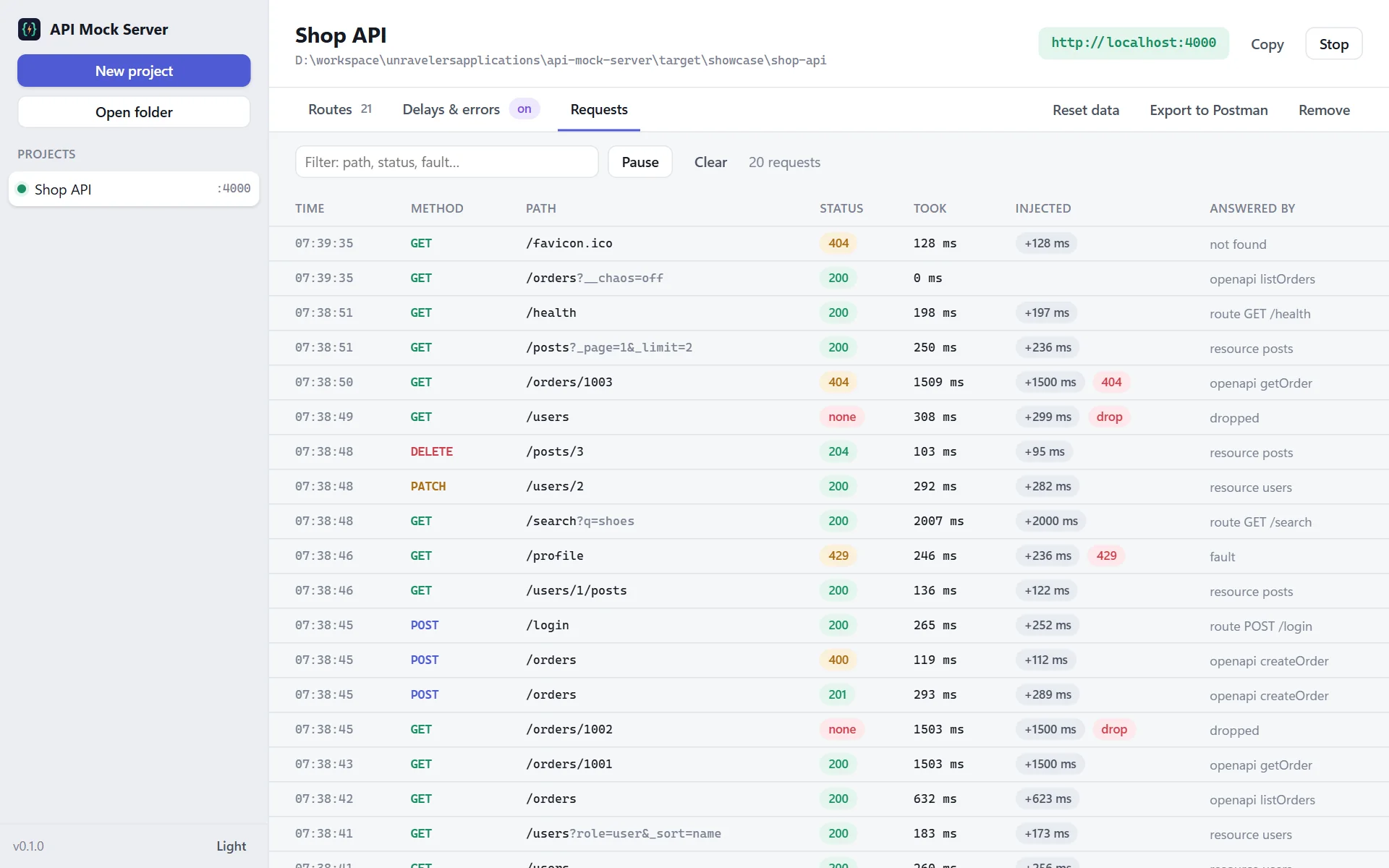
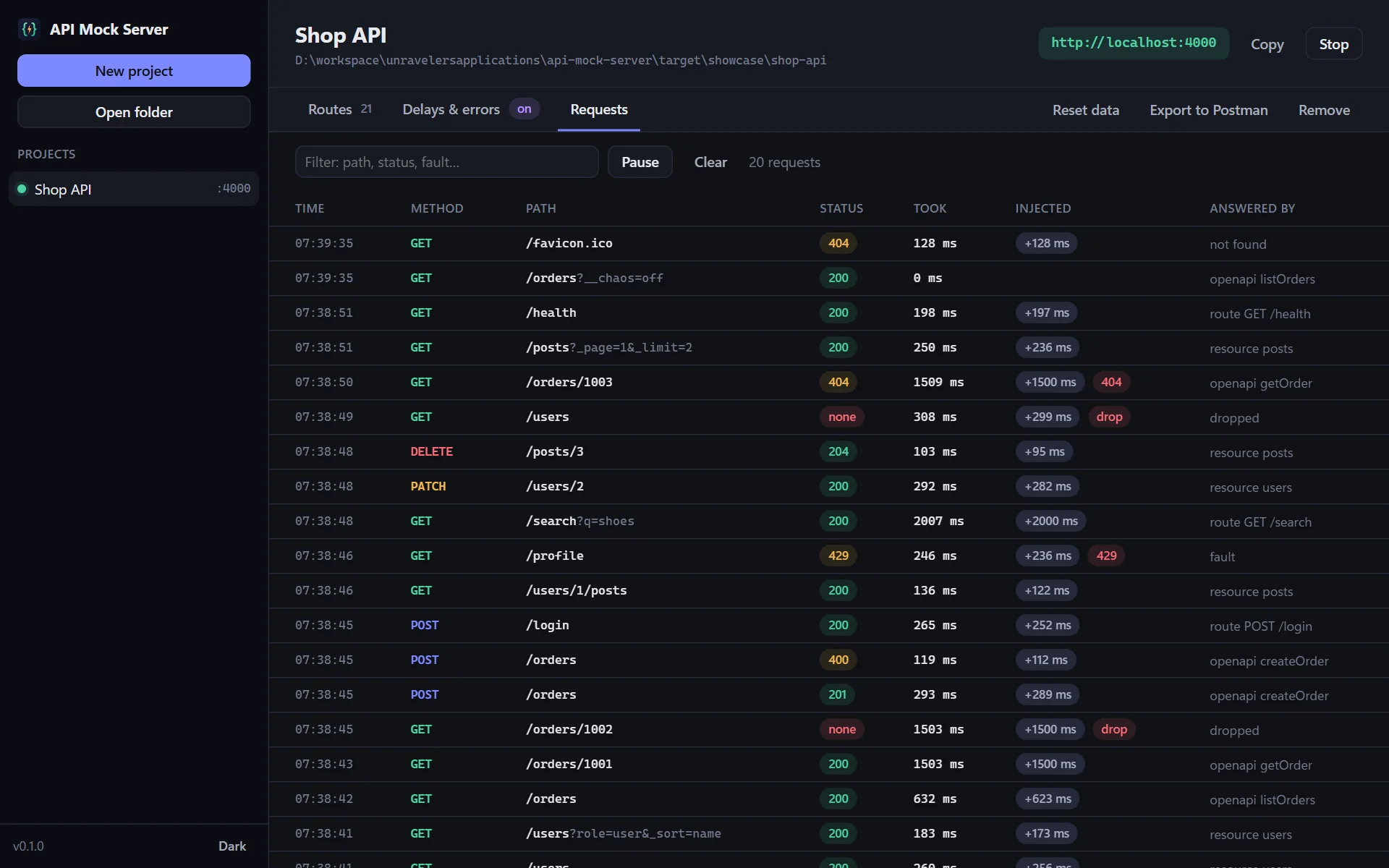
The Requests tab shows every call your app makes, as it happens. Search it, pause it, clear it.
Every route in one list
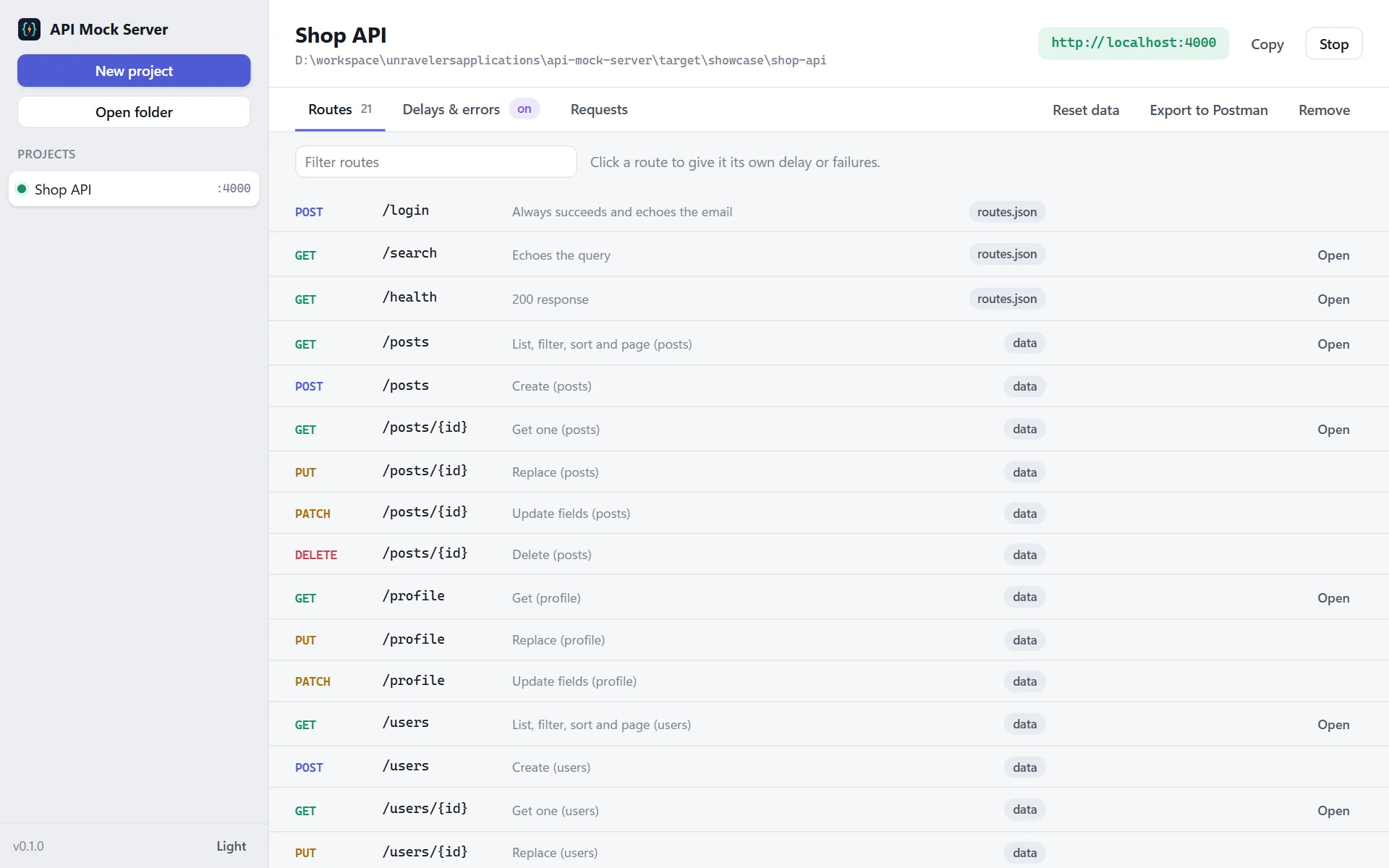
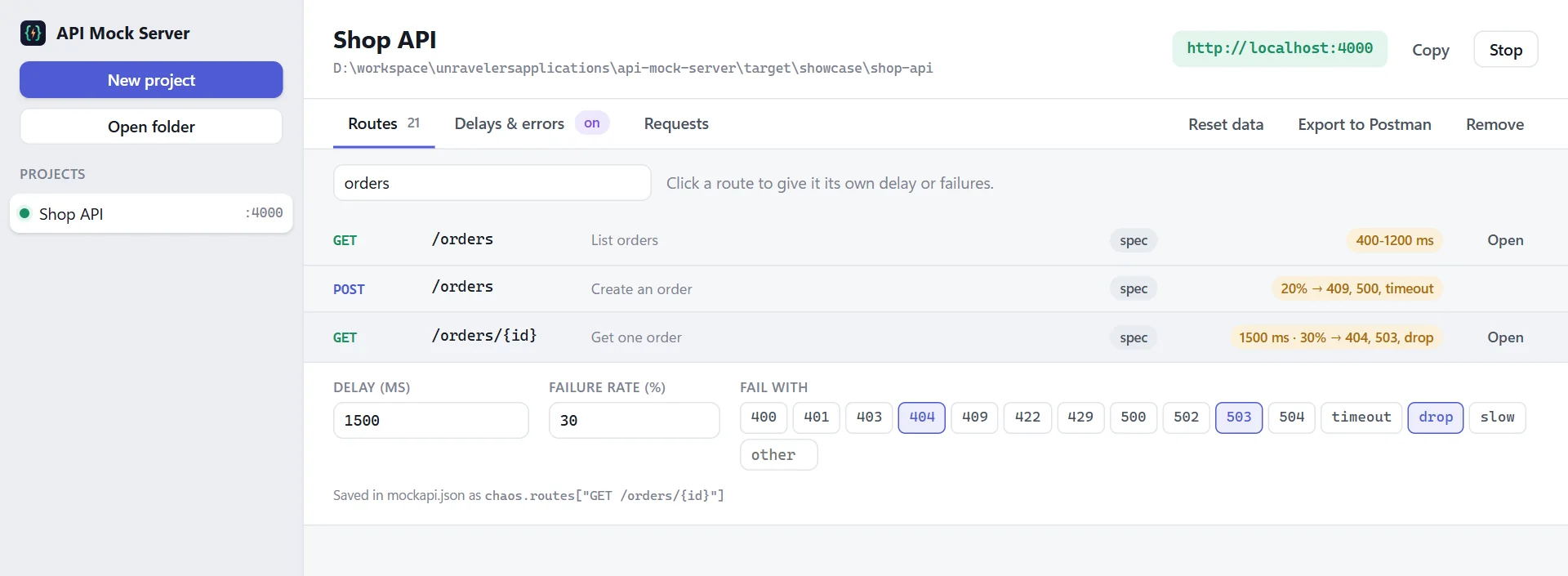
The Routes tab lists every route and where its answer comes from. Search it, see each route's delay and error rules at a glance, and open any GET route in your browser with one click.
Make it slow. Make it fail.
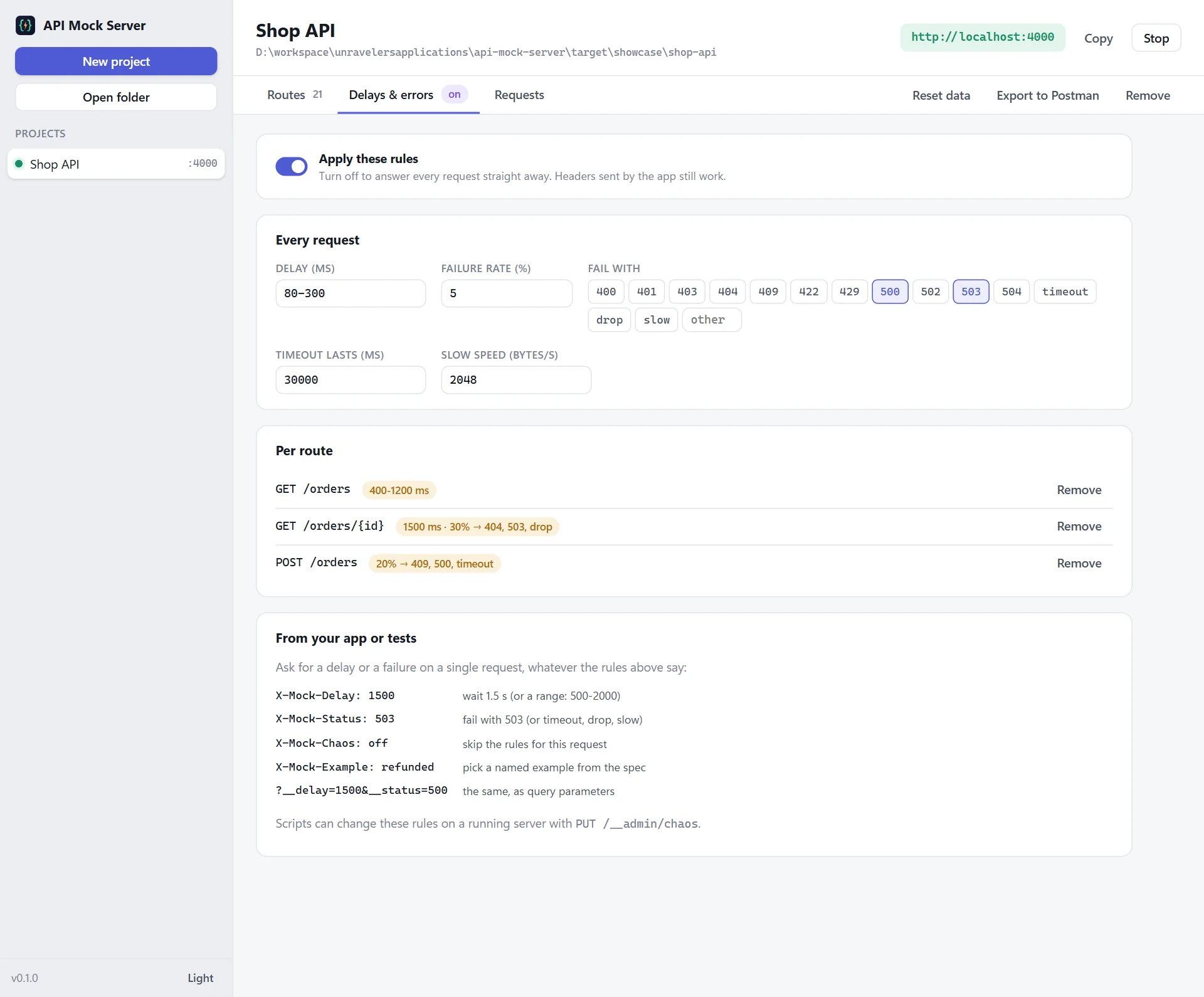
Choose how often it happens, from never to every time: "5% of all requests fail with 500 or 503". Then give one route its own rules. Make only the payment page fail, or only the order list slow.
Ask from your app or your tests
Need a slow answer or an error for just one request? Add a header.
Share it. Script it.
Everything you set up is saved in the project folder, so you can share it or put it in Git.
Your tests can even change the rules while the server runs, through a small built-in API at
/__admin: turn on errors before a test, put the data back after it,
and read the list of requests your app made.
Made for everyday work
Save a JSON file or the OpenAPI file and the API updates. No restart.
Keep a list of fake APIs and run several at once, on different ports.
Cross-origin requests (CORS) are allowed, so your web app can call it straight away.
Like /api, to match your real server.
One click makes a Postman collection with every route. Each request checks its answer, so it doubles as a quick test.
Everything lives in the project folder. Put it in Git and everyone gets the same fake API.
Themes that follow your system.
When a new version is out, it offers to install it.
Your data stays on your computer
API Mock Server runs entirely on your machine. Your files and your requests never leave it. The only time it goes online is to check for updates.
Who uses API Mock Server
Coming next
Save the data your app creates back to the files, if you want to.
Copy answers from a real API and turn them into mocks.
Fail the first time, succeed the second, to test retries.
For apps that don't just ask, but listen.
Want a say in what comes first? Tell us.
API Mock Server vs a simple mock tool
| Capability | Simple mock tool | API Mock Server |
|---|---|---|
| API from JSON files | Yes | With filters, sorting, pages and related records |
| OpenAPI / Swagger files | Sometimes | Examples, or realistic data from the schema |
| Checks what your app sends | No | A clear list of what is wrong |
| Delays | Sometimes, one for everything | Fixed or random, per route |
| Errors | Usually one at a time, by hand | By chance, by route, or on request |
| Timeouts, dropped connections, slow answers | No | All three, on demand |
| Desktop app | No | Windows, macOS and Linux |
| Live list of requests | No | With delays and errors marked |
| Change rules from tests | No | Built-in admin API |
| Postman collection | No | One click, with checks |
Get API Mock Server 0.1.0 · Free
Pick the file for your system. We'll email you a one-time code, and the download starts as soon as you enter it.
Windows 10 and 11, 64-bit
macOS 11 Big Sur or later
64-bit (x86_64)
First launch, servers & CI
If Windows shows "Windows protected your PC", choose More info, then Run anyway. API Mock Server then appears in the Start menu.
Open the .dmg and drag API Mock Server into Applications. The first time, open System Settings, Privacy & Security, and click Open Anyway.
Install the .deb with apt or the .rpm with dnf, like any other package. The AppImage needs no install: make it executable (chmod +x) and run it.
API Mock Server updates itself: when a new version is out, it offers to install it. Your projects and settings are kept.
The first-launch warning appears because API Mock Server is new and not yet widely downloaded; it only shows once. Verify your download (optional): each file's SHA-256 checksum is in SHA256SUMS.txt.
FAQ
Something else? Ideas, or a demo for your team? Email jamal@unravelers.tech.
Yes. Download it and use it for as many projects as you like.
No. Make a new project in the app, click Start, and you have an API. You only edit JSON files if you want different data.
Yes. Open the folder that has it and every endpoint works. It reads OpenAPI 3 and Swagger 2, in YAML or JSON.
No. Changes your app makes are kept in memory. Click Reset data, or restart, to go back to what the files say.
Yes. Everything is saved in the project folder. Share it or put it in Git, and everyone who opens it gets the same fake API.
Yes. Use headers like X-Mock-Status: 500 to cause an error on one request, or change the rules for the whole server through /__admin before a test.
Yes. Set "host": "0.0.0.0" in the project's mockapi.json and others can reach it at your computer's address.
No. Everything runs on your computer. It only goes online to check for updates.
Windows 10 and 11, macOS 11 or later on Apple silicon and Intel, and 64-bit Linux.
Stop waiting for the backend
API Mock Server is free for Windows, macOS and Linux. A working API in seconds, and every failure you need to test, on demand.